
The install that became a donation
Plant availability changes, irrigation hits rock, and the crew-day math you bid stops being true. Live costing shows the burn per phase while the remaining phases can still be re-priced or re-crewed.
// LANDSCAPING CREW MANAGEMENT SOFTWARE
Installs bid by the crew-day, maintenance priced by the visit, and crews that start at the yard at 6am. GPS clock-in puts the hours where they belong, and the job jacket says which properties actually pay. Peer reviews show which crew leads to build your crew around.
01 — Built for landscaping crews
Three problems that show up on the closeout report. Here is where the app catches each one earlier.
Plant availability changes, irrigation hits rock, and the crew-day math you bid stops being true. Live costing shows the burn per phase while the remaining phases can still be re-priced or re-crewed.
One-button GPS clock-in ends the “who was where” reconstruction. Crew timesheets roll up for payroll; job filters show which contracts eat the hours.
Track applicator licenses with expiry alerts and schedule equipment maintenance with due dates — plus 360° peer reviews so your best crew leads get seen and kept, not lost to the shop down the road.
02 — Every feature, every trade
Every Worker Efficiency feature works for every trade. Here’s what five of them look like on a landscaping job.
Custom forms
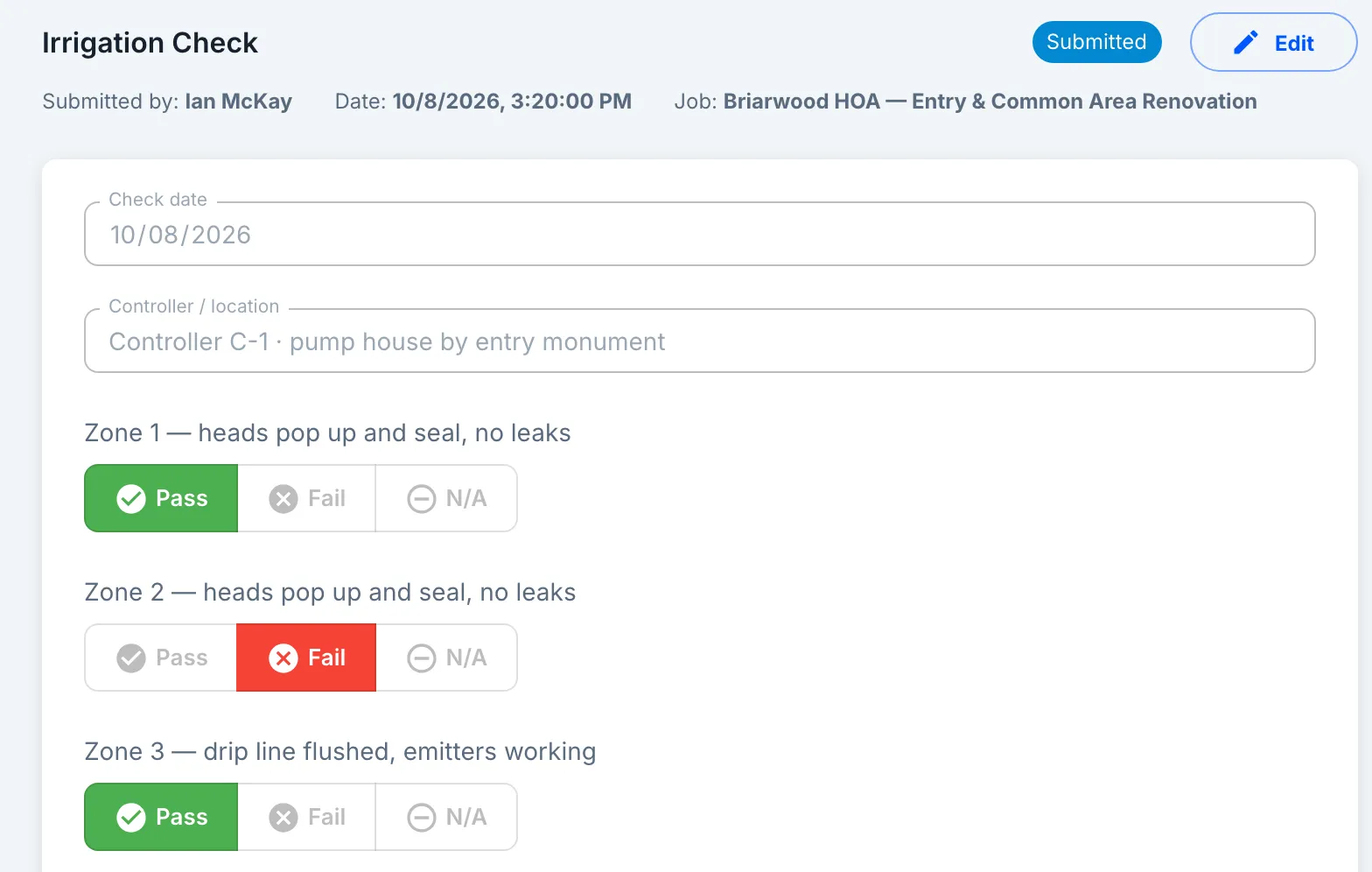
Build your own equipment check, daily site report or irrigation check with photos and a signature. Attach it to the job, and the crew fills it out on their phone.
Inventory price list
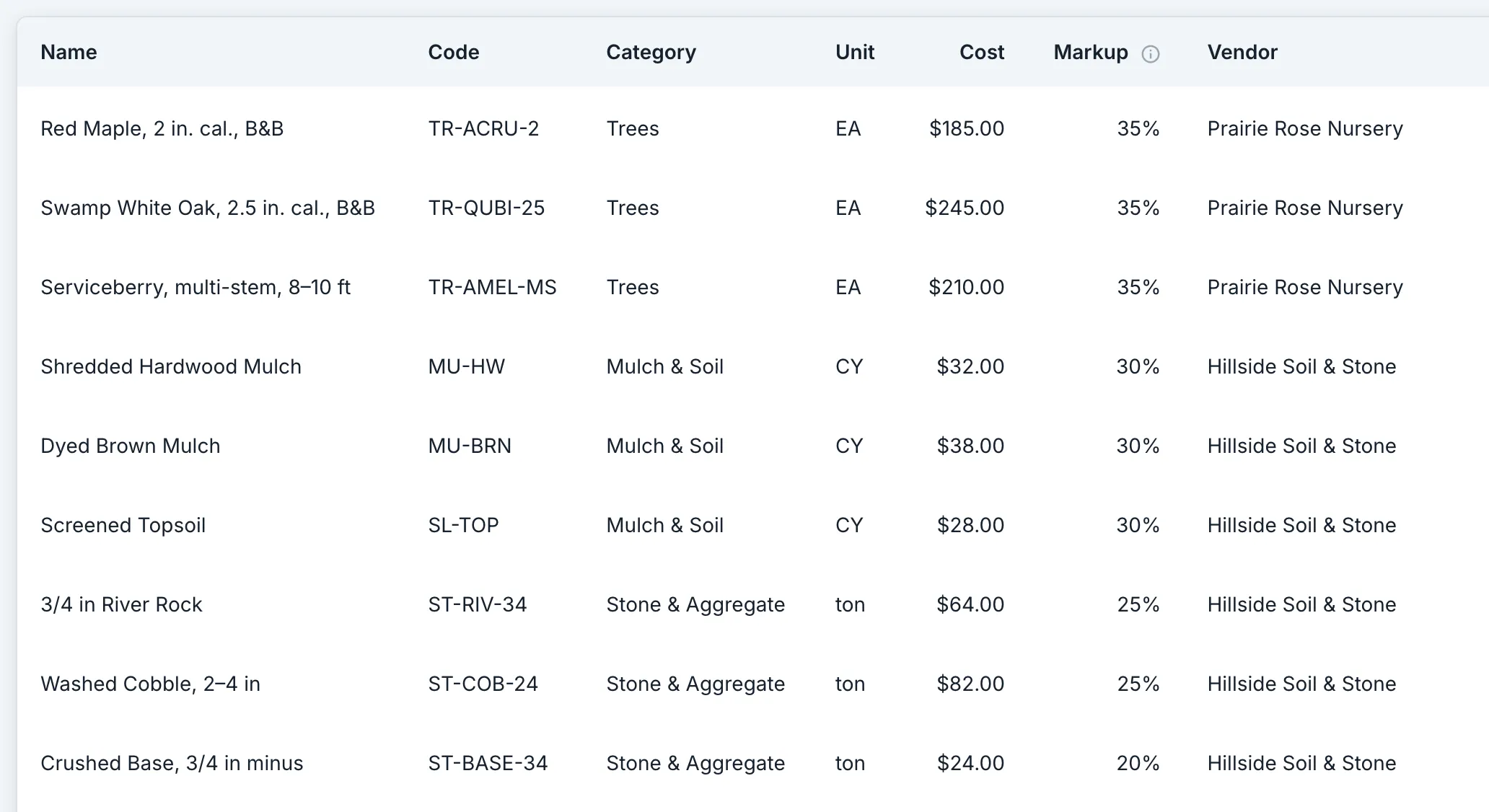
Save each plant and bulk material with its cost, unit and markup: mulch by the cubic yard, stone by the ton. Add your own fields too, like a tree’s caliper. Add a material line to a bid, pick the item, and its cost, unit and markup fill in.
Equipment
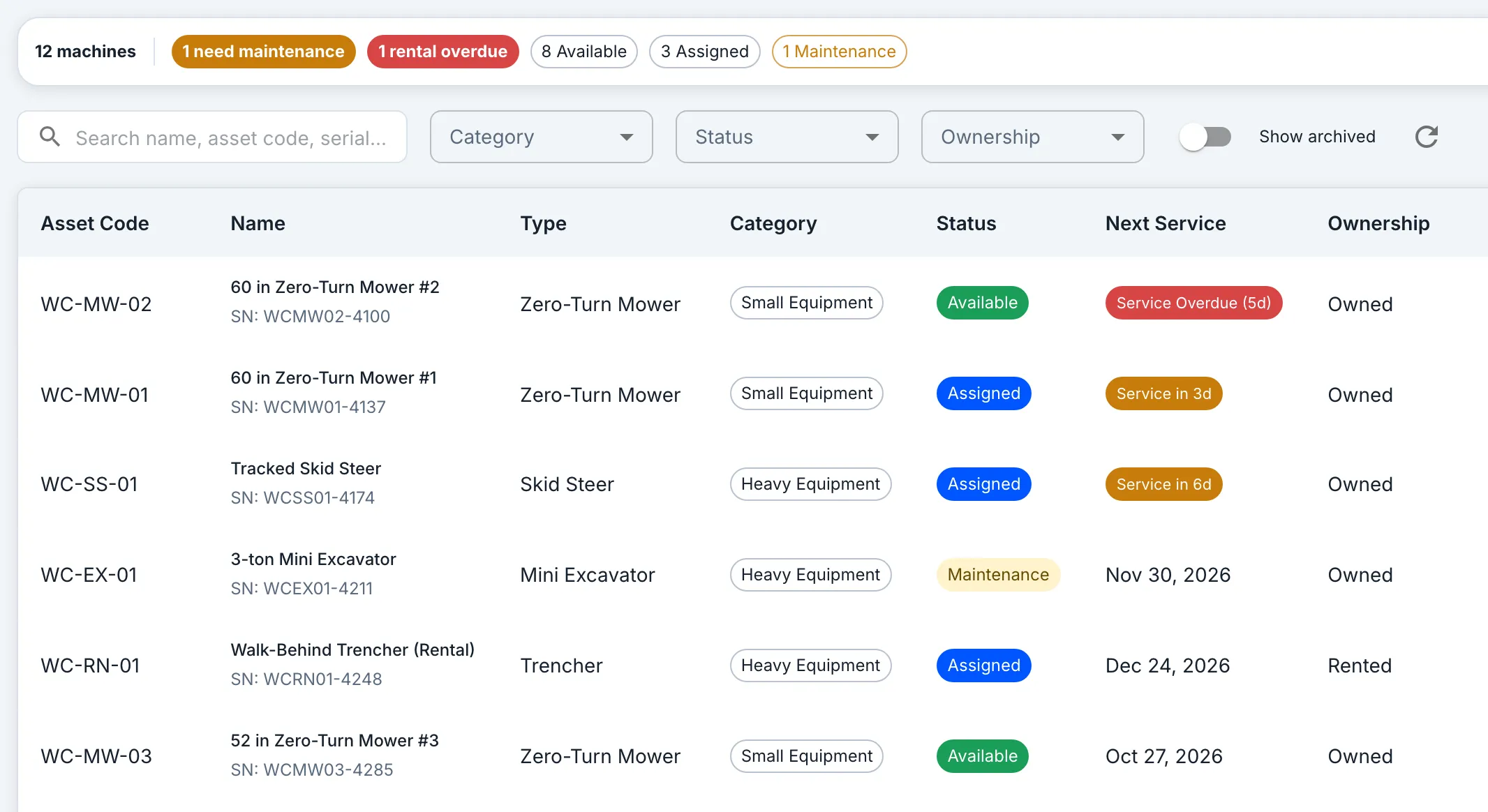
Add each mower, trimmer and skid steer to one list, and set how often each type needs service. The list shows when each is due: amber within a week, red once overdue. Assign a machine to an operator on a job, so you know who has it.
Payroll export
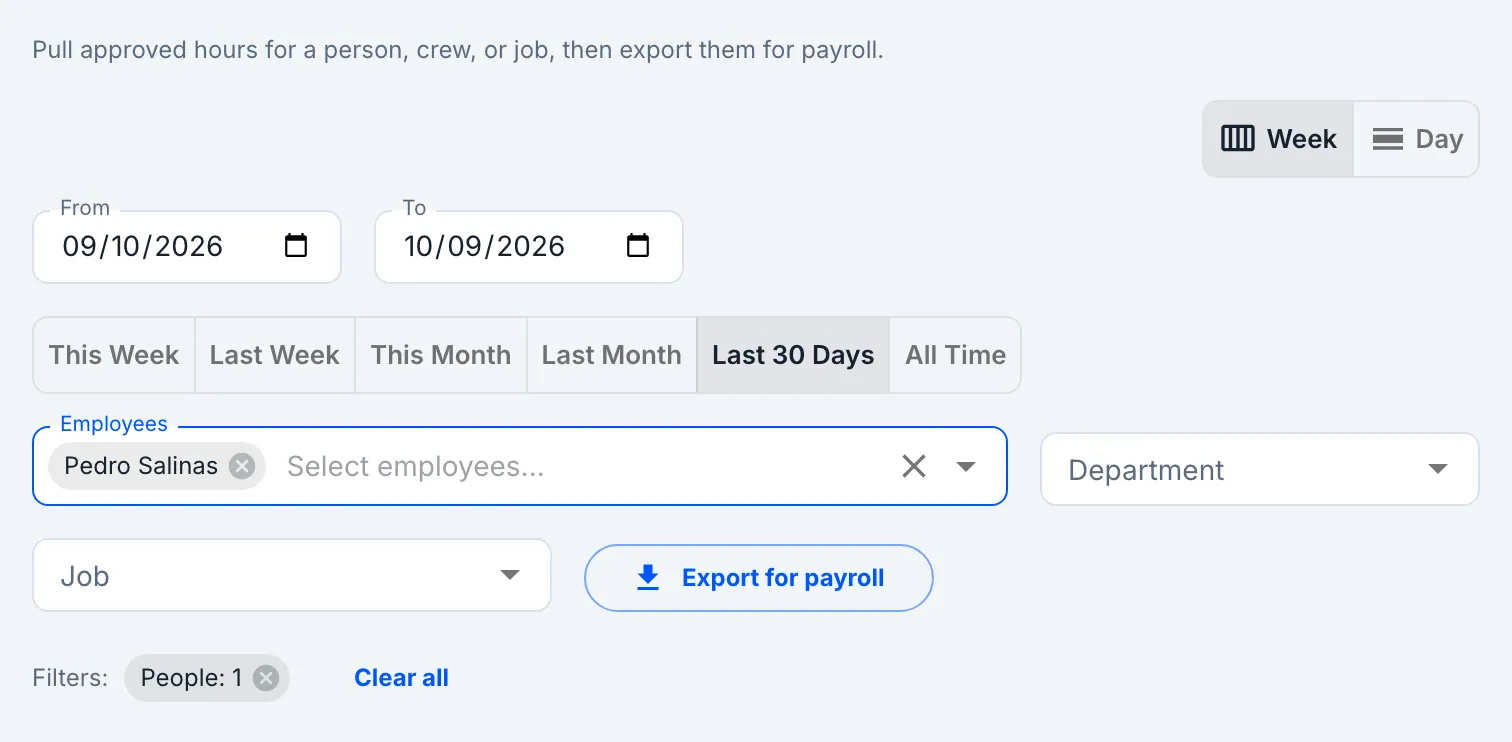
Crews clock in on their phone and start the task they’re on, so hours land on the right property. One export gives payroll each worker’s regular, overtime and double-time hours, plus their hours by job.
Billing & retainage
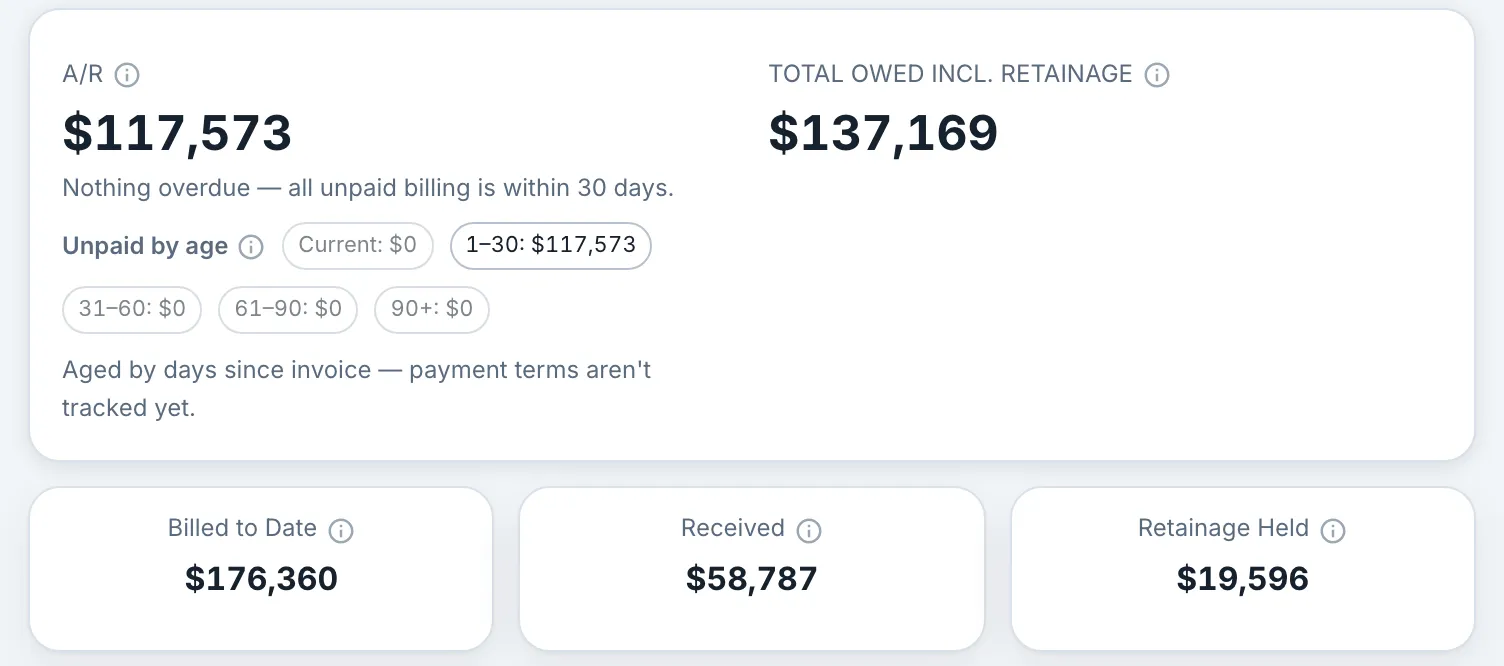
Log each bill you send, like an install or a month of maintenance, and mark payments as they come in. Each job shows what’s still owed, and the company overview adds it up.
Also in the app
Bids, the schedule board, change orders, materials, peer reviews, certifications and training work the same way for every trade. The homepage tour shows each one in the real app.
Take the tour03 — Job costing
Hours cost the job they served — install phase, maintenance visit or enhancement — so recurring contracts stop hiding inside blended payroll and each property earns (or loses) on its own line.
There’s no dedicated recurring-contract feature yet. Model each contract as a job and its visits as tasks; hours clock against them and the contract's margin accrues visit by visit. Installs run as phased jobs beside them.
Yes, the mobile app runs in English and Spanish. Clock-in is one button in either language.
// Also built for
Landscaping crews of any size: $2–5 per user per month, priced on this site, no sales call. Your first live margin number is one clocked shift away.