
Weather days the bid didn't buy
Rain-outs and a cold-joint redo, and the pour schedule slides. Live costing shows the labor and equipment burn against plan while the remaining pours can still absorb a re-sequence.
// CONCRETE CONTRACTOR SOFTWARE
Yards placed, pump hours, excavator time and crew day-rates — site-work margins live and die on utilization. Track the crew and the iron against the job, and see the margin move with every pour. Peer reviews and certs show which finishers and operators to build your crew around.
01 — Built for concrete and site-work crews
Three problems that show up on the closeout report. Here is where the app catches each one earlier.
Rain-outs and a cold-joint redo, and the pour schedule slides. Live costing shows the labor and equipment burn against plan while the remaining pours can still absorb a re-sequence.
Equipment assignment puts machines on jobs, with scheduled maintenance and due dates — so the iron's time is planned, and pre-op inspections ride the same forms your crew already files.
Skills tracking answers "who can run the pump truck" from approved credentials, with rigging and aerial-lift training in the built-in library.
02 — Every feature, every trade
Every Worker Efficiency feature works for every trade. Here’s what five of them look like on a concrete job.
Custom forms
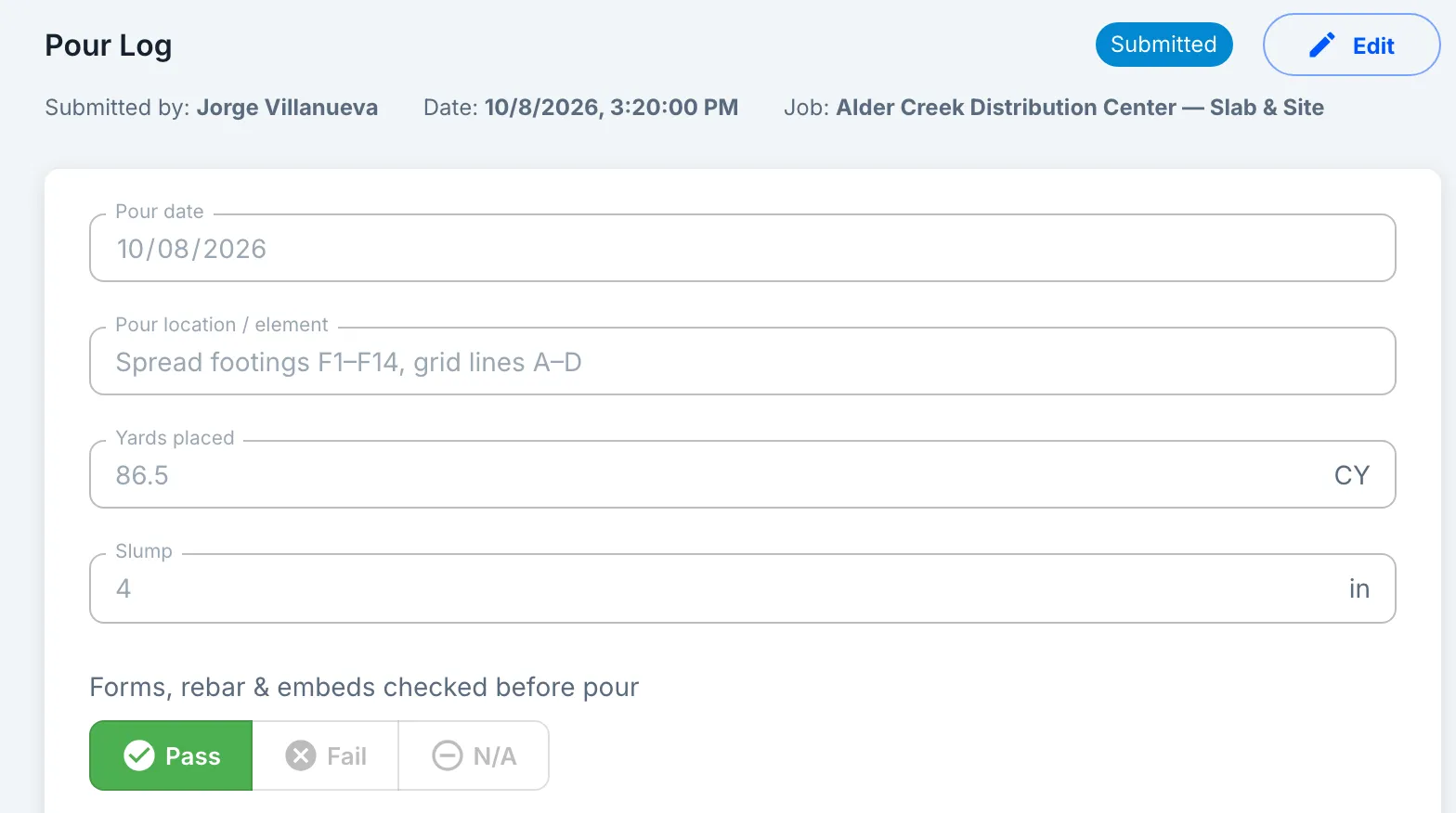
Build a pour log with yards, slump, photos and a signature, or a pre-op check for the machines. Attach one to the job and the crew fills it out on their phone. Download any finished form as a PDF.
Inventory price list
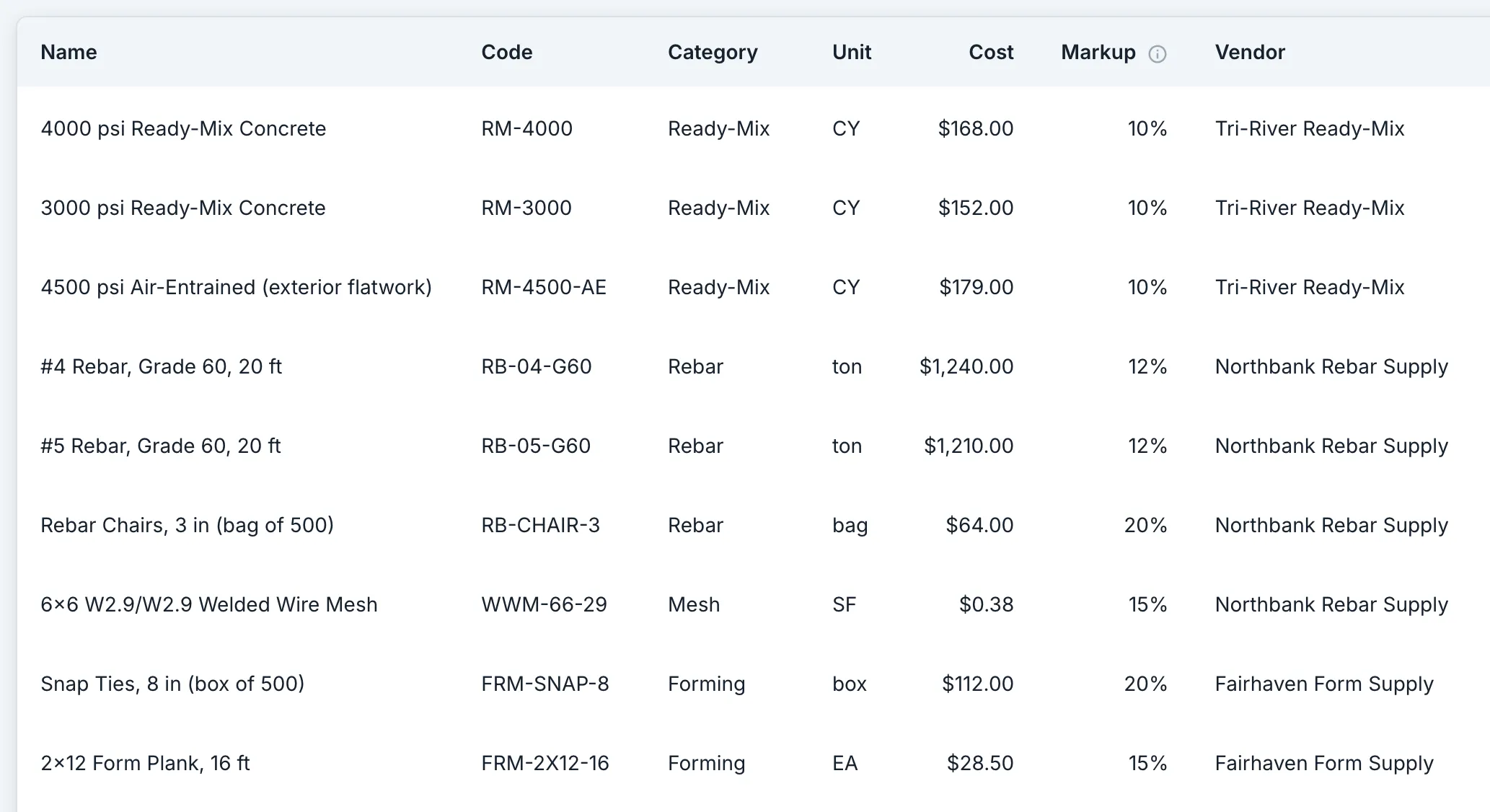
Save each material with its cost, unit and markup: rebar by the ton, mesh by the square foot, concrete by the cubic yard. Add a material line to a bid, choose the item, and its cost, unit and markup come with it.
Equipment
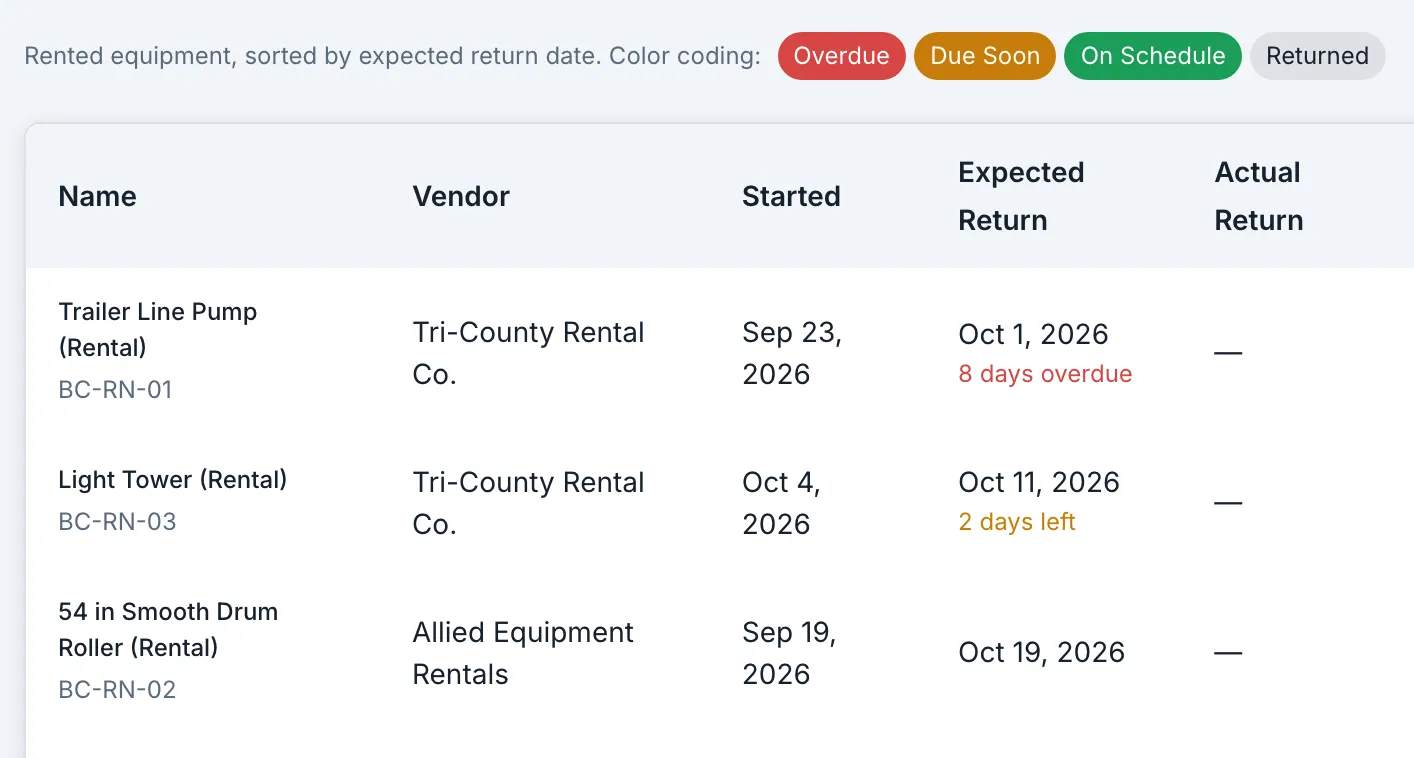
Every machine, owned or rented, goes on one list with its next service date, and overdue rentals are flagged at the top. Assign a machine to an operator on a job, so you know who has it.
Payroll export
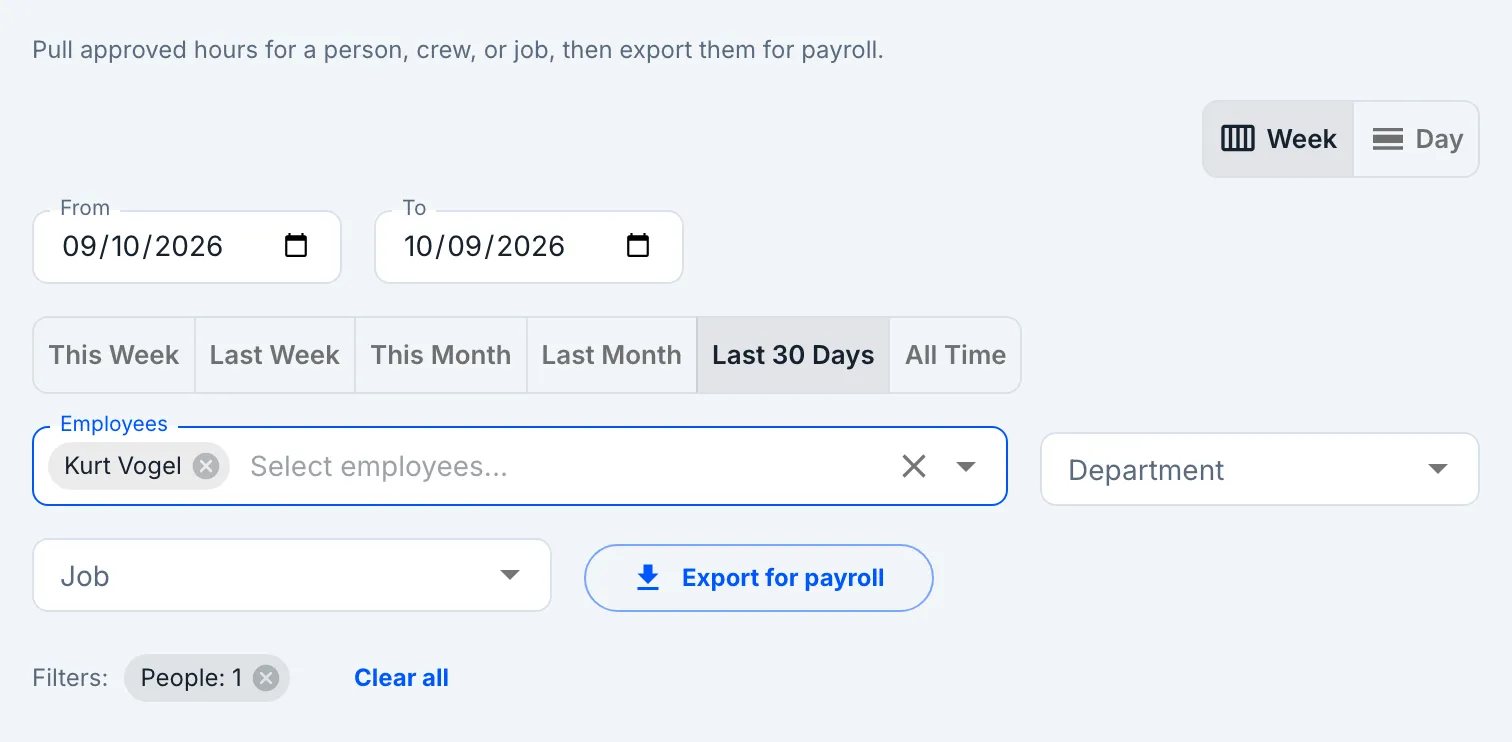
Finishers and operators clock in on their phone against the job, then start the task they’re on. One export gives payroll each worker’s regular, overtime and double-time hours, plus their hours on each job.
Billing & retainage
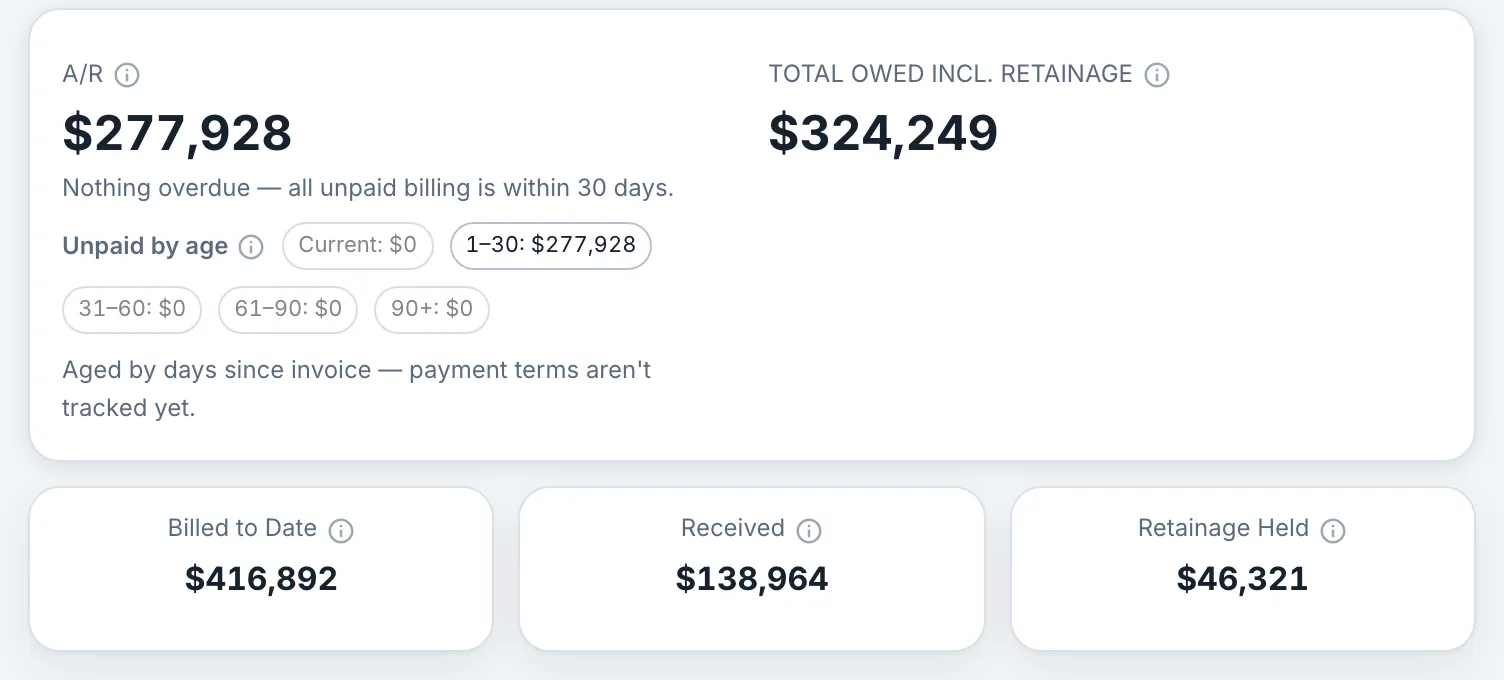
Log each bill you send and mark payments as they arrive. Each job shows what’s still owed, retainage included, and the company overview shows whether you’ve billed ahead of or behind the work.
Also in the app
Bids, the schedule board, change orders, materials, peer reviews, certifications and training work the same way for every trade. The homepage tour shows each one in the real app.
Take the tour03 — Job costing
Your bid's phases carry the hours; clock-ins and material costs land against them; margin to date per pour shows which flatwork actually pays.
Yes. Crews log equipment usage hours against the job, separate from their own clocked time on tasks, and equipment has its own budget line in the job financials. Both roll into the job's live cost picture.
Yes. Site-work and excavation jobs are jobs like any other: phases, tasks, equipment assignments and live costs. The trade label doesn't change the math.
// Also built for
Concrete and site-work crews of any size: $2–5 per user per month, priced on this site, no sales call. Your first live margin number is one clocked shift away.