
// Certification & training tracking
Know who's qualified and what's expiring.
Certifications with expiry alerts, a skills matrix built from the credentials your crew uploads and managers approve, and a training library your crew watches on their phones — OSHA courses included.
01 — How it works
Credentials in, inspector-ready records out
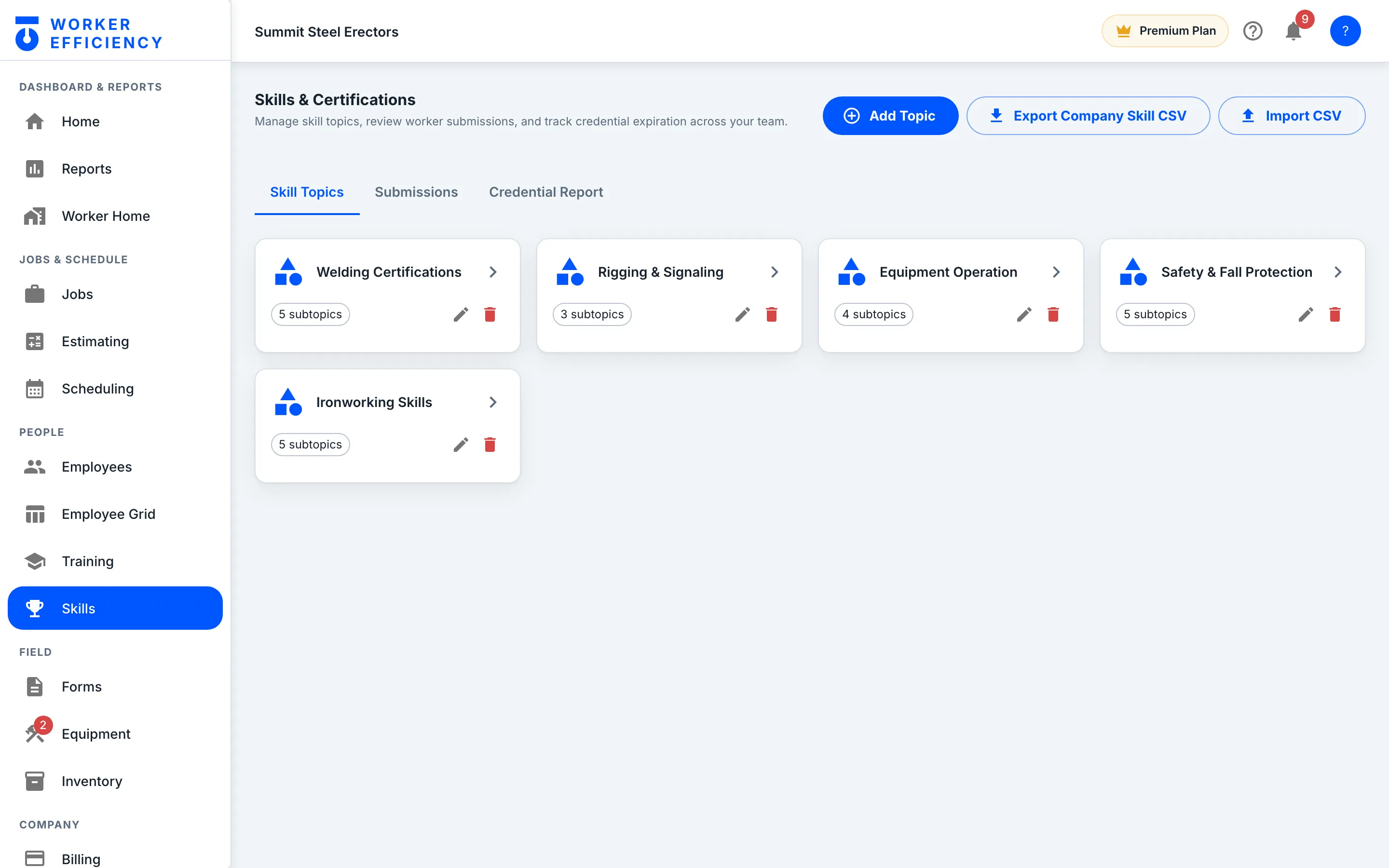
Workers upload the card; a manager approves it; the matrix and the expiry clock update themselves.
Training library
Video training on the phone they already carry
Pick a worker — here, Luis Ortiz — and the Training page rolls up both libraries for them: Platform Training, the built-in WE Training library, with quiz questions, correct answers, total video and time watched; and Company Training, your own courses, with course count, completions, total duration and time watched. Below, the Company Training tab lists Summit Steel's own courses, from New Hire Safety Orientation and Fall Protection & 100% Tie-Off to Welding & Hot Work Procedures, each with a videos-watched count and a progress bar. Workers see their assigned training; managers see the whole team.
- Watch time rolls up per worker, and every course shows videos watched
- Company Training holds your own onboarding, SOPs and safety briefings
- English and Spanish versions of the built-in courses, for mixed crews
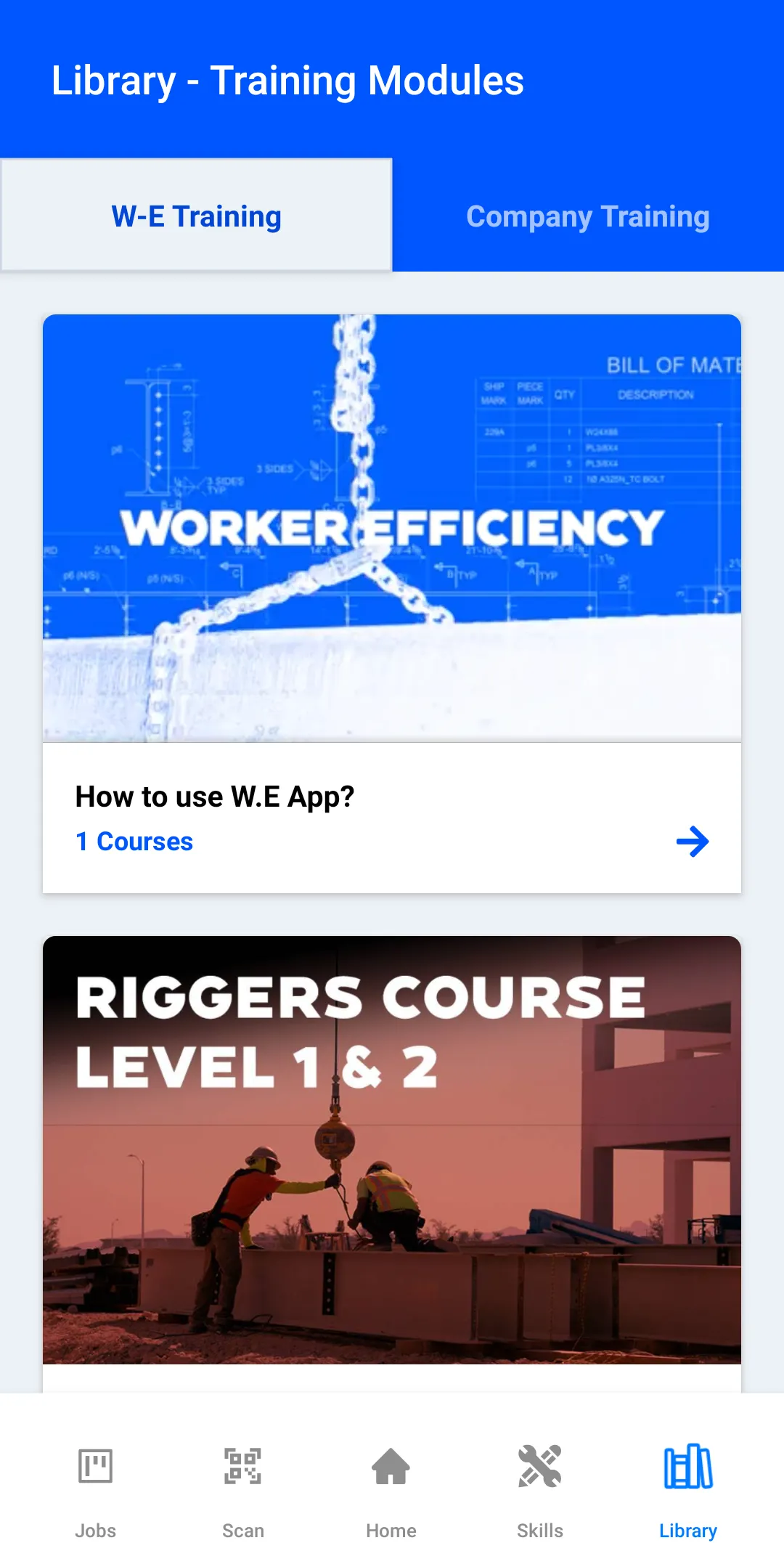
That roll-up feeds from two libraries — your own Company Training courses (pictured above) plus the built-in WE Training catalog below, split into Ironworker & Fabricator courses and OSHA courses.
// Ironworker & Fabricator track
Built for steel, start to finish
- Introduction — The Ironworkers Training Course
- How Buildings Are Built
- The Ladder — Job Positions in the Industry
- How to Read Steel Construction Drawings
- The Steel Fabrication Process
- The Steel Erection Process
- Skill, Behavior & Productivity
// OSHA & safety track
The safety topics inspectors ask about
- Fall Protection for Construction
- Rigging Level 1 & 2
- Working Around Cranes
- Aerial & Scissor Lift Operators
- Forklifts & Telehandler Operators
Company topics too — load your own onboarding, equipment SOPs and safety briefings alongside the WE library.
In the field
The wallet card, retired
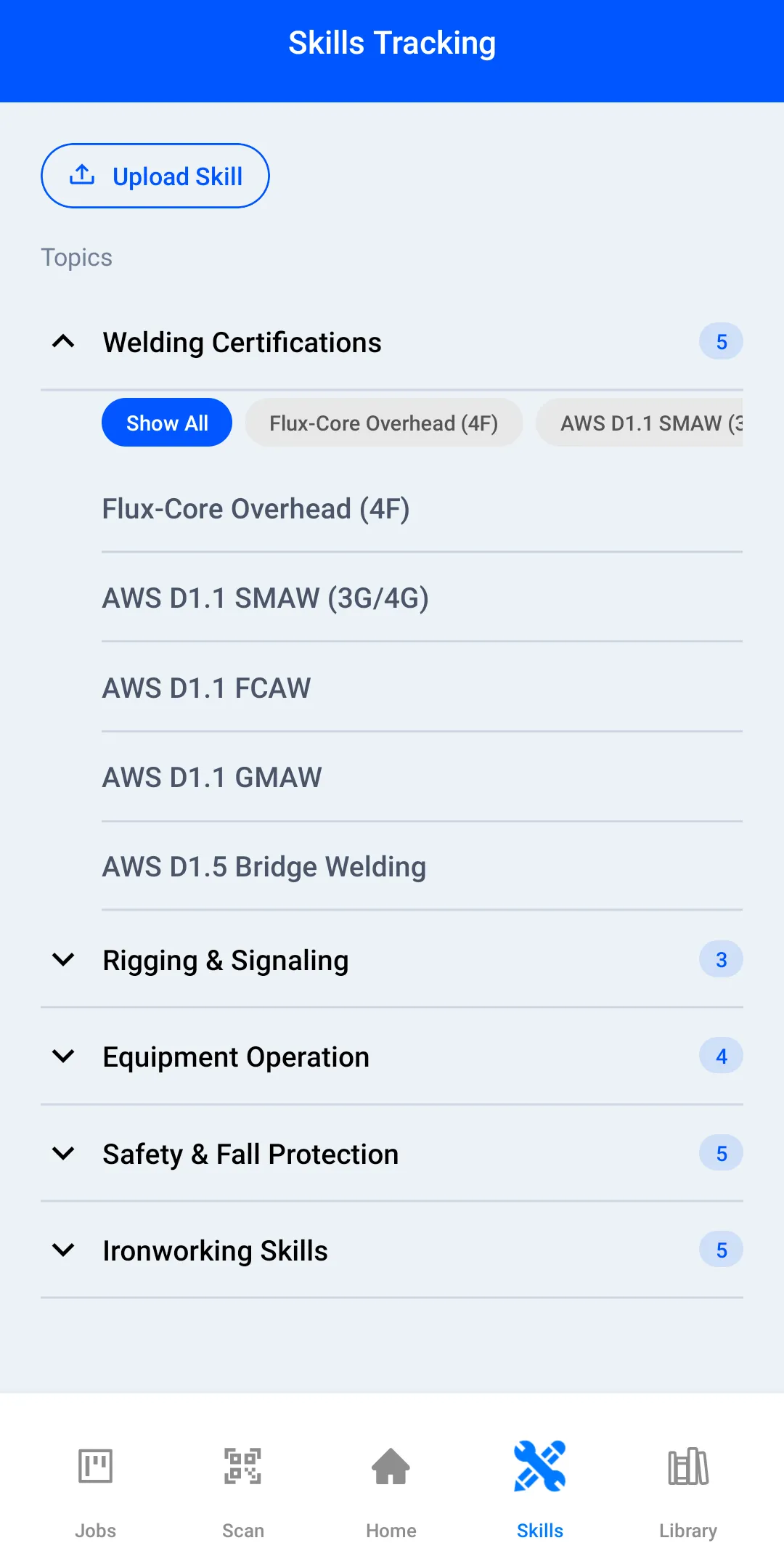
Workers carry their qualifications in the app — upload a photo or file of the cert, see what's approved, know what's next. When the GC asks who's rigging-qualified, the answer is a search result.
- Credential uploads with a photo or file of the card attached
- Approval workflow, so the matrix shows which credentials a manager has verified
- Expiry alerts land before the recert window closes
- The Skills Tracking screen is the matrix itself — Welding Certifications, Rigging & Signaling and every other topic, with the number of skills in each
Certifications and training, in plain language
What counts as a "credential" here?
Anything you need to prove a worker can do a thing: OSHA cards, forklift and rigging certs, trade licenses, company sign-offs. Each is tracked per worker with documents attached and expiry dates watched.
Do you handle OSHA training expiration alerts?
Yes — certifications carry expiry dates and the system flags what's coming due, so recert happens before the audit, not after the citation. The built-in library's OSHA courses cover fall protection, rigging, working around cranes, forklifts and telehandlers, and aerial and scissor lifts.
Is this an LMS?
It's lighter and more field-shaped than an LMS. Video courses with quizzes on the worker's phone, plus your own company courses — onboarding, equipment SOPs, safety briefings — assigned and tracked without a second system.
What is a skills matrix and do I get one?
A skills matrix is the grid of who-can-do-what across the crew. Skills tracking builds it from your crew's credentials, and the Credential Report lets you pick the ones a job needs and narrow to verified, unexpired holders — so when a job needs a certified rigger you search, not ask around.
// THE REST OF THE APP
Everything else in Worker Efficiency
It's one app. Each part below uses the same jobs, crew and hours, so nothing gets typed twice.
KNOW YOUR MONEY
- Estimating Build the bid line by line, then convert it to the job
- Job Costing Bid it, track it, read the live margin
- Scheduling & Change Orders Put the crew on the board; bill the scope that grows
- Inventory One reusable price list, dropped into any bid
- Field Operations Time, forms, equipment, estimates
BUILD YOUR CREW
- Crew Peer Reviews 360° reviews from the field, not HR forms
- Training & Certifications You're here Certs, expiry alerts, skills matrix
How it works: one job, start to finish → Tour the app on real screens →
Know who's qualified before the audit asks.
Upload the certs you have this week; the expiry clock and the skills matrix take it from there.