
The changeout that ate its margin
A rooftop changeout bid at a healthy margin — then crane delays and an extra trip for controls. With live job costing you see the labor burn cross plan mid-job, while the remaining units can still be re-sequenced.
// HVAC CONTRACTOR SOFTWARE
Install bids that hold up, techs who clock against the job, and a live margin number per changeout, install and service call. You find out which jobs eat the margin while the truck is still on the roof — not when the bookkeeper closes the quarter. Peer reviews and certs show which techs to build your crew around.
01 — Built for HVAC shops
Three problems that show up on the closeout report. Here is where the app catches each one earlier.
A rooftop changeout bid at a healthy margin — then crane delays and an extra trip for controls. With live job costing you see the labor burn cross plan mid-job, while the remaining units can still be re-sequenced.
GPS clock-in puts every tech's hours on the right job without radio roll call. Timesheets assemble themselves; payroll stops being a Friday reconstruction project.
Certification tracking holds every tech's EPA 608, brazing quals and company sign-offs with expiry alerts — so the audit and the insurance renewal are paperwork, not panic.
02 — Every feature, every trade
Every Worker Efficiency feature works for every trade. Here’s what five of them look like on an HVAC job.
Custom forms
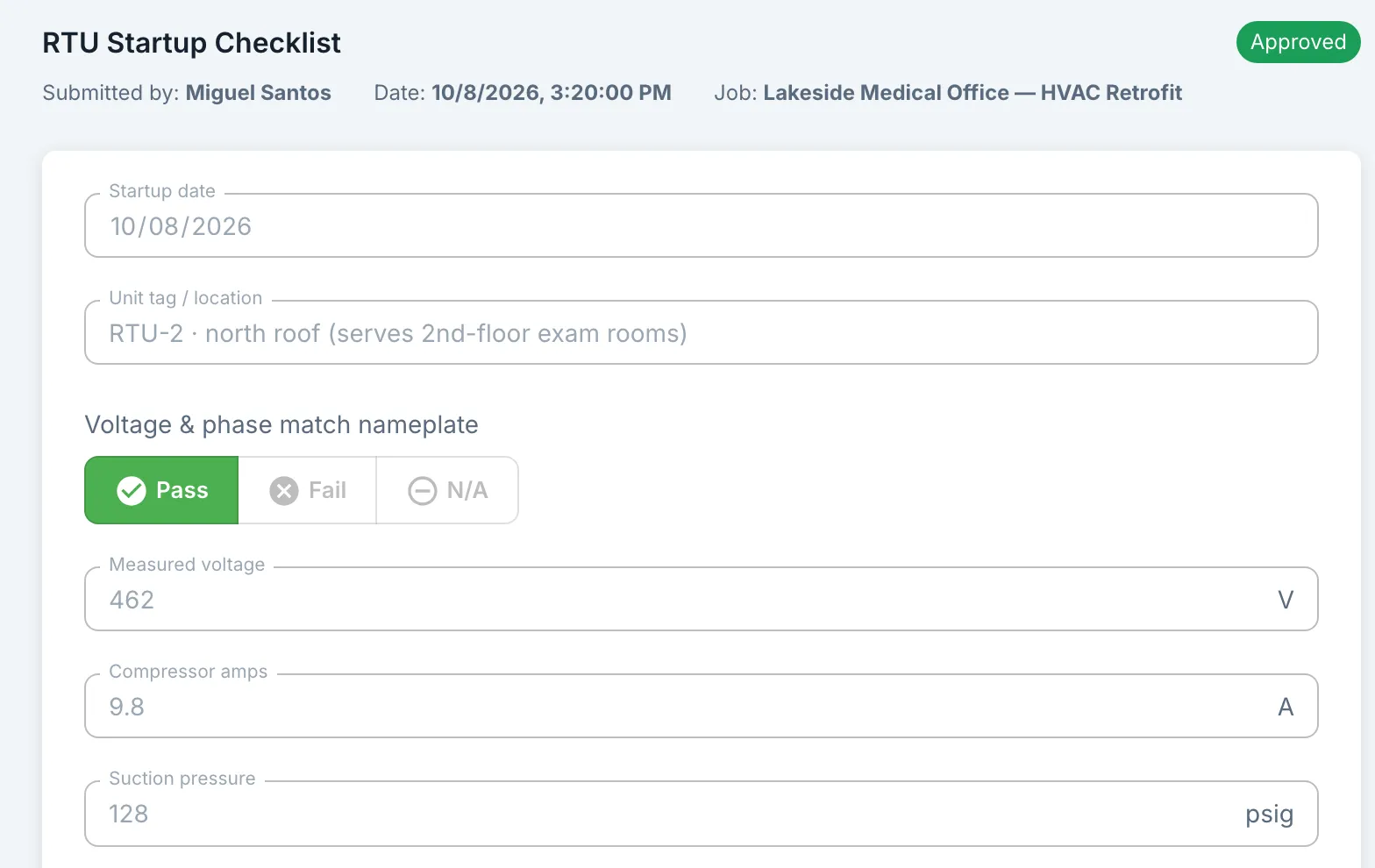
Build your own startup or service checklist with pass/fail lines, photos and a signature. Attach it to the job, and the tech fills it out on their phone.
Inventory price list
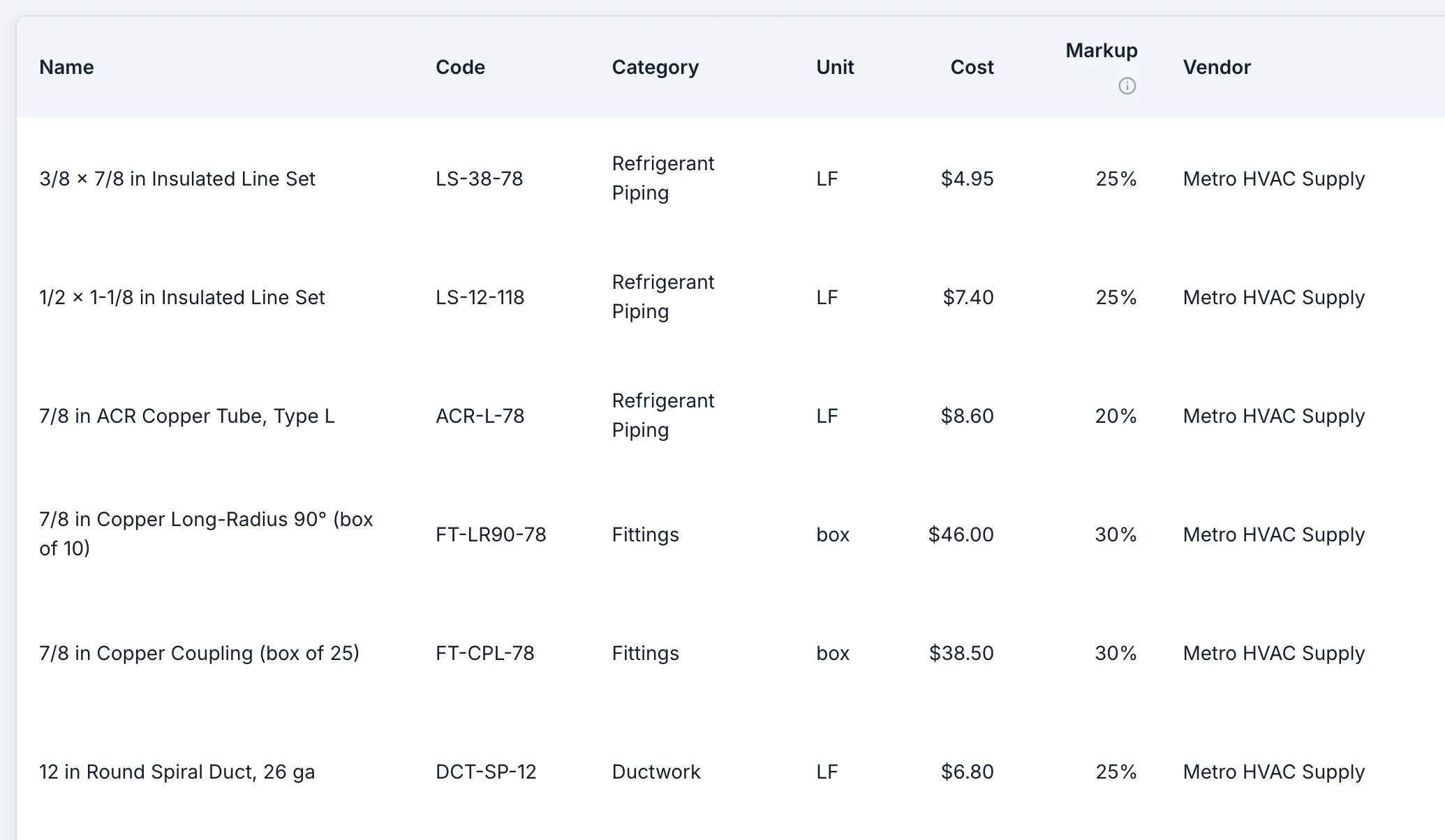
Save each part or material once with its cost, unit and markup: line set by the foot, fittings by the box. On a bid, add a material line and pick the part: its cost, unit and markup fill in.
Equipment
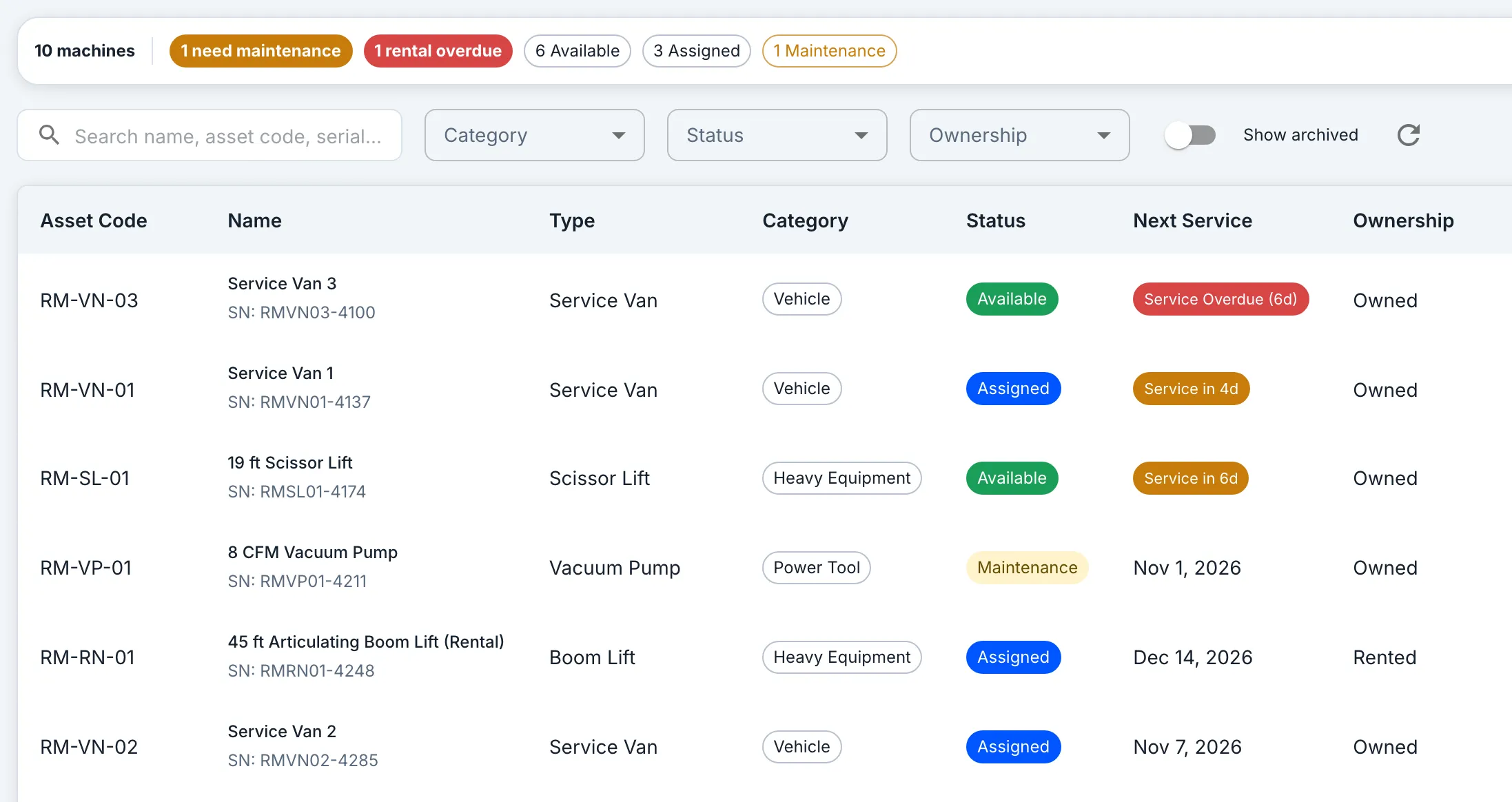
Every machine and van, owned or rented, goes on one list with its next service date: amber when it’s due within a week, red once it’s overdue. Assign one to a tech on a job, so you know who has it.
Payroll export
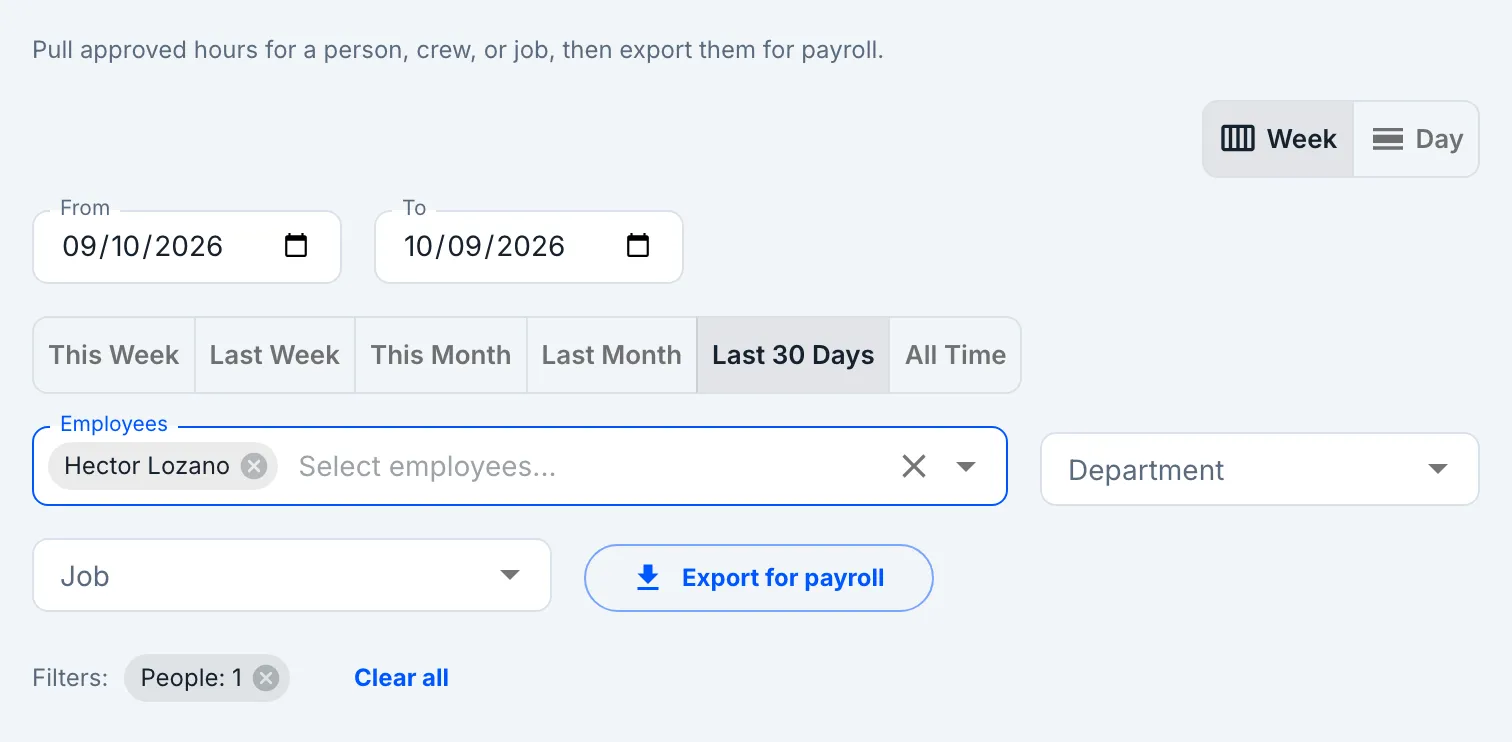
Techs clock in on their phone and start the task they’re on, so the week’s hours land on the right jobs. One export gives payroll each tech’s regular, overtime and double-time hours, plus their hours by job.
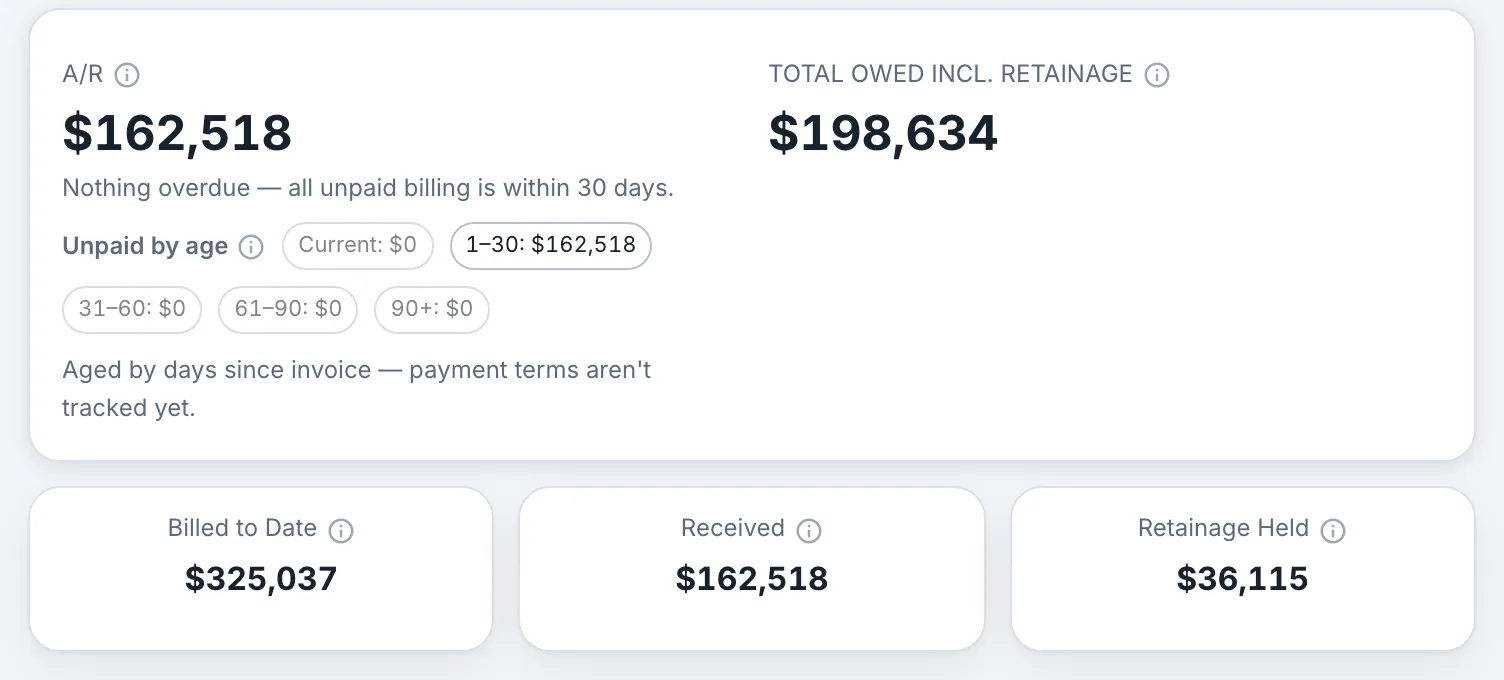
Billing & retainage
Log each bill you send, like a progress bill on a retrofit, and mark payments as they arrive. Each job shows what’s still owed, including retainage your customer is holding, and the company overview totals it.
Also in the app
Bids, the schedule board, change orders, materials, peer reviews, certifications and training work the same way for every trade. The homepage tour shows each one in the real app.
Take the tour03 — Job costing
Every clocked hour lands on the install or service job it served, priced at the tech's rate. Margin-to-date sits beside the margin you bid — per job, per phase — so a slipping install shows up in dollars before the punch list does.
Yes — jobs with phases and tasks fit installs; short service jobs work as single-task jobs. Both get live costs from clocked time, and both show margin against what you priced.
Standard is $2 per user per month, Premium $5. Six techs plus you is seven people, so you buy a 10-seat pack: $50 a month on Premium, $20 on Standard. The pricing page slider shows the pack for your exact crew size.
// Also built for
HVAC shops of any size: $2–5 per user per month, priced on this site, no sales call. Your first live margin number is one clocked shift away.