
// Materials catalog software
Price your materials once. Bid faster every time.
The decking, anchors and bolts you buy on every job — saved once with cost, unit and markup, then dropped into any estimate or change order instead of re-typed. It feeds your bids; your live job costs pick up from there.
This is your price list, not a stock count. On-hand quantities, reorder points and locations are the planned next step.
Every screen below is a real capture of the Worker Efficiency app — the same app you would log into — taken in Summit Steel Erectors, our demo company, filled with sample data.
01 — One list · every bid
The materials you buy on every job, in one place
Each item keeps its cost, its unit, its markup and its vendor — so the number that lands on a bid is the one you already priced.
Reusable catalog
Save an item once, reuse it on every bid
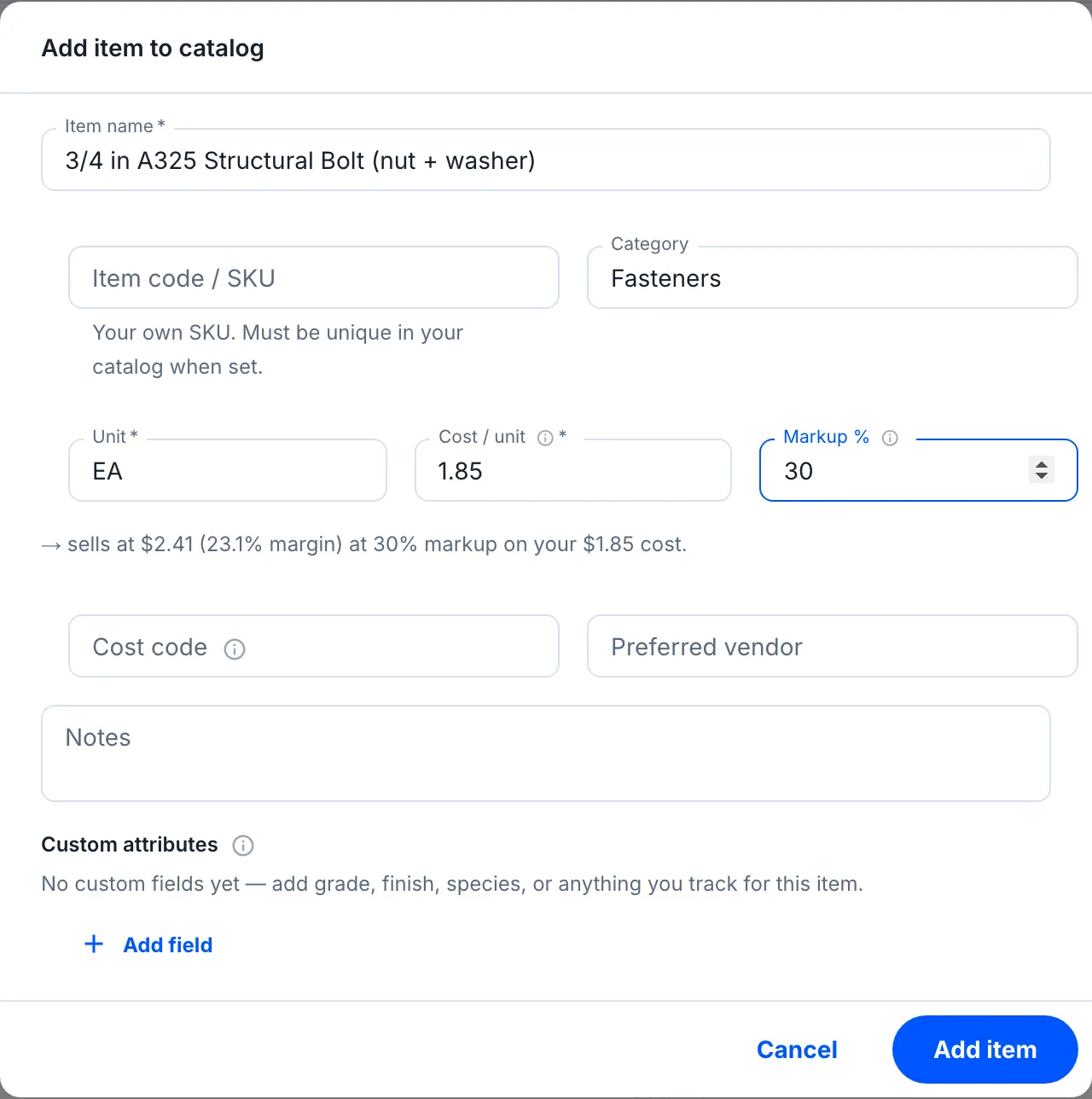
A box of 50 expansion anchors at $46.80, 1.5in galvanized B-Deck at $2.35 a square foot, a quart of galvanizing touch-up paint at $22.75 — save each once with its cost, unit and markup. Pick it off the list on the next bid and the line arrives priced — description, unit, cost, markup, cost code — five fields you never type again.
- Misc metals, decking, fasteners — each item tagged with a category, searchable by name, code or attribute
- Each item keeps its own accounting / CSI cost code — carried onto the bid line — and its preferred vendor
- Already keep a materials list in a spreadsheet? Import it — paste or upload, map the columns, preview, commit.
No hidden math
Every item shows what it sells for
Type a cost and a markup and the item tells you its price and margin in the same breath — $1.85 of cost at 30% markup sells at $2.41, a 23.1% margin. Leave the markup blank and the item inherits your section or company rules instead.
- Custom fields stay with the item — grade, finish, anything you track — so the spec sits next to the price
- Your own SKU per item, unique in your catalog, for the parts you order by number
- Managed by General Managers and Admins; anyone estimating can pull items into a bid. Your crew never has to touch it.
The catalog, in plain language
Do I have to build a catalog before I can bid?
No. The catalog is optional and additive — bidding works exactly as before without it. Add items as you go, or import your existing list once, and from then on you pick materials off the list instead of re-typing them. Nothing about your estimates changes until you use it.
Does pulling an item in lock my price?
No. An item carries a cost, a unit and an optional markup. When you add it to a bid it prefills the line — description, unit, cost, markup, cost code — and every field stays editable on the spot. Leave an item’s markup blank and the line inherits your section or company markup rules instead.
Can I load my existing materials list?
Yes. The import wizard takes a CSV or XLSX (or a pasted block): you map your columns to the fields, preview the result with any bad rows flagged and skipped with a reason, then commit. Starting from scratch? Download the blank template and fill it in.
Who can change the catalog?
Catalog management — adding, editing, importing and archiving items — is limited to General Managers and Admins, since it is company-wide master data. Anyone on the estimating team can pull items into a bid.
Is this inventory / stock tracking?
Today it is the reusable price list — the catalog that speeds and standardizes bidding, not a warehouse count. On-hand stock levels, reorder points and locations are a planned next step; v1 is deliberately catalog-only so it changes nothing about how costs are tracked on a job.
// THE REST OF THE APP
Everything else in Worker Efficiency
It's one app. Each part below uses the same jobs, crew and hours, so nothing gets typed twice.
KNOW YOUR MONEY
- Estimating Build the bid line by line, then convert it to the job
- Job Costing Bid it, track it, read the live margin
- Scheduling & Change Orders Put the crew on the board; bill the scope that grows
- Inventory You're here One reusable price list, dropped into any bid
- Field Operations Time, forms, equipment, estimates
How it works: one job, start to finish → Tour the app on real screens →
Stop re-typing your materials.
Save the deck once at $2.35 a square foot. The next bid pulls it in priced — and so does every bid after.