
// Construction performance review software
Find your best people. Your crew already knows.
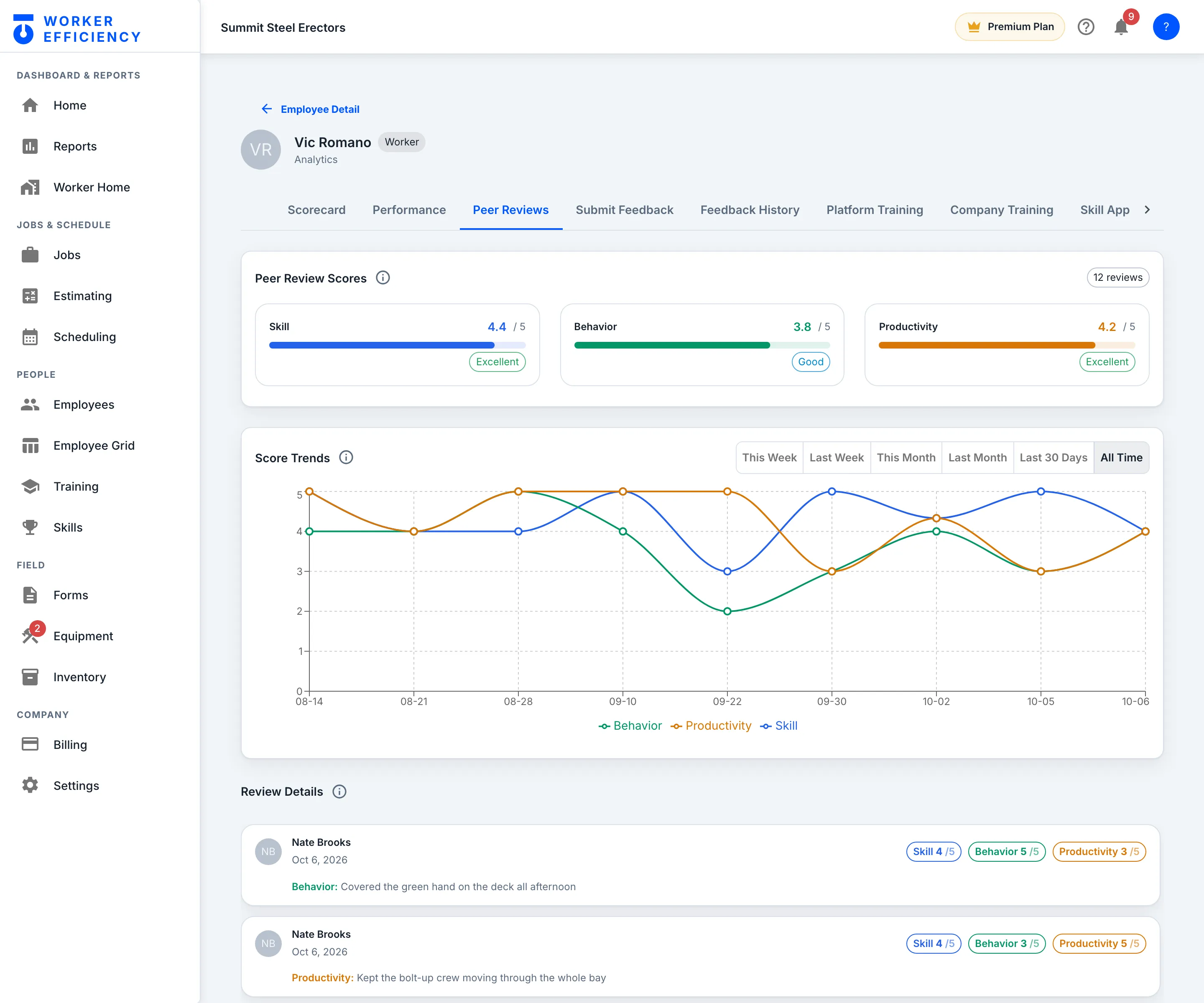
360° peer reviews from the people who share the scaffold: skill, behavior and productivity, rated on the phone at shift end. Managers add their own feedback from the web. Scores roll up per worker and build a trend as reviews come in. We think it's half the business.
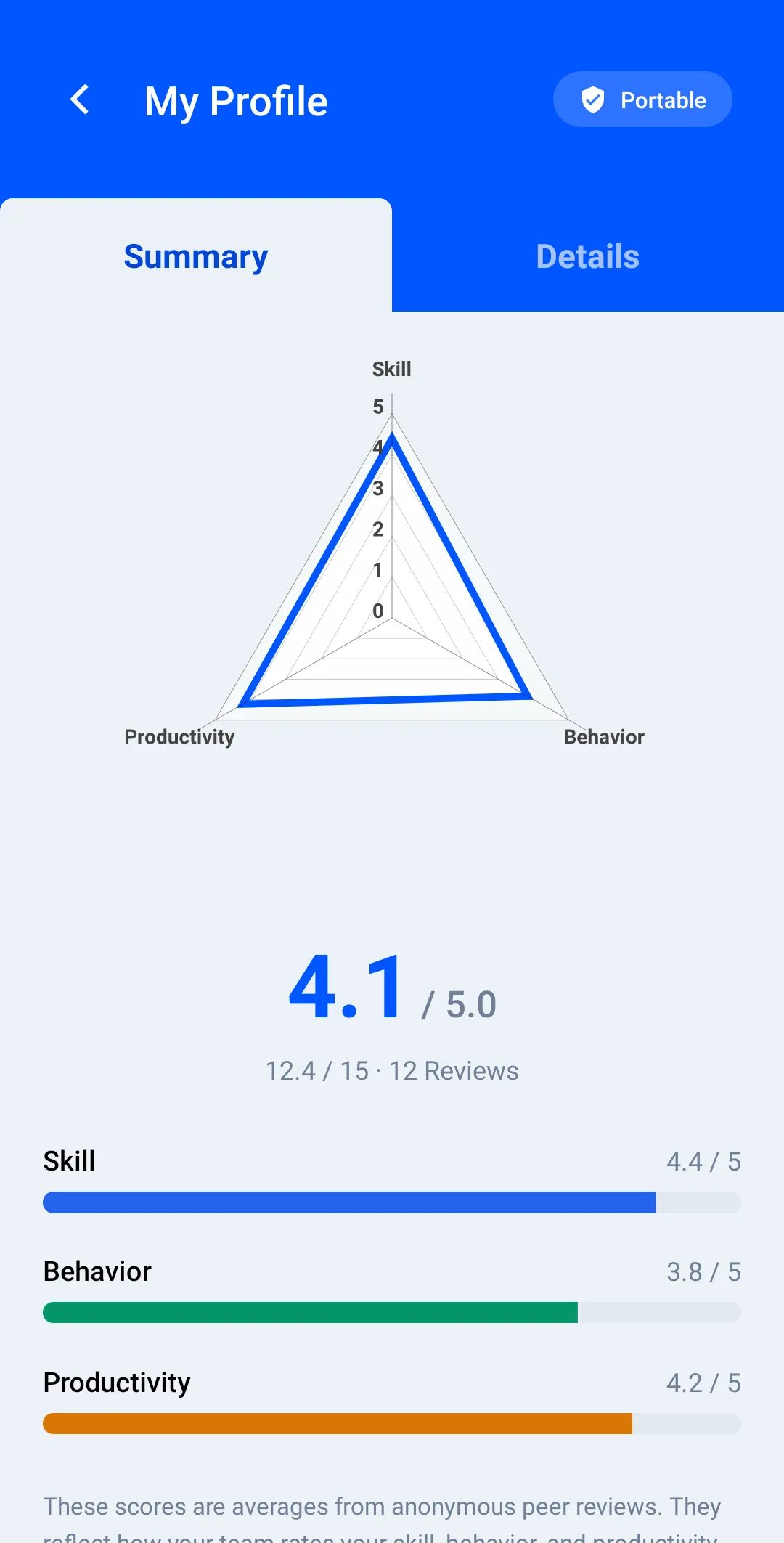
The same Skill / Behavior / Productivity scores are one tap away on the worker's own phone — not locked behind an office login.
01 — Why it matters
Which crews make you money — and whether they'll stay
Job profitability tells you which jobs work. Peer reviews tell you which people make them work. Together they're the whole answer.
The review itself
Three ratings from the crew, six questions from the manager
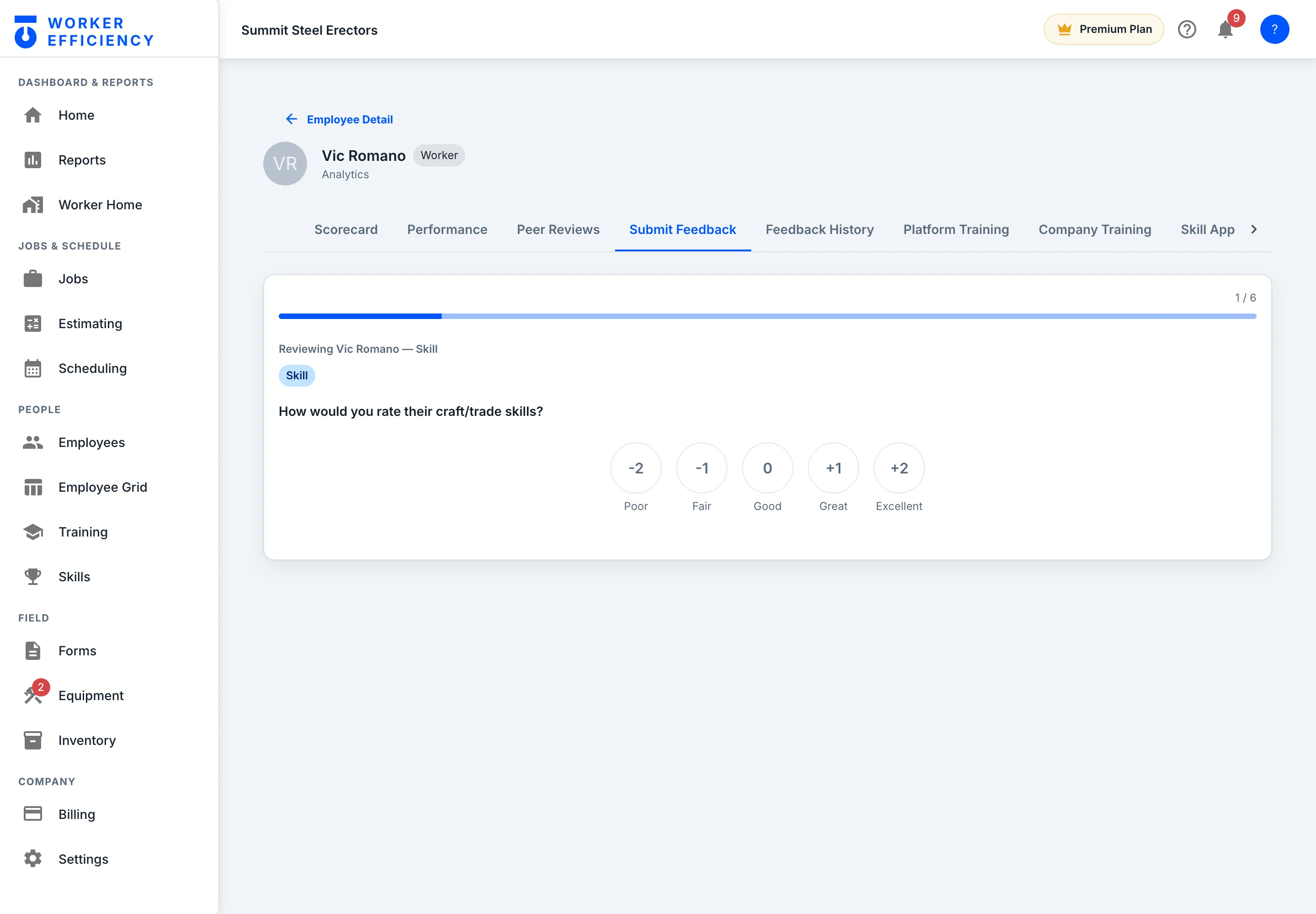
After clocking out, a worker gets one crewmate from that shift to rate — skill, behavior and productivity, one at a time, on a five-point scale from Poor to Excellent. Managers get a fuller guided pass on the web, pictured, on the same scale: skill, safety, quality, leadership, trust and productivity. No HR-speak, and the scale reads the same on any crew. A top or bottom score needs a written reason, and a worker can only review the crewmate they were assigned, once per shift — the server enforces it.
- Workers never see who rated them; only the owner and admins do
- Any low score sends managers a concern alert
- Scores roll up into Skill, Behavior and Productivity on the profile
The development picture
Every worker's development, in one place
Peer scores, feedback history, training progress and skill approvals sit together on every worker — so a promotion or a coaching conversation starts from the record, not a hunch.
- Worker sees their own scores — transparency without exposure
- Manager sees the crew: who to stretch, who to support, who to promote
- Retention math: losing one skilled hand costs weeks of recruiting and a slower crew — keeping one costs a conversation
The questions every owner asks about crew reviews
Why would field crews fill out performance reviews?
Because it's three quick ratings on the phone after clocking out, about a crewmate from that same shift — not an annual HR form about someone across the company. Each rating is a five-point tap scale from Poor to Excellent; a top or bottom score needs a short written reason, so the extremes always come with context.
Is the feedback anonymous?
To the worker being reviewed, yes — workers never see who rated them, only their own scores and trends. The company owner and admins can see who wrote each review, for coaching decisions; GMs and managers see the reviews without the names.
Is this surveillance?
No — it's the opposite. Surveillance watches hours; this develops people. The output is a development picture per worker: what the crew says about their skill, behavior and productivity, plus their manager's feedback, trending over time. It answers "who's ready to lead" and "who needs support," not "who took a long lunch."
What do I do with the scores?
Watch trends, not single reviews. A rising worker is your next foreman — promote before they leave. A dipping trend is an early conversation, and losing one skilled hand costs weeks of recruiting and a slower crew until the replacement is up to speed, so early beats late.
// THE REST OF THE APP
Everything else in Worker Efficiency
It's one app. Each part below uses the same jobs, crew and hours, so nothing gets typed twice.
KNOW YOUR MONEY
- Estimating Build the bid line by line, then convert it to the job
- Job Costing Bid it, track it, read the live margin
- Scheduling & Change Orders Put the crew on the board; bill the scope that grows
- Inventory One reusable price list, dropped into any bid
- Field Operations Time, forms, equipment, estimates
BUILD YOUR CREW
- Crew Peer Reviews You're here 360° reviews from the field, not HR forms
- Training & Certifications Certs, expiry alerts, skills matrix
How it works: one job, start to finish → Tour the app on real screens →
Know the margin. Build the crew that earns it.
Live job costs tell you which jobs make money; peer reviews tell you which crews make them — and flag your next foreman before a competitor's recruiter does.