Job costing & crew management software for contractorsKnow every job’s margin. Build the crew behind it.
Estimating, crew scheduling, clock-in on your crew’s phones, timesheets, live job costing, billing &
retainage tracking, peer reviews and training — one app, one set of numbers.
dashboard.workerefficiency.com/jobsDemo company · sample data
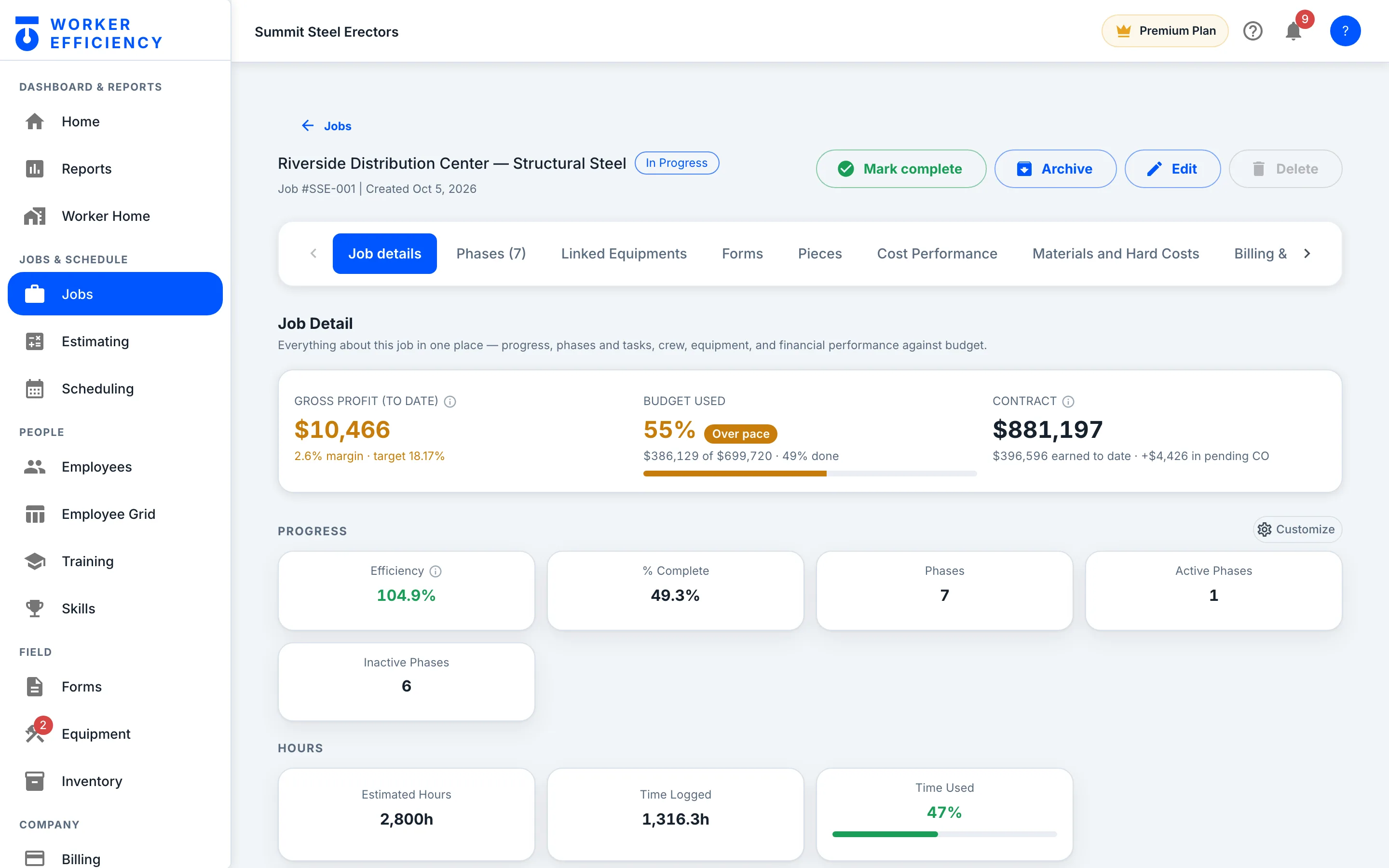
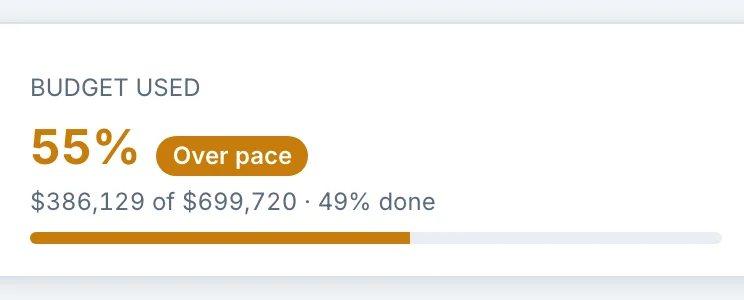
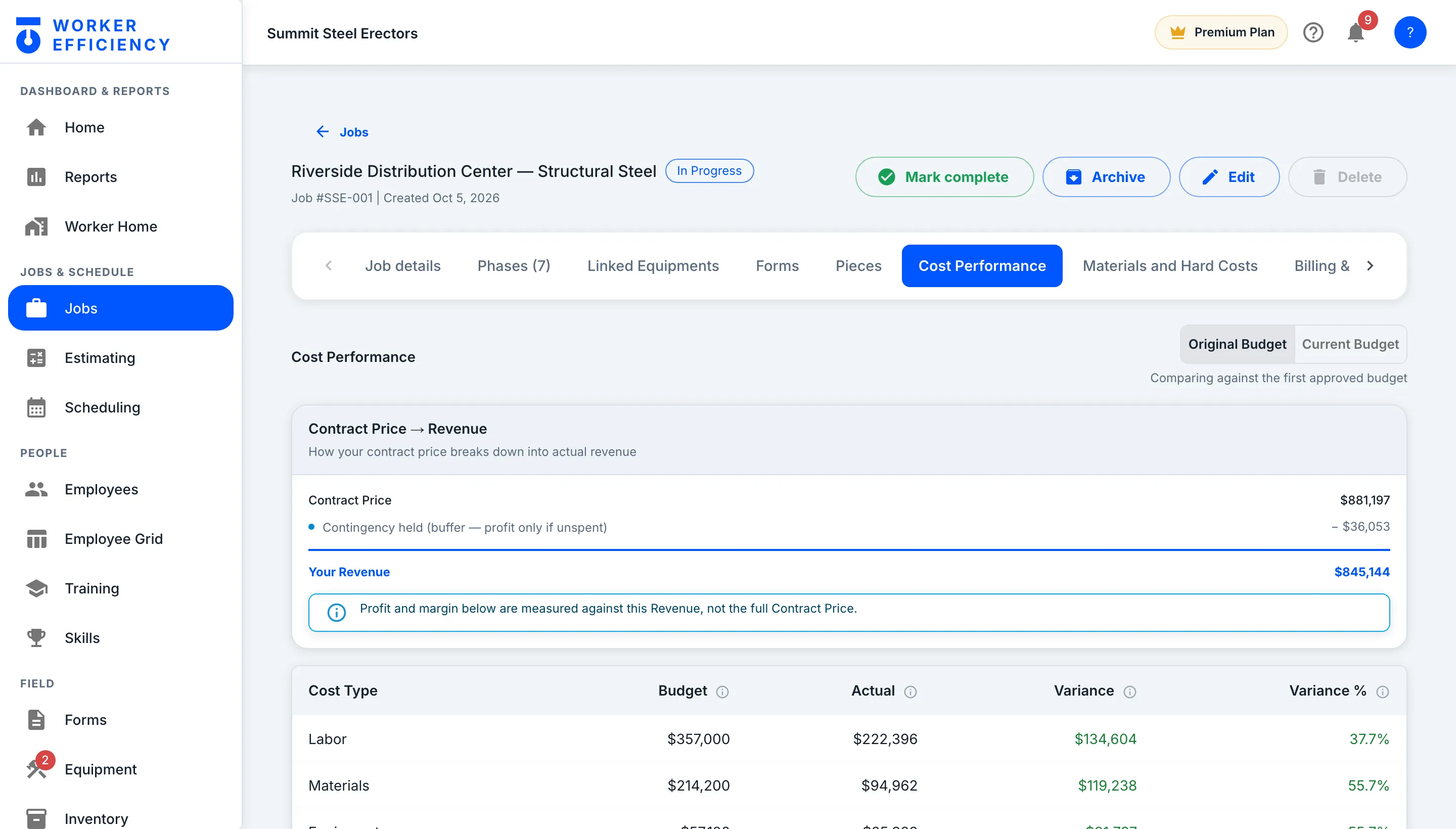
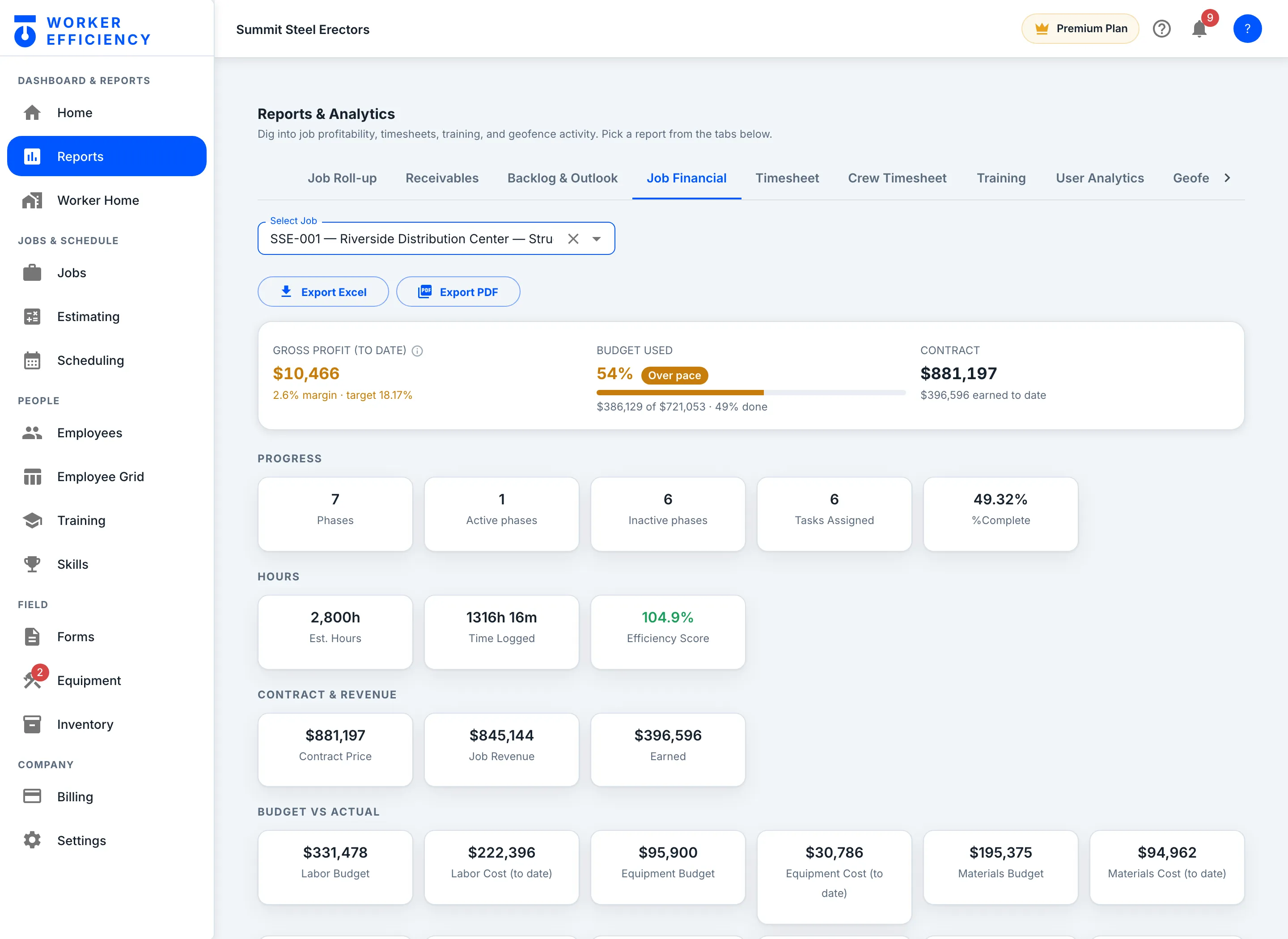
Real app screen — Riverside, a job at Summit Steel Erectors (our demo company, sample data): 49% done,
running a 2.6% margin against an 18.17% target, already marked Over pace.
Same app, same per-seat price for a 12-person shop or a
200-person GC.
“Worker Efficiency keeps the receipts for manager reviews down to skills that they have gained. It’s leveling up our teams.”
Christian, Owner, Div5
Built with a partner who has 50+ years in construction.
// What’s in the app
Everything runs off the job.
How Worker Efficiency fits together
Hover to trace a connectionClick any lens to open its real screen
Follow the blue line: one job, start to finishTap any circle to open its real screen
One system, 13 modules, one set of numbers. Most arrows are things the app
already does — the estimate literally becomes the job, and a phone clock-in literally becomes
labor cost. The people arrows are decisions it helps you make: the reviews and credentials
it collects show who to staff next.
01Plan02People03Costs04Profit
The whole map
One system, 13 modules
TRY IT — REAL PRODUCT MATH
who’s qualified who you staff next
Plan
EstimatingPrice the bid
Build the bid the way you actually price work — sections, line items, six cost types, your own markup.
Sections & line items
Six cost types (labor, material, equipment, sub, fee, other)
Pricing entry modes (markup, margin, bill rate)
Import an estimate from a spreadsheet
Pull priced items from the inventory catalog
Submit → approve → convert
Change orders
Plain-language glossary on every term
JobsThe bid becomes the job
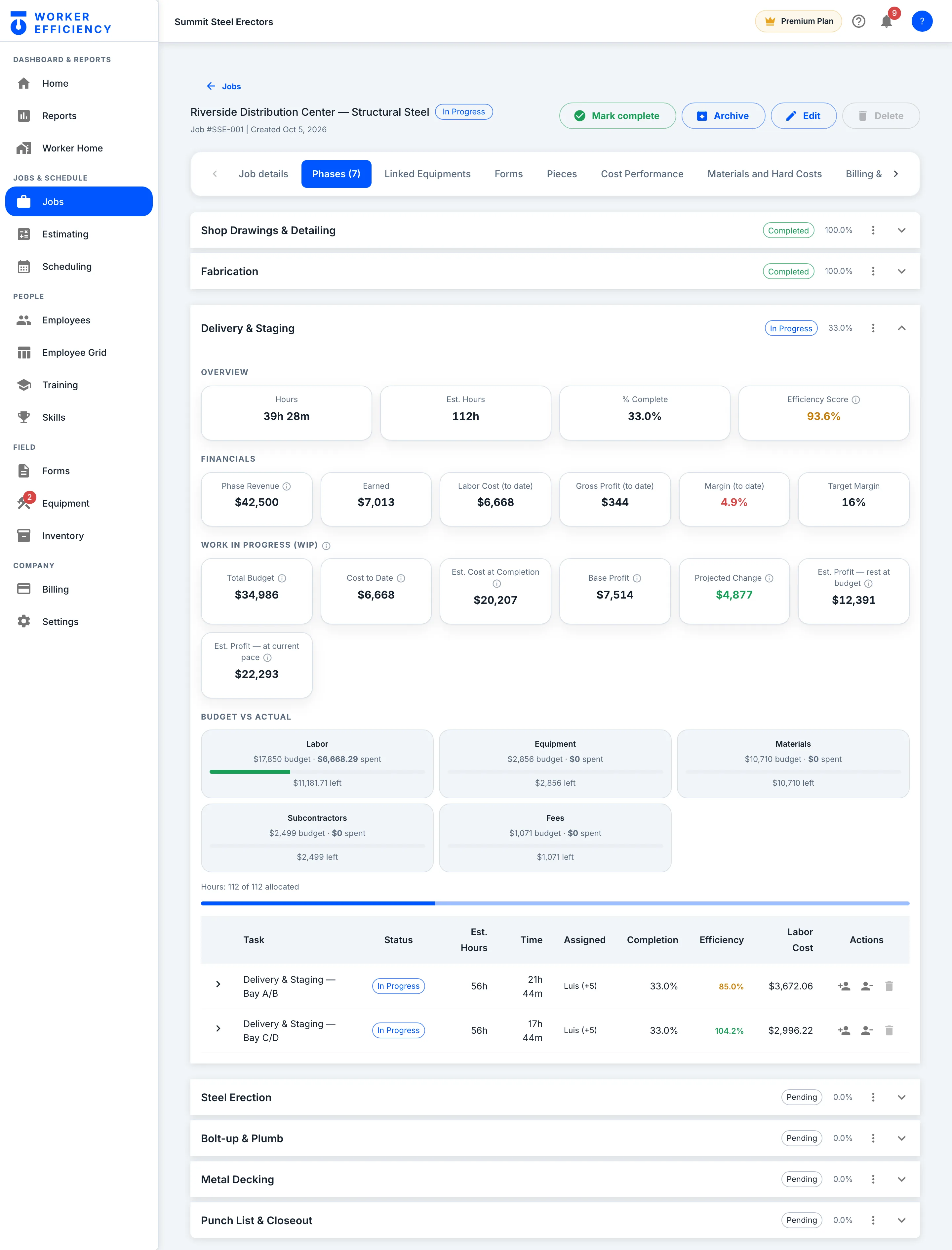
One click converts an approved estimate: sections with labor become phases, the rest become cost groups, and the bid is frozen as the baseline you get measured against.
Phases & tasks
Budget snapshot — the bid, frozen
Revenue distribution
Job comments
Daily reports
Geofence on the job
Audited mark-complete & reopen
People
Crew & schedulingWho works where, and when
Who is on it, and when — against the hours the estimate actually bought, not a blank calendar.
Shifts & schedules
Team schedule
Crew capacity & pace
Task assignment
Departments & roles
Pay rates
Portable professional profiles
In the fieldClock-ins, tasks and forms from the phone
Where the numbers come from. The crew clocks in on their own phones, starts and stops tasks, and fills forms on the jobsite — a form filled with no signal saves on the phone and sends once the signal is back.
Clock in / out on the crew's own phones
Forms gate at clock-in and clock-out
% complete at clock-out
Task start & stop
Breaks
Geofence check at clock-in
Peer review after the shift
My equipment
TrainingCourses your crew takes
Courses the crew actually watches — your own videos alongside the platform catalog.
Your own company training library
Built-in course library (OSHA, ironworker)
Lessons & video
Quizzes
Progress tracking
Training analytics
Certifications & skillsWho’s qualified, and until when
Proof, tracked. What each worker is qualified for, and when it expires.
Skills matrix
Topics & subtopics
Submissions & approvals
Expiry tracking
Credential report
Assign skills to a worker
Peer reviewsHow the crew rates each other
360° feedback from the people who share the scaffold — skill, behavior and productivity, each scored out of 5 with an optional comment, collected on the phone after a shift.
Three dimensions: skill, behavior, productivity
A score on each, comment optional
Anonymous to the worker
Per-worker trend over time
Reviewer reliability & outlier detection
Rolled up per worker and per crew
Costs
Forms & checklistsChecklists filled on the phone
Build any form once. The crew fills it on the phone and it files itself against the job.
Form builder
Library & categories
Typed fields
Filled on the phone in the field
Submissions & review
Form analytics
Batch PDF export
TimesheetsHours, priced and ready for payroll
Hours become labor cost at each worker’s real rate. Nobody re-types anything.
Timesheet per worker
Aggregate timesheets
Crew timesheet audit
Bulk time entry
Edit a shift
Approvals
Materials & cost entriesWhat you ordered, and what arrived
Ordered vs received — so committed cost shows up when you order it, not when the invoice lands.
Reusable materials catalog (inventory)
Cost groups
Ordered → received
Committed vs actual
Subs, fees and other costs
EquipmentEvery machine, and what it costs the job
Assign it, use it, maintain it — and with cost tracking on, rentals and crew trucks bill their daily rate to the job every night.
Assignments
Reservations
Maintenance schedules
Rentals & overdue alerts
Utilization report
Cost by job
Insurance schedule export
Equipment types
Profit
Live job costBudget against actual, while the job runs
Hours, materials and equipment land on one ledger: budget against actual for every cost type, while the job is still running.
Budget vs actual by cost type
Phase rollups
Margin to date
Time consumption
Revenue split
Bank summary
Per-worker cost breakdown
Margin & financialsProfit across every job
The company view: which jobs make money, which need attention, and where the year is heading.
Profit by job
Profit trend
Projected profit range
Company stat tiles
Needs-attention list
Portfolio roll-up
Job financial report
Plan
Estimating
Build the bid the way you actually price work — sections, line items, six cost types, your own markup.
The bid
Bid it the way you price it
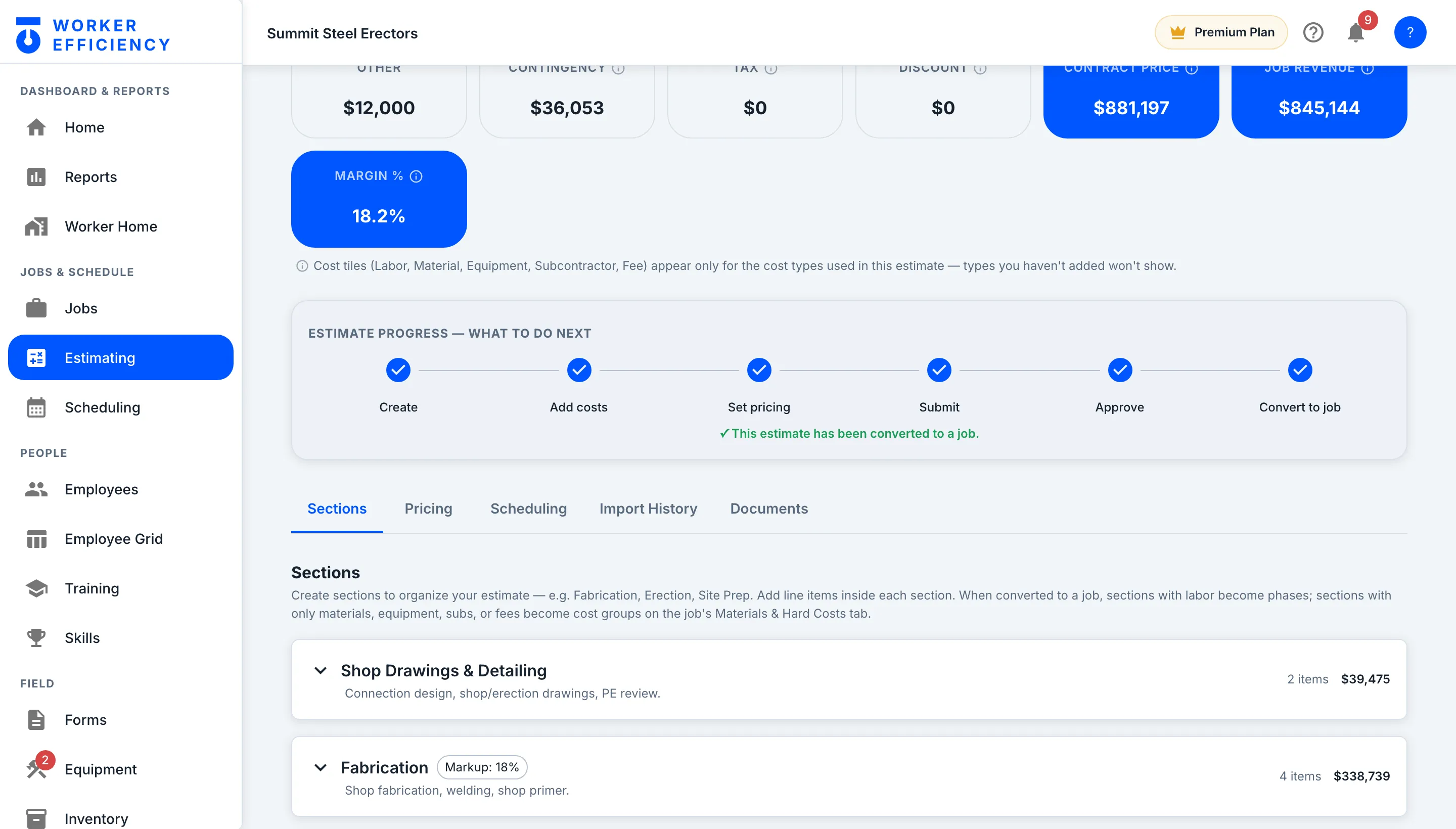
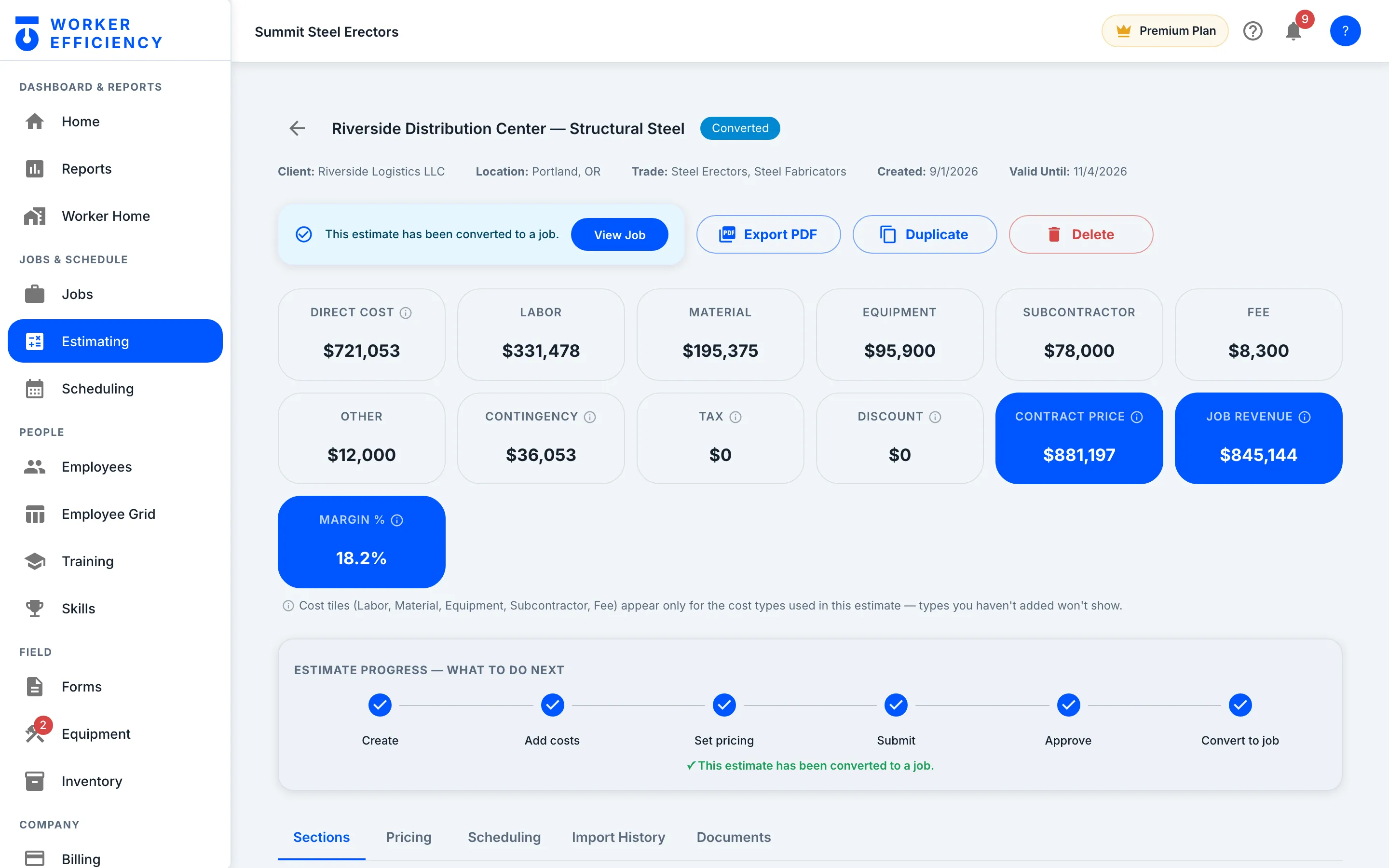
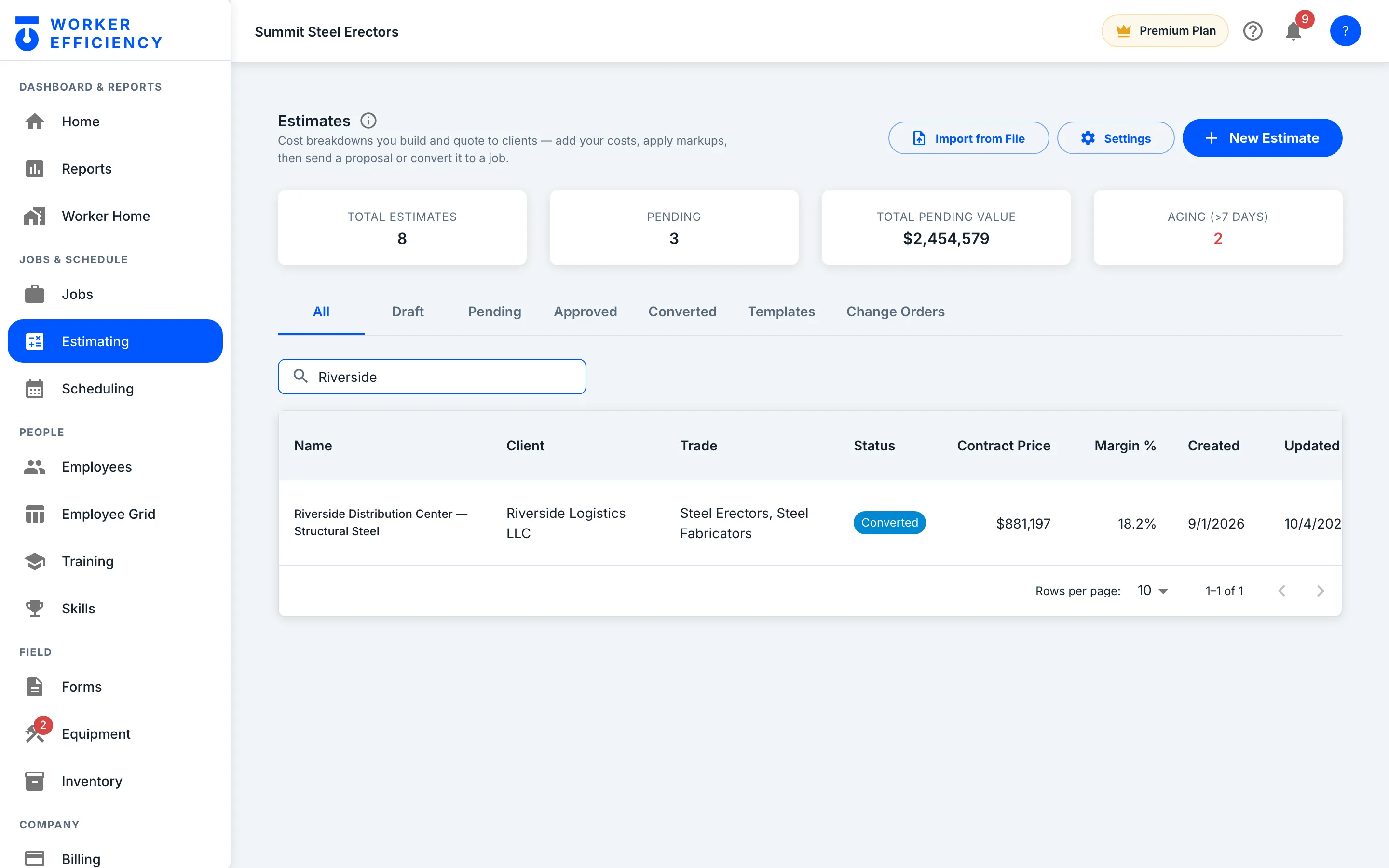
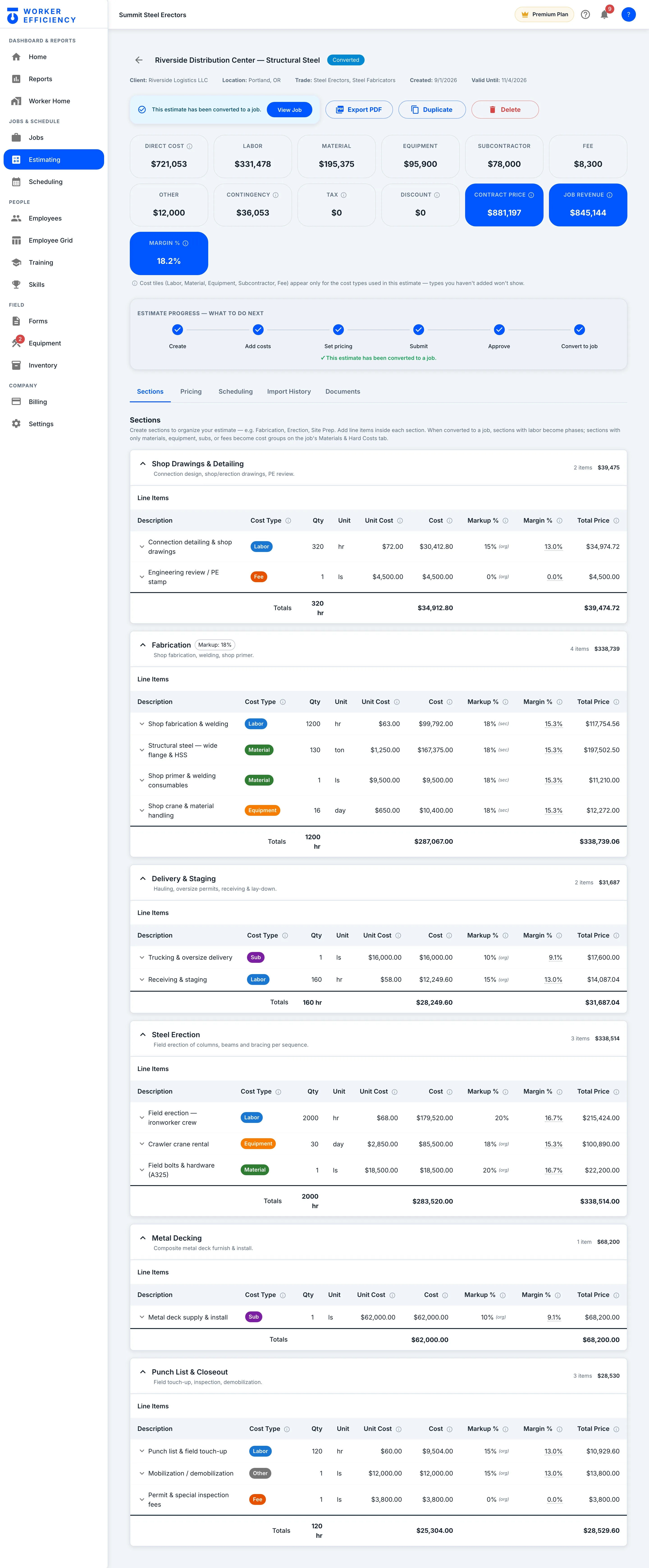
Labor, material, equipment, subcontractor, fee and other — each cost type gets its own total, with contingency, tax and discount on top. On Summit’s Riverside bid, $721,053 of direct cost becomes an $881,197 contract price at an 18.2% margin.
Convert
Approve it, and it becomes the job
Every bid sits in one list by status — draft, pending, approved, converted — with what’s pending and what’s aging counted up top. Convert an approved bid and sections with labor become phases, the rest become cost groups, and the bid is frozen as the baseline. Search “Riverside”: Converted, at $881,197.
Plan
Jobs
One click converts an approved estimate: sections with labor become phases, the rest become cost groups, and the bid is frozen as the baseline you get measured against.
The job
Every job keeps score
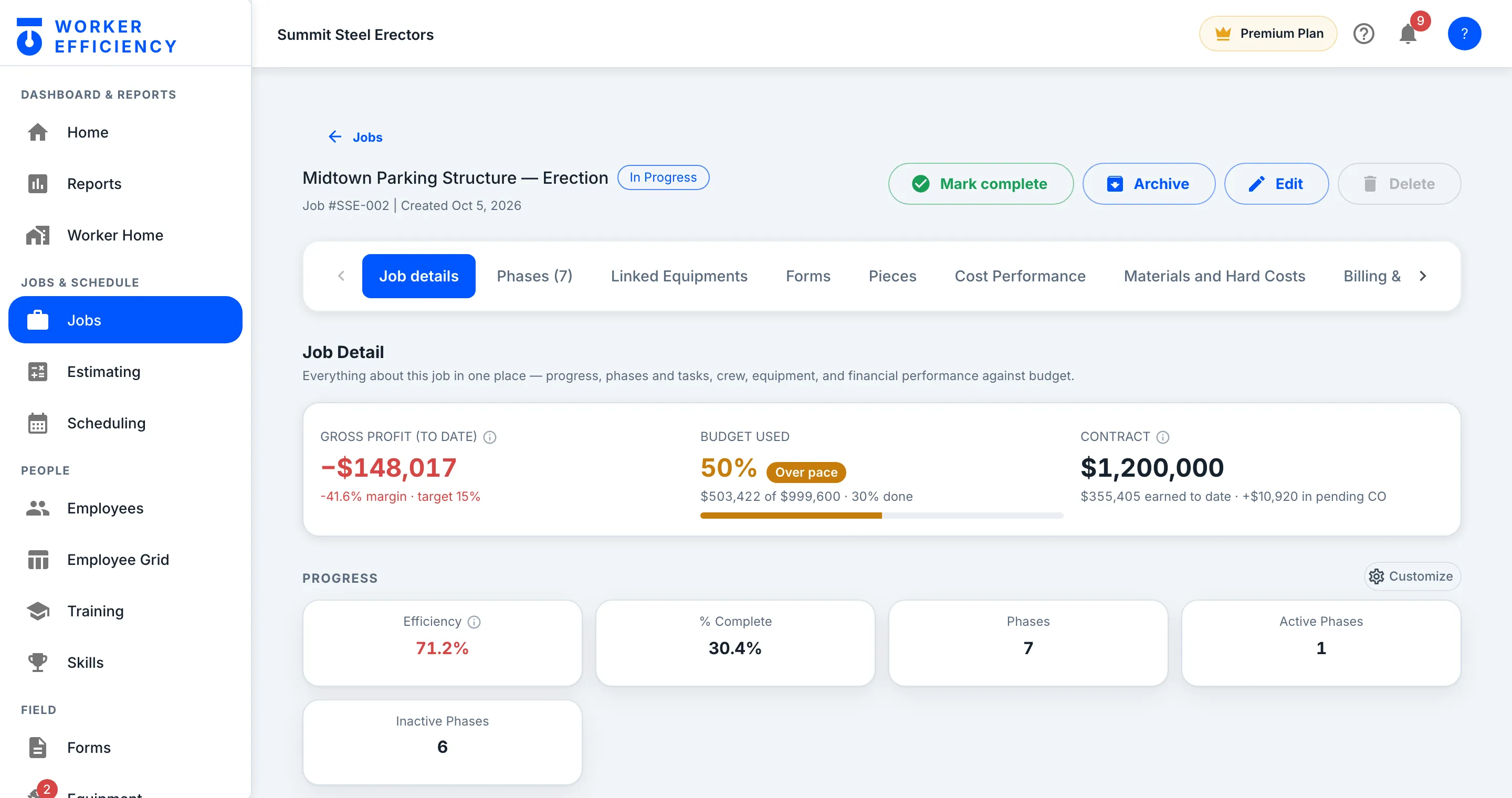
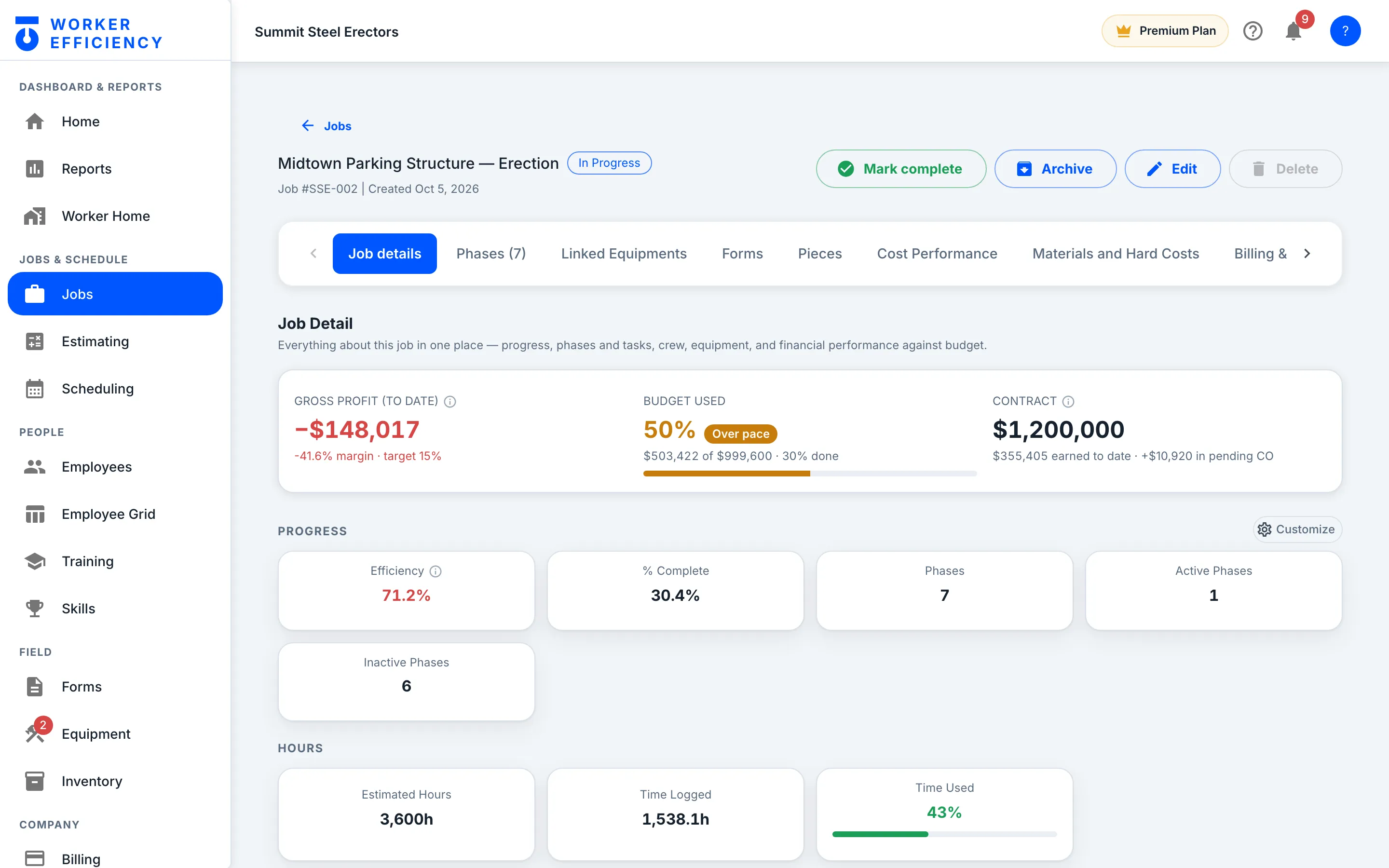
Every job opens on the same three numbers: gross profit to date, budget used against work done, and the contract. On Summit’s Midtown Parking Structure, 50% of the budget is used at 30% done — so the job is flagged Over pace.
Change orders
New scope? Write a change order
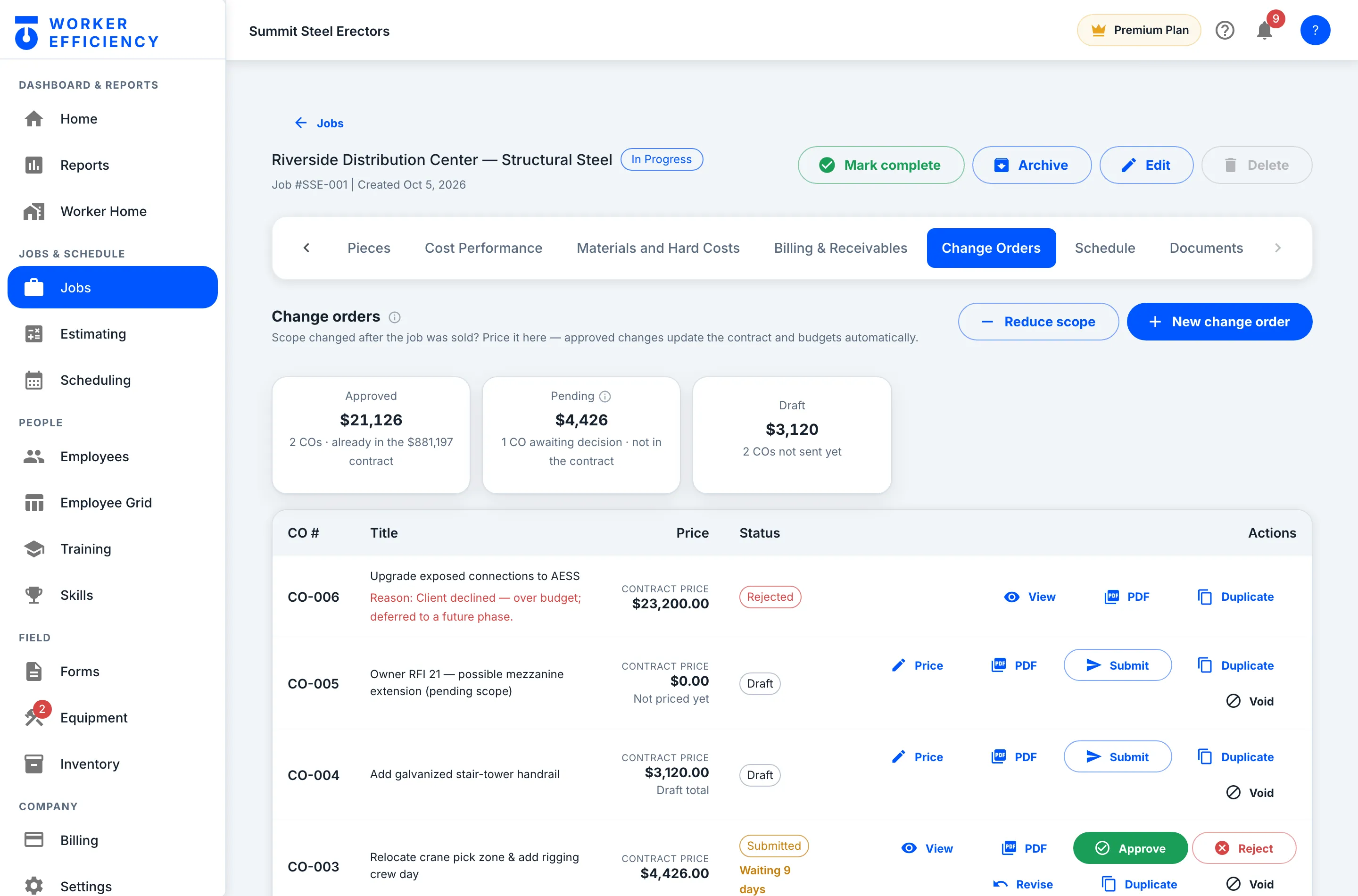
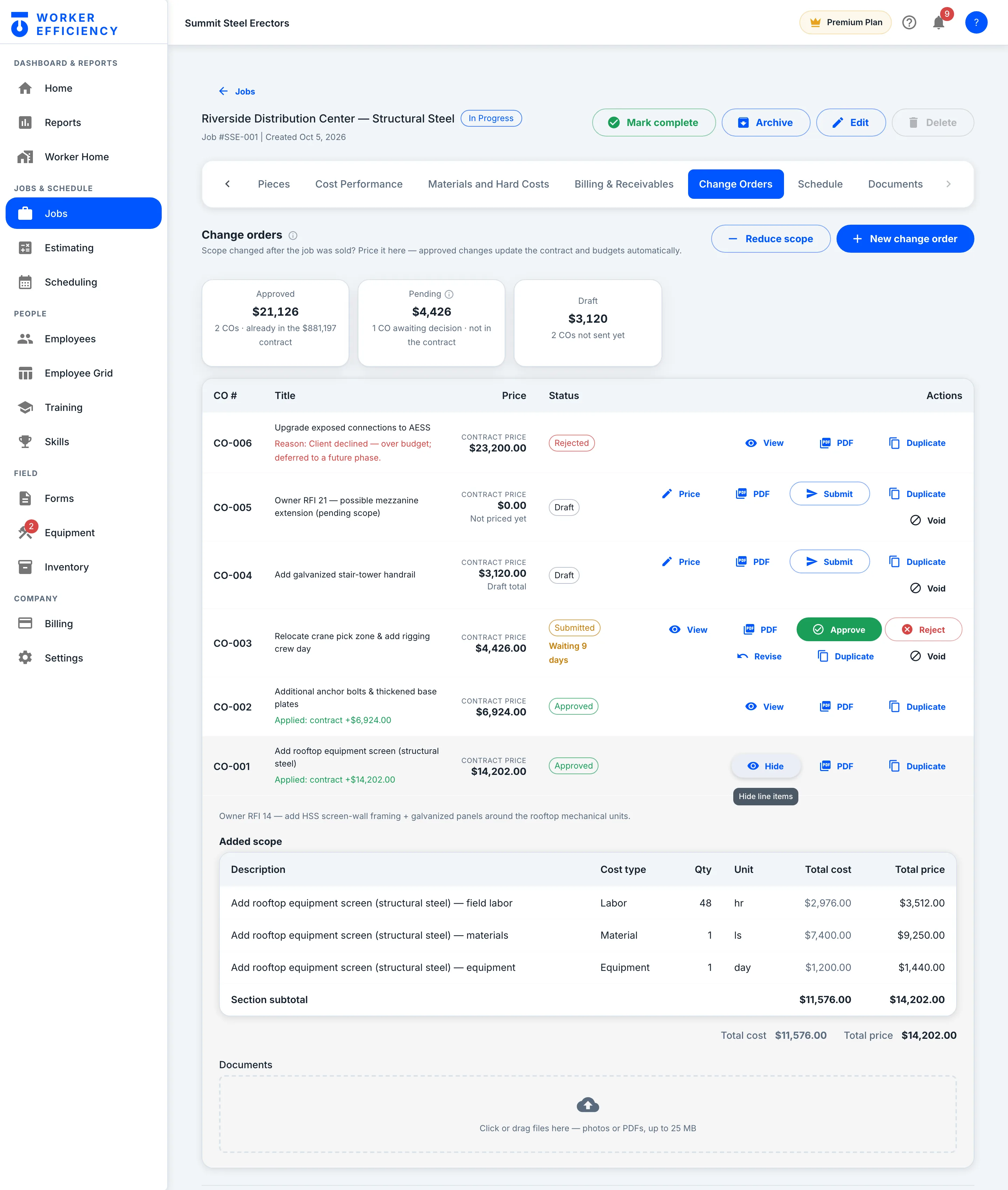
Price the extra work, submit it, and approve or reject it — with no side spreadsheet. The tab keeps the running totals: on Riverside, $21,126 approved, $4,426 waiting on a decision and $3,120 still in draft.
Change orders
Approve it and the job updates itself
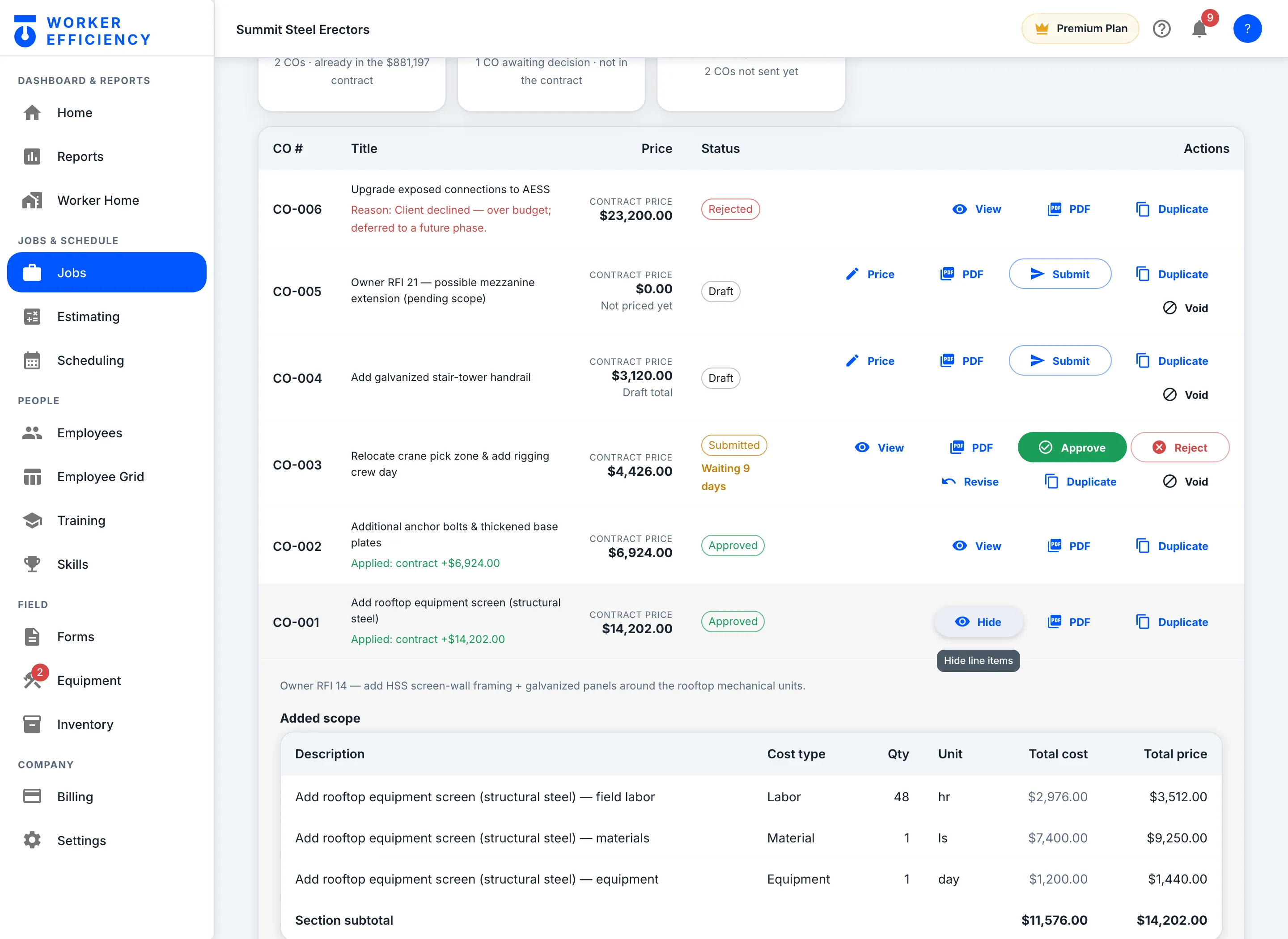
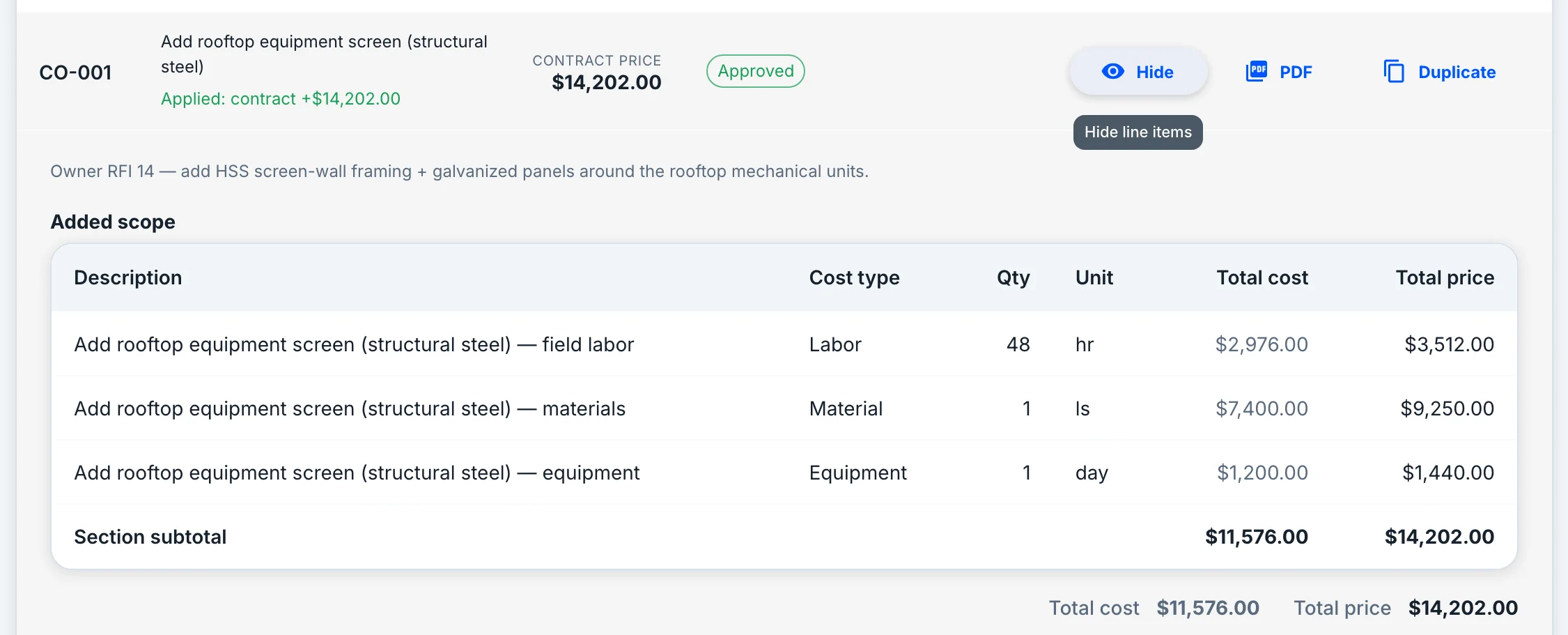
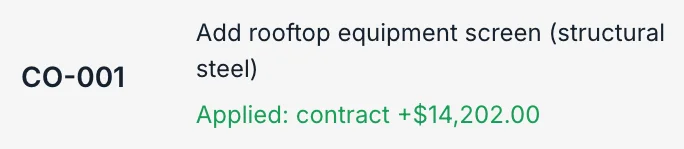
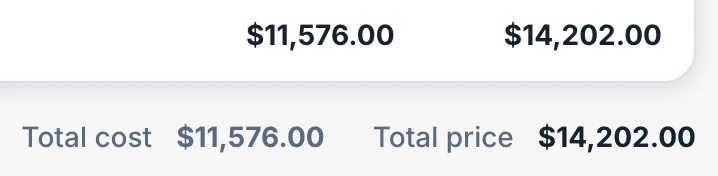
Open a change order to see the scope it adds — labor, material and equipment lines, at cost and at price. Approving it updates the contract, the phase budgets and the tasks together.
People
Crew & scheduling
Who is on it, and when — against the hours the estimate actually bought, not a blank calendar.
Scheduling
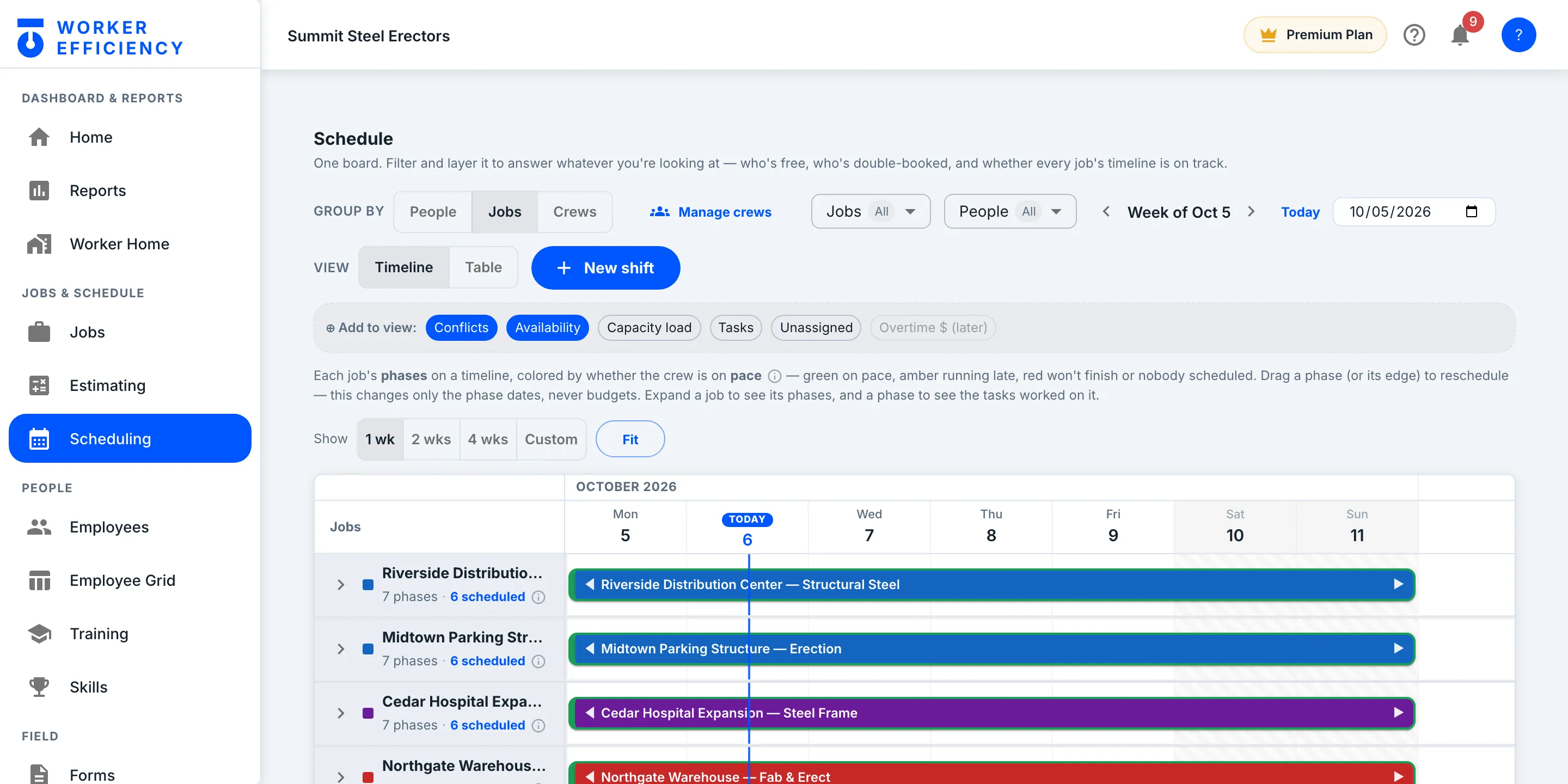
One board — filter it to whatever you need
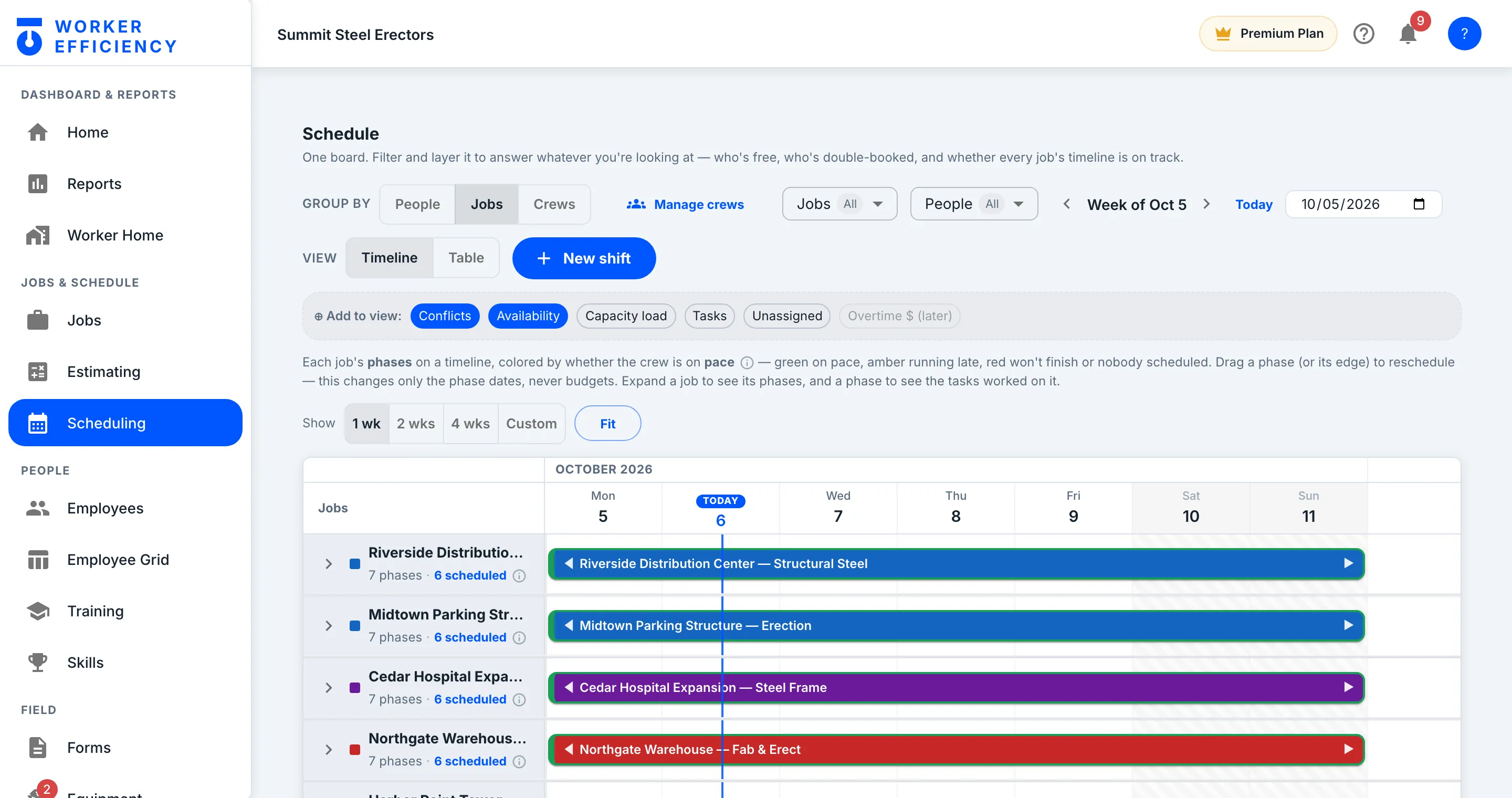
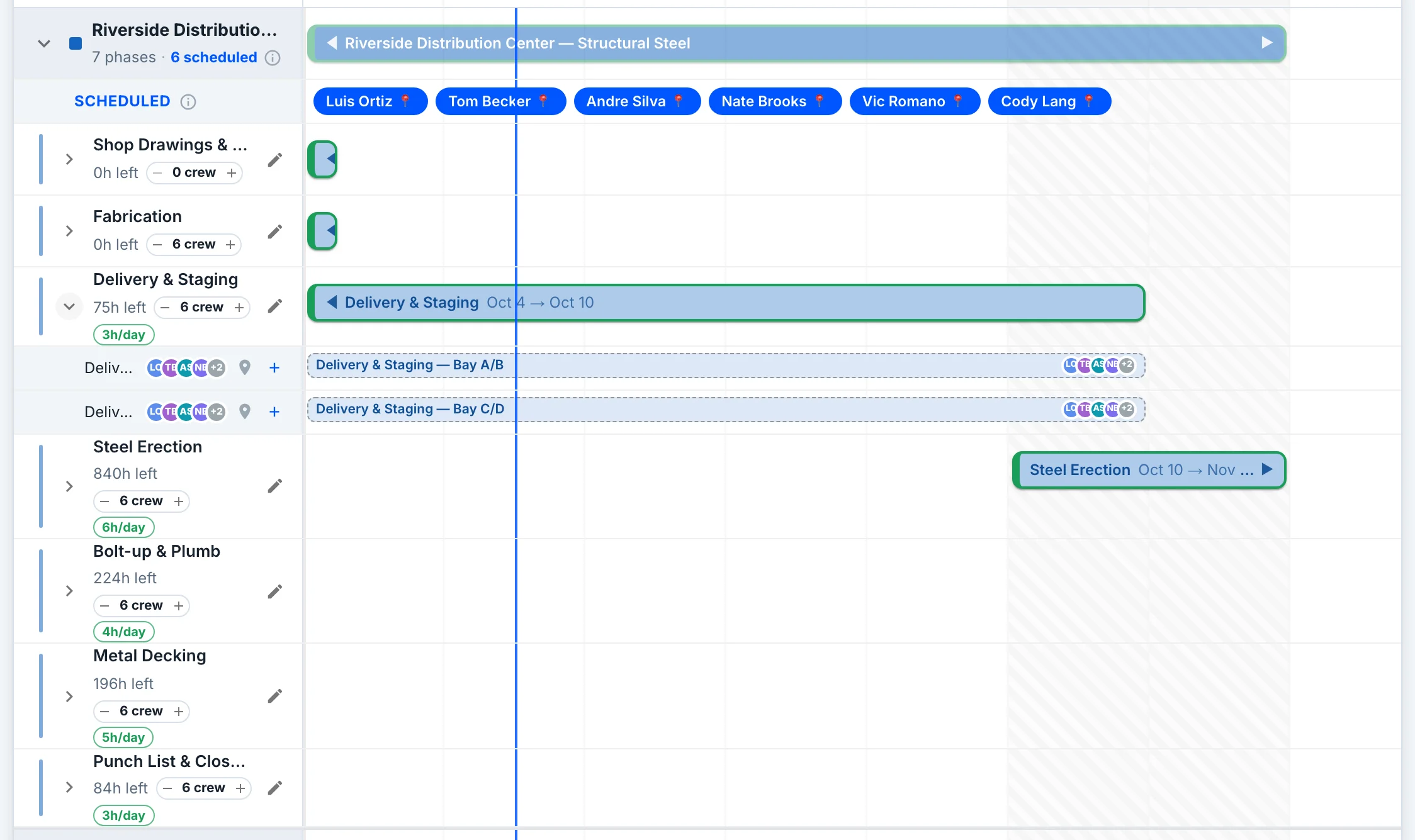
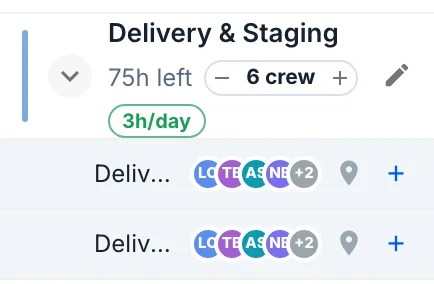
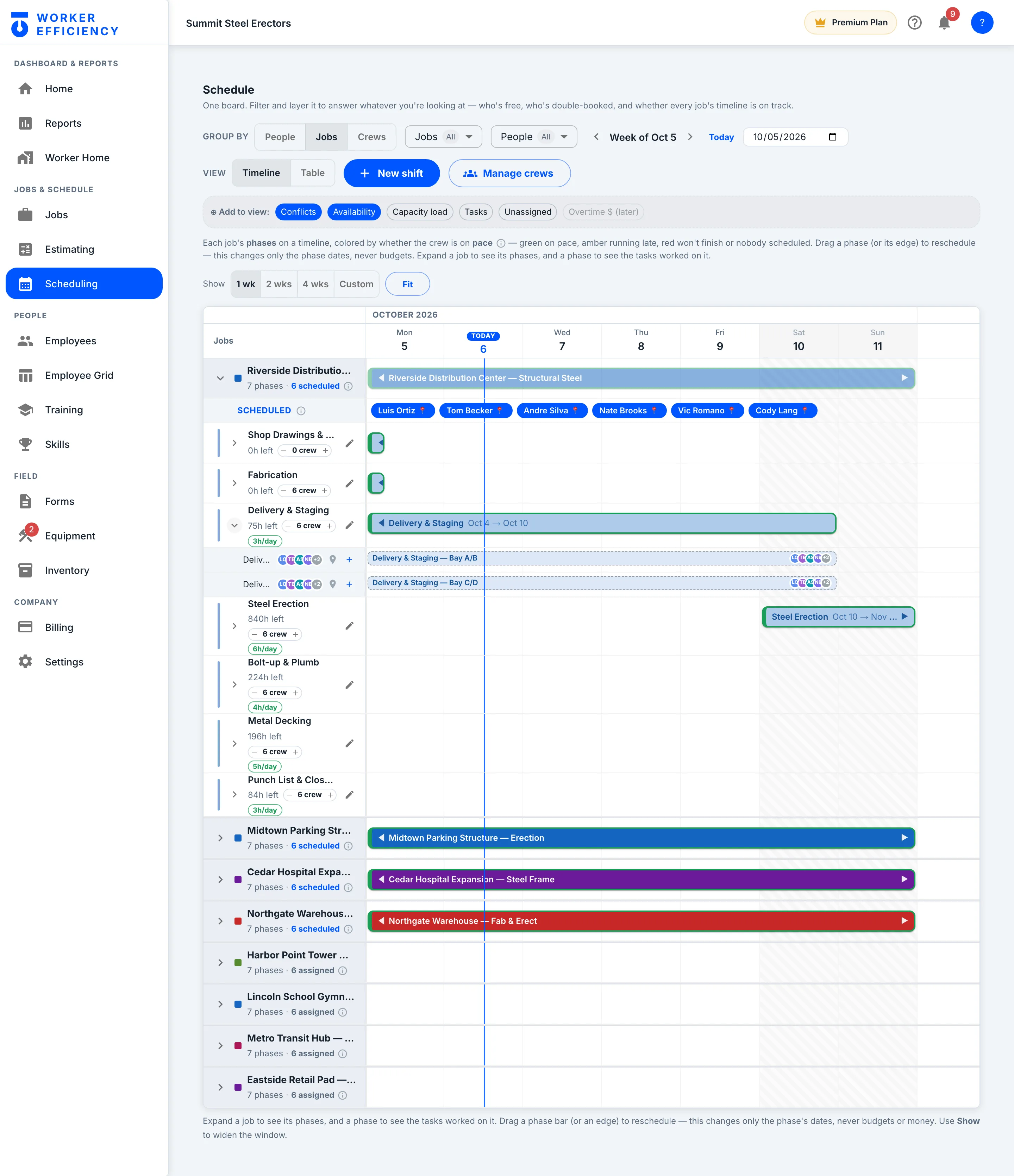
Group by people, jobs or crews, then layer on conflicts, availability, capacity load and tasks — one schedule that answers who's free, who's double-booked, and whether every job's timeline is on track.
People
In the field
Where the numbers come from. The crew clocks in on their own phones, starts and stops tasks, and fills forms on the jobsite — a form filled with no signal saves on the phone and sends once the signal is back.
On the phone
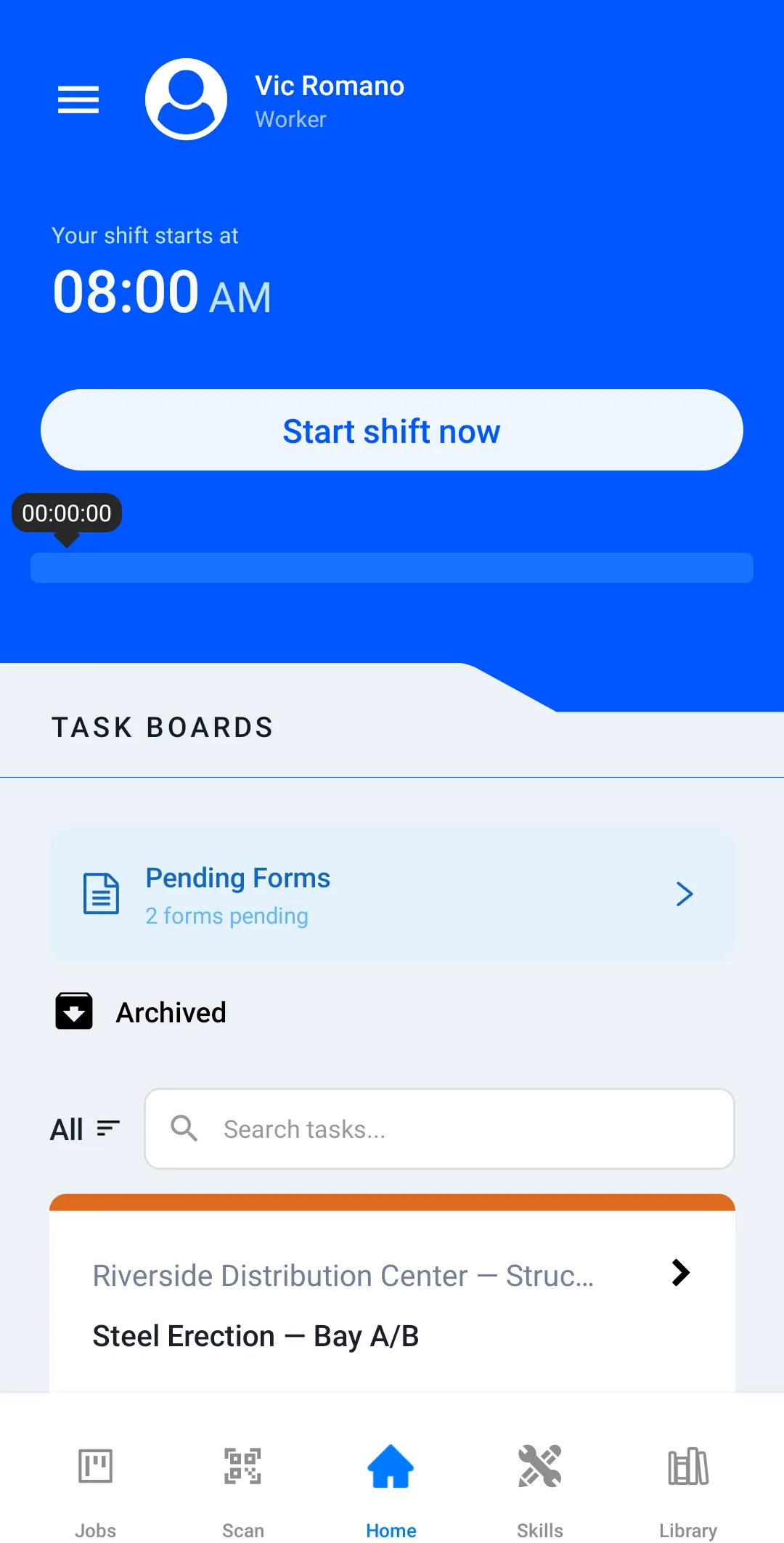
The crew clocks in on their own phones
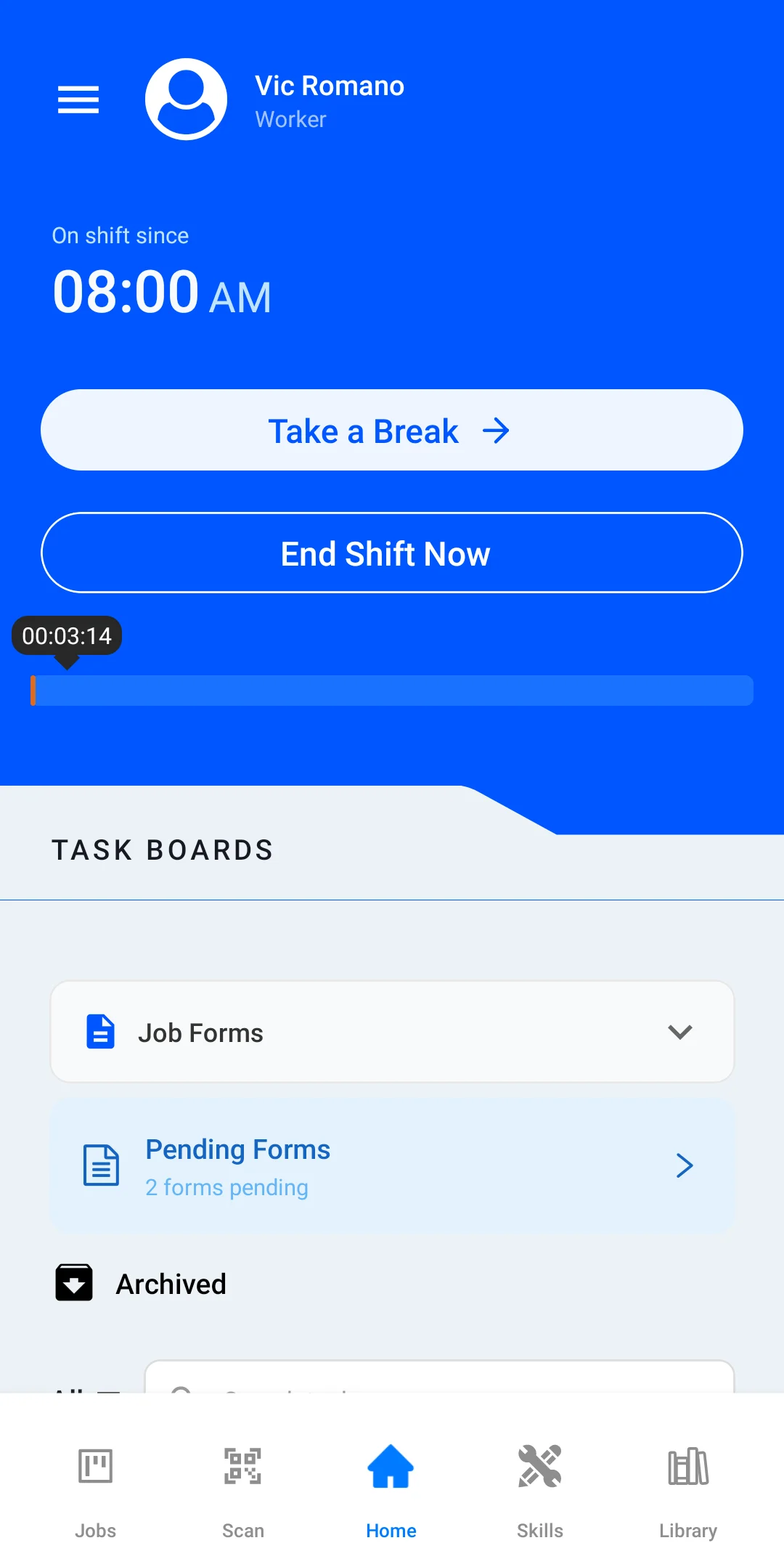
Start a shift, start a task, take a break — on a jobsite, on bad signal, with big touch targets and nothing to learn.
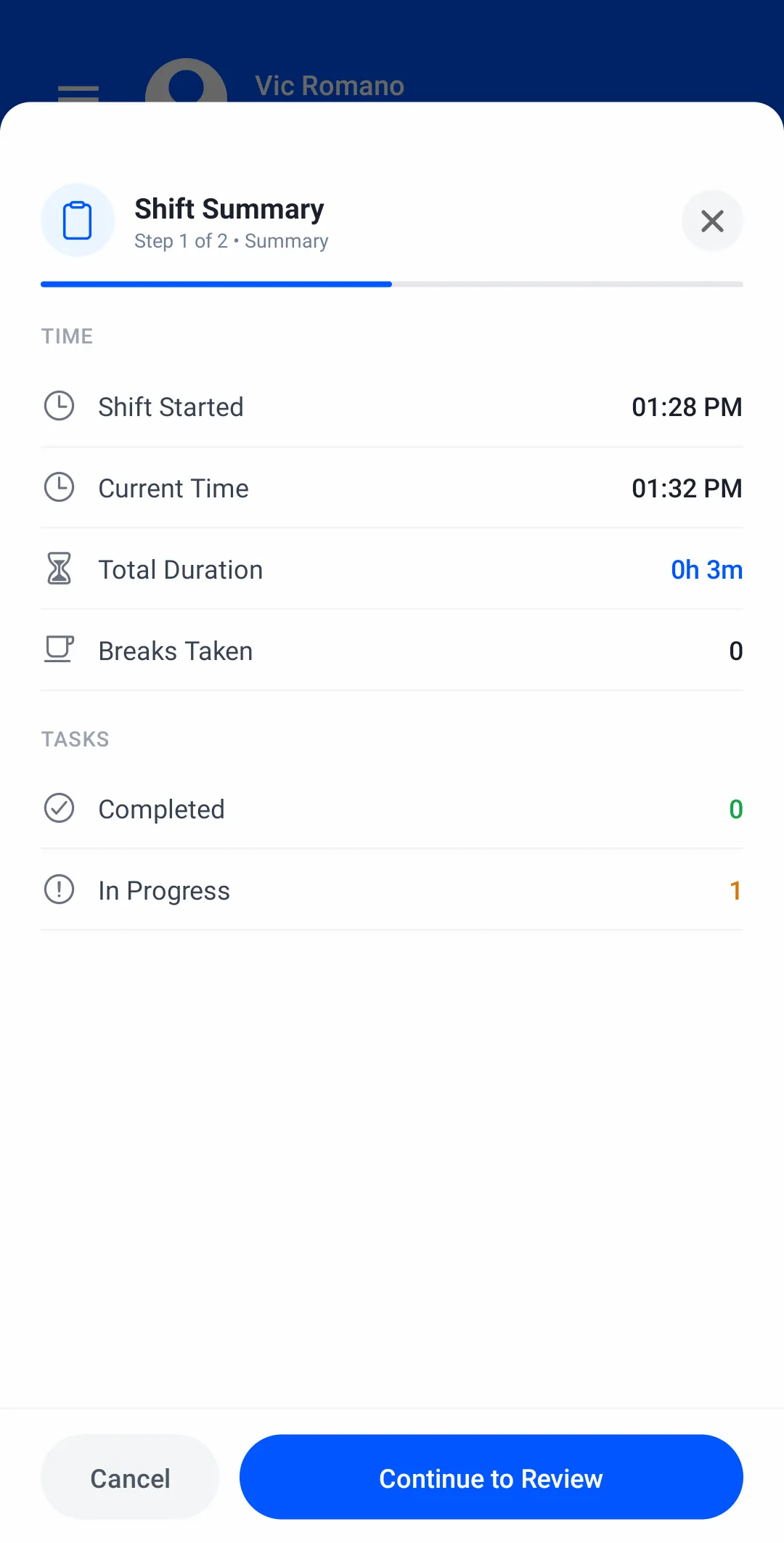
At clock-out
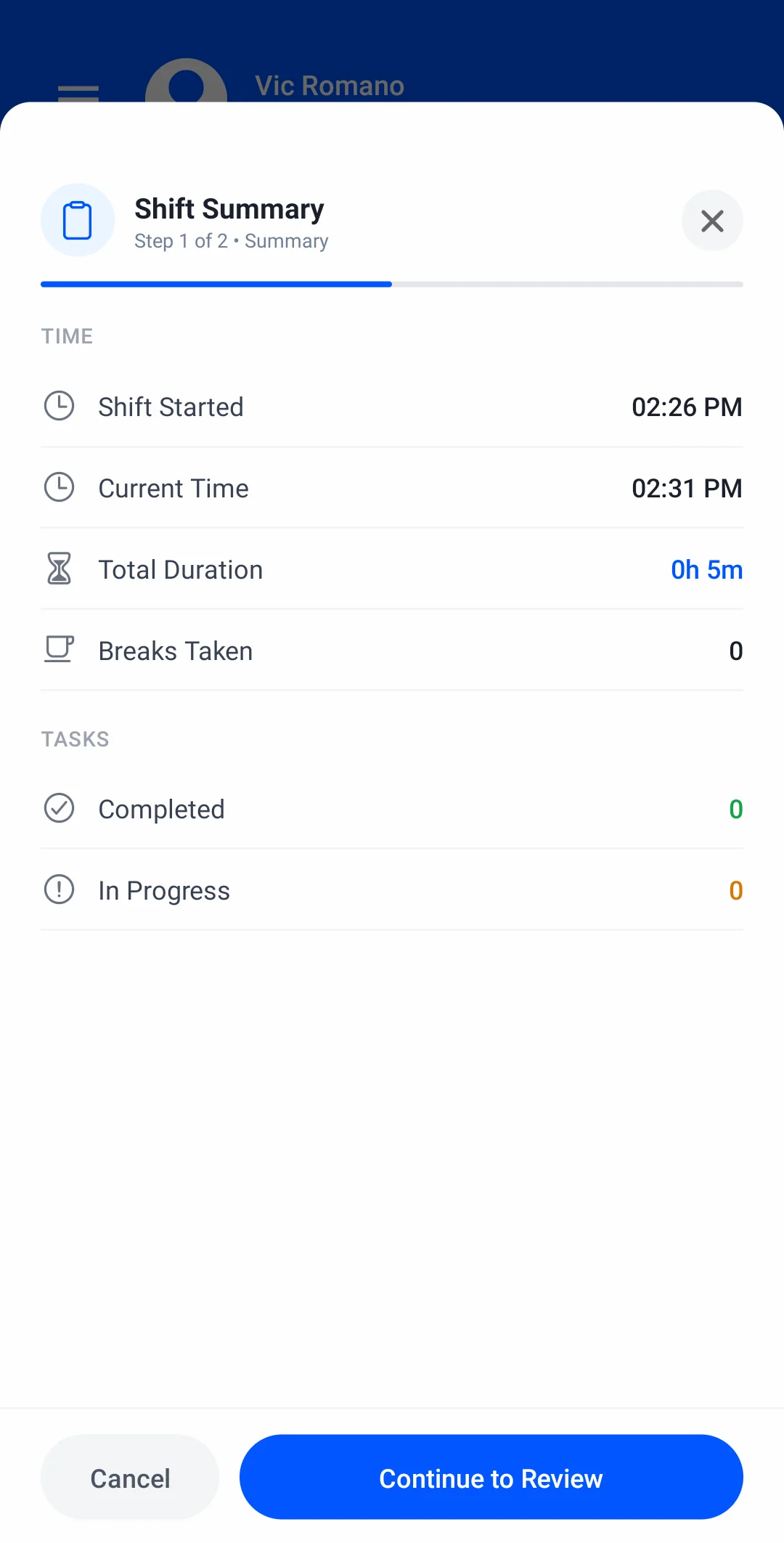
The shift sums itself up
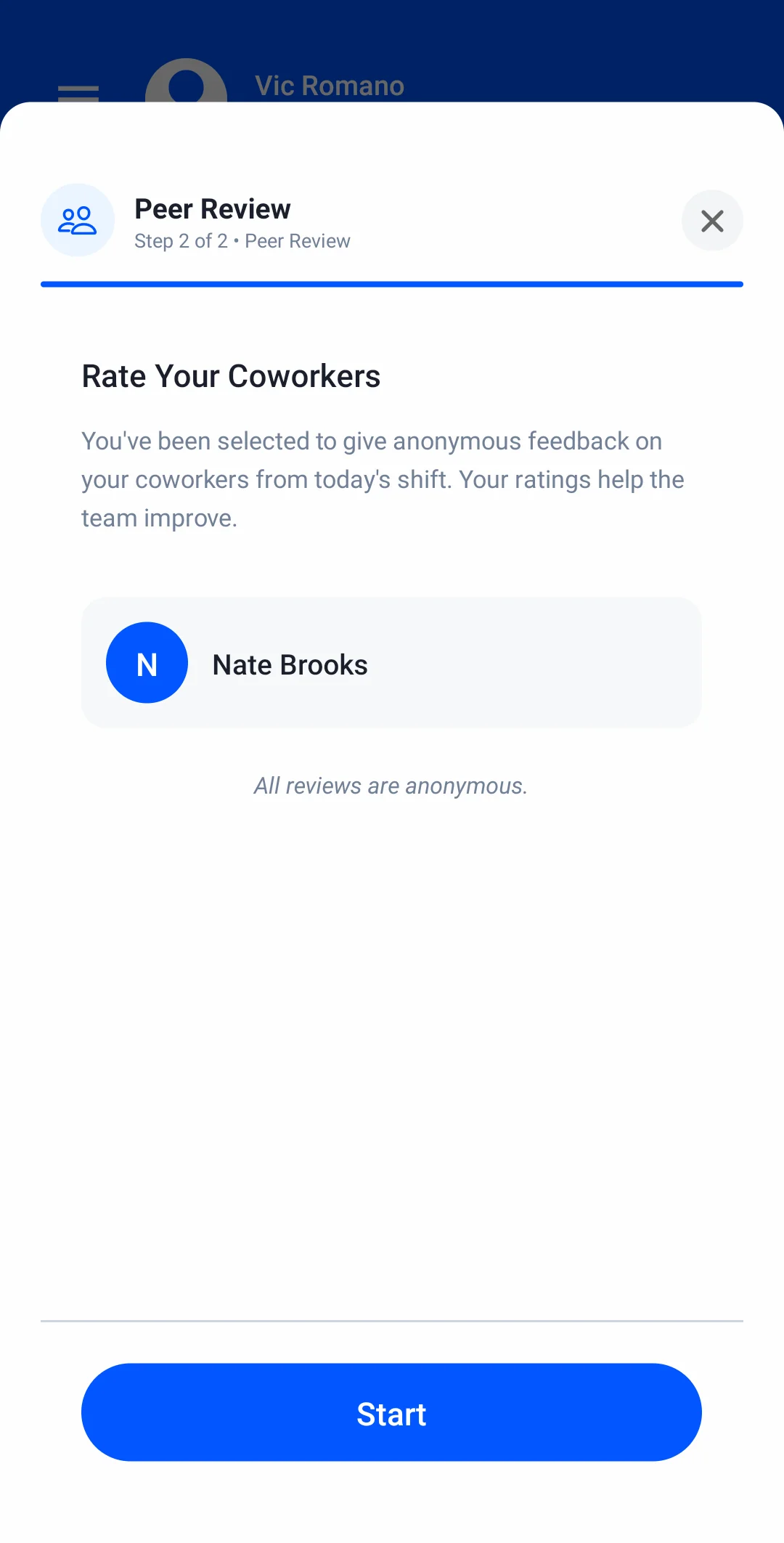
End Shift shows the worker when they started, how long they worked, breaks taken and how many tasks are done or still in progress. Then comes a quick peer review of a crewmate, and the shift is closed.
Profit
Live job cost
Hours, materials and equipment land on one ledger: budget against actual for every cost type, while the job is still running.
The ledger
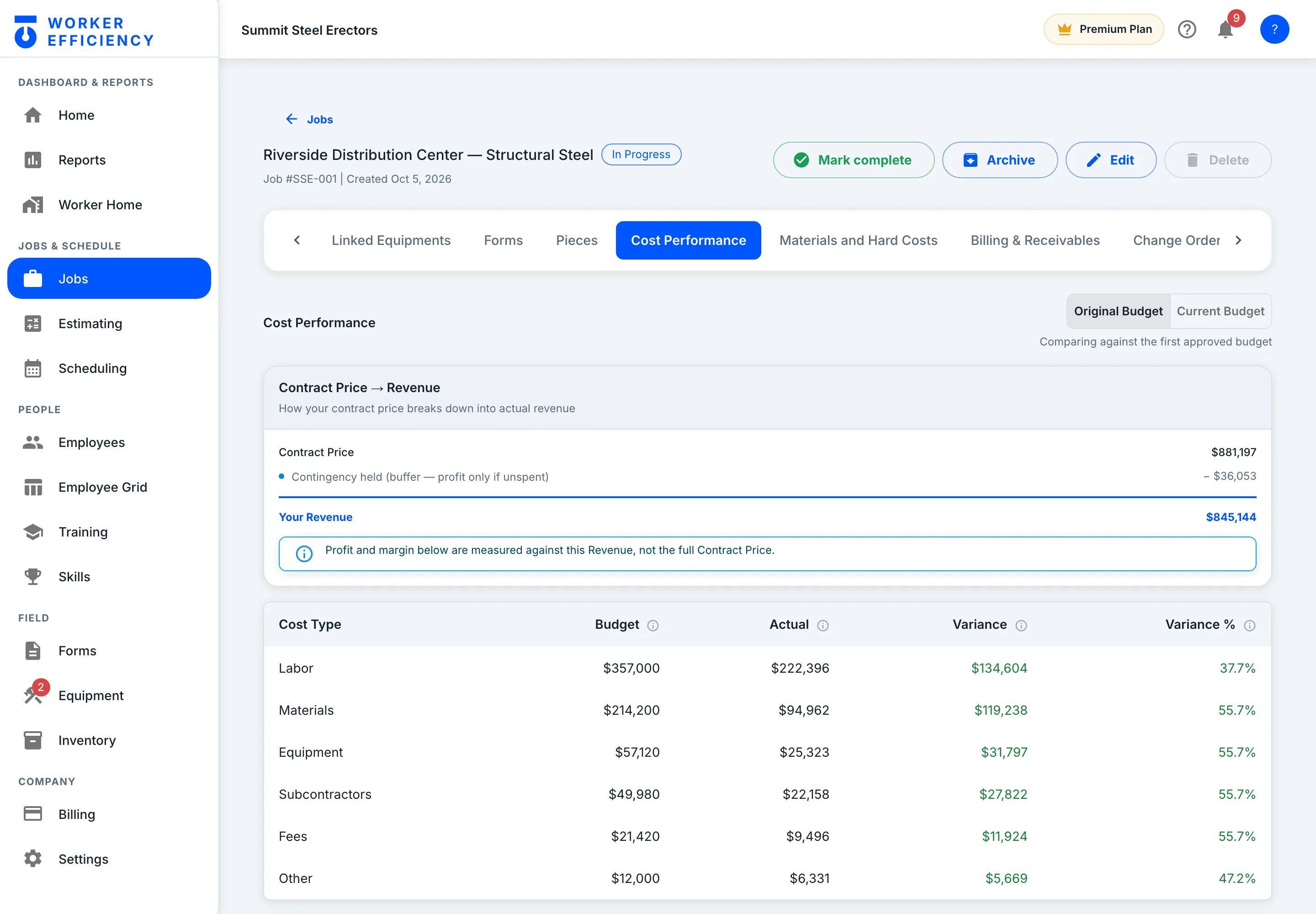
Budget vs actual — live
Labor, materials, equipment, subs, fees and other — each with its budget, its actual cost and the variance, while the job is still running. Profit is measured against your revenue, not the full contract: on Riverside, $881,197 less $36,053 of contingency held is $845,144.
Margin
Margin to date, any time
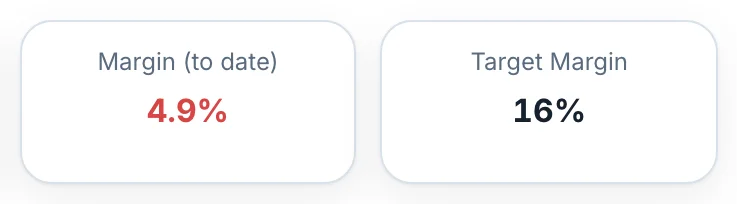
Every clock-in and cost entry updates the job’s numbers, so you read the margin while there is still time to act. On Riverside: $10,466 of gross profit to date, a 2.6% margin against an 18.17% target — and the budget beside it is already flagged Over pace.
Profit
Margin & financials
The company view: which jobs make money, which need attention, and where the year is heading.
The company view
The whole company on one screen
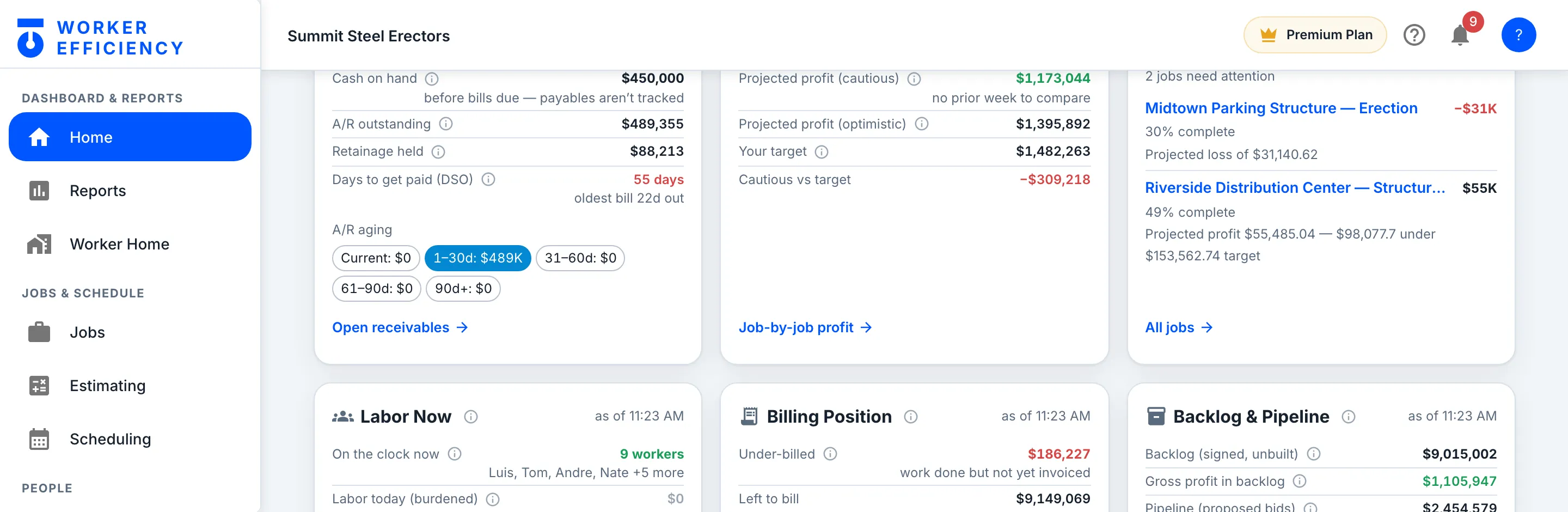
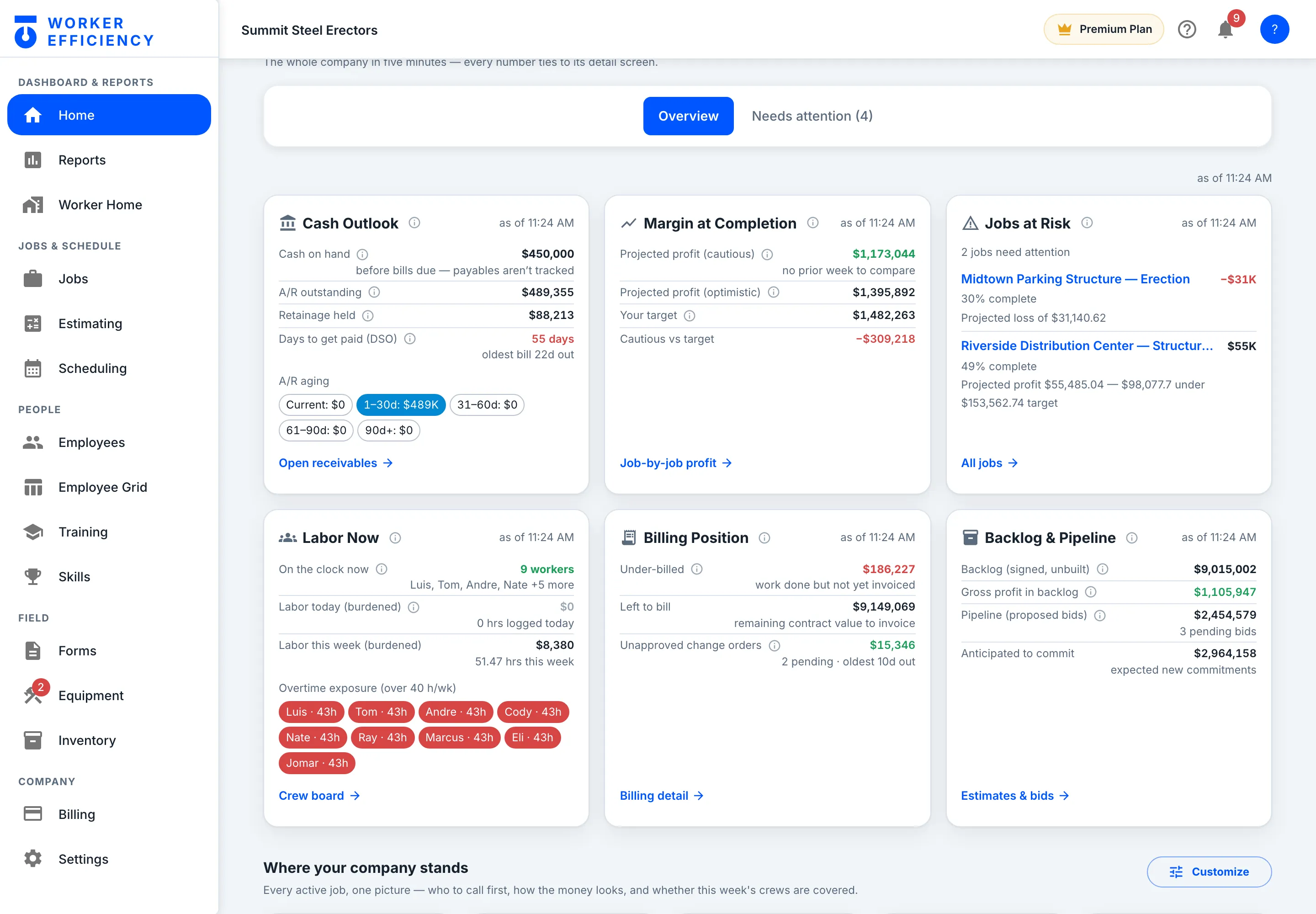
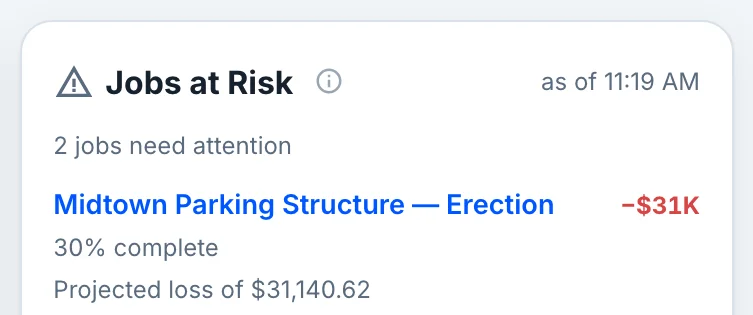
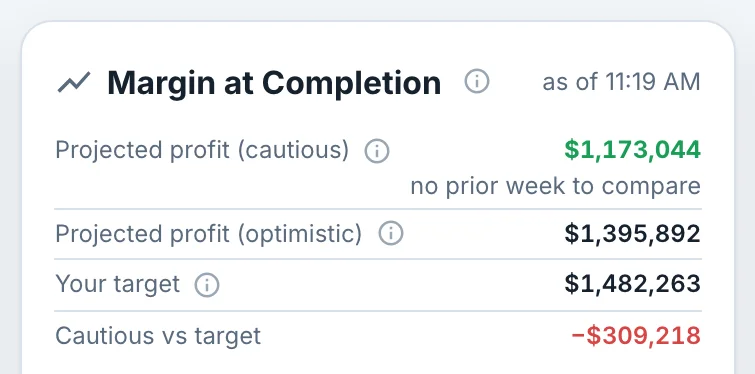
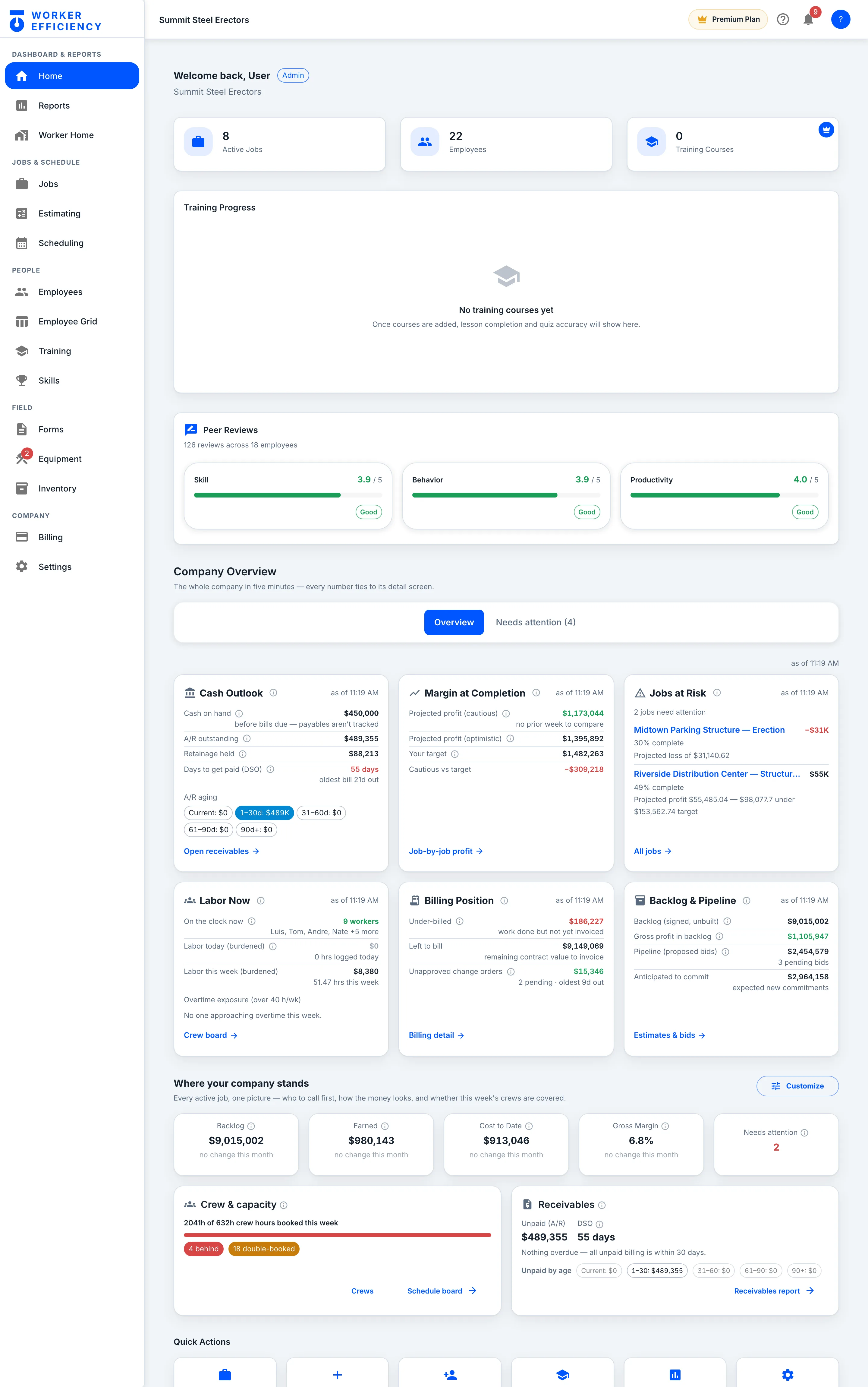
Further down Home, Company Overview puts the whole company on six cards — cash, margin at completion, jobs at risk, labor on the clock, billing, and backlog — and each card links to the screen behind it. Summit’s cautious projection is $1,173,044 of profit against a $1,482,263 target.
Needs attention
Who to call first
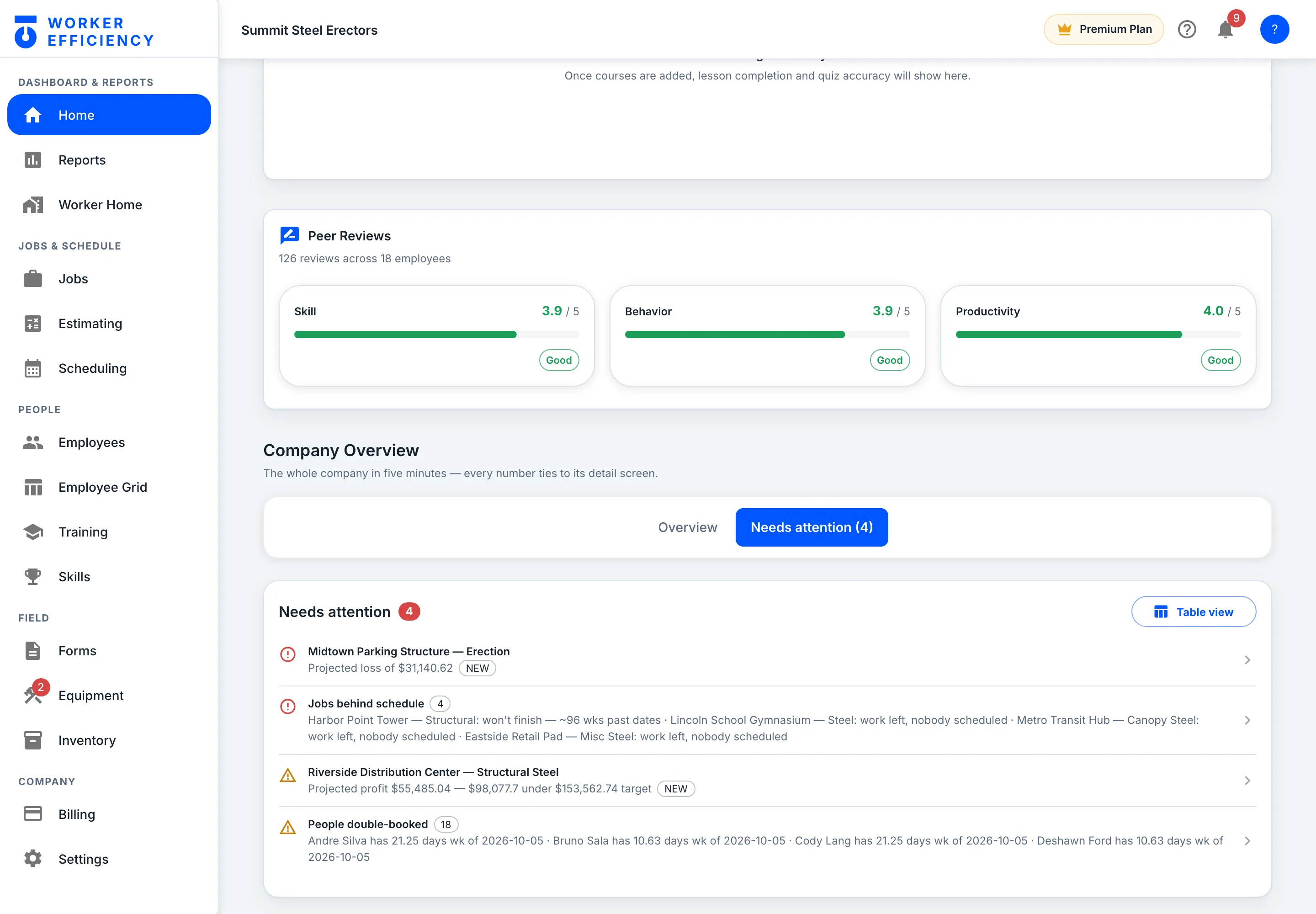
One tab ranks what needs a decision, worst first — a projected loss, jobs behind schedule, a job heading under its profit target, people booked twice — and each row opens the screen to fix it. Summit has 4 today, led by a $31,140.62 projected loss on Midtown Parking Structure.
People
Training
Courses the crew actually watches — your own videos alongside the platform catalog.
Your library
Your own courses, on their phones
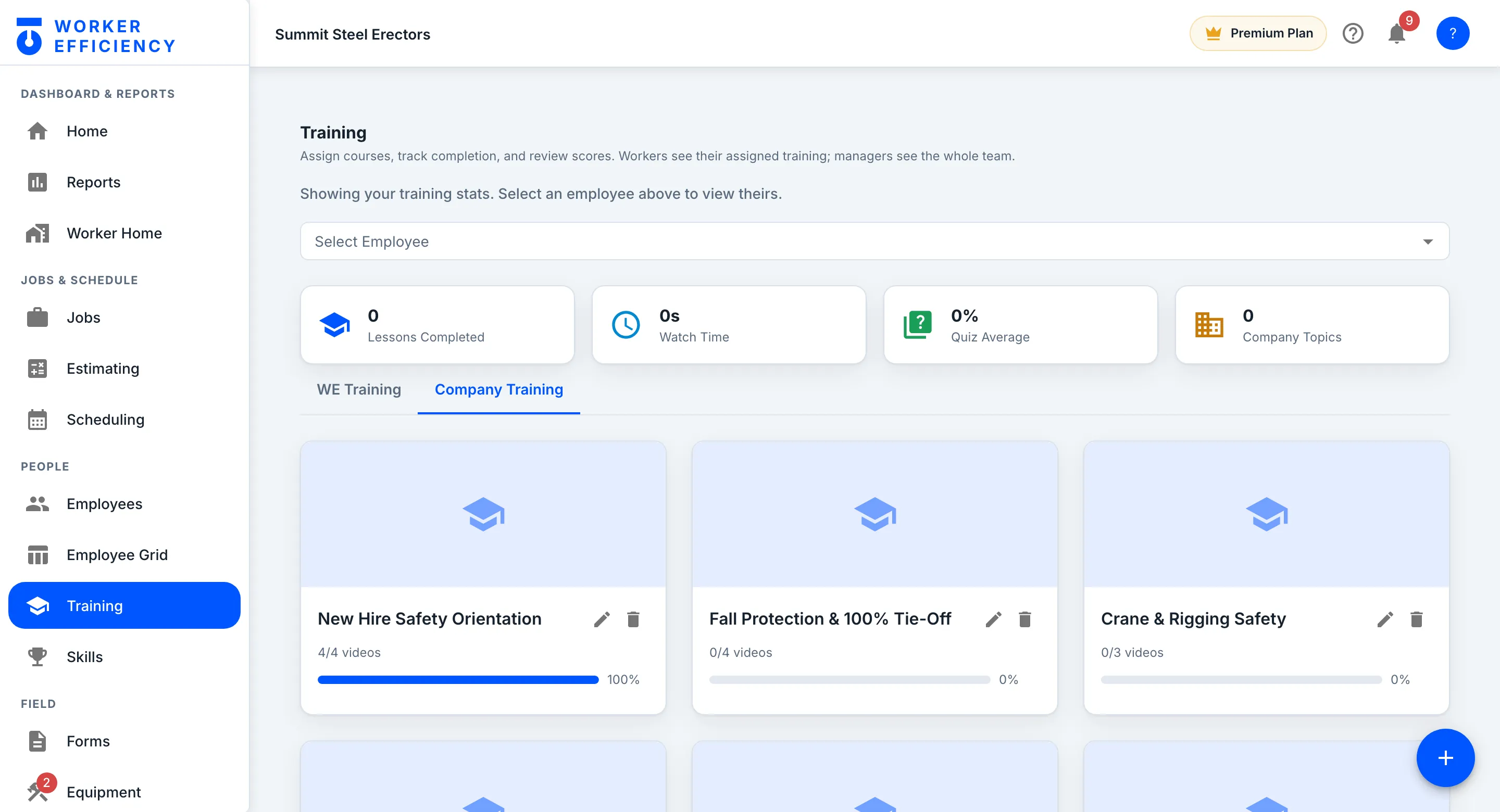
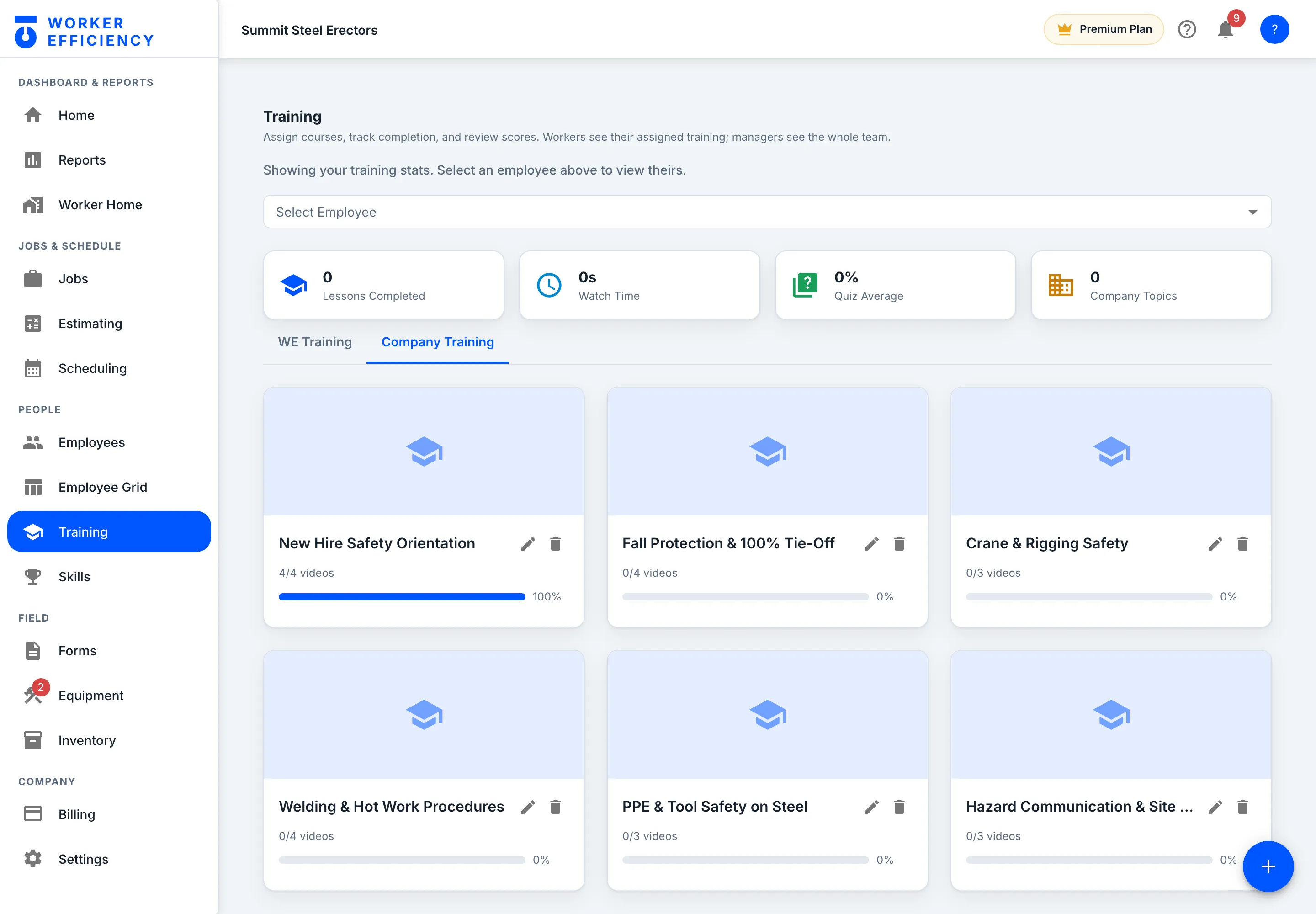
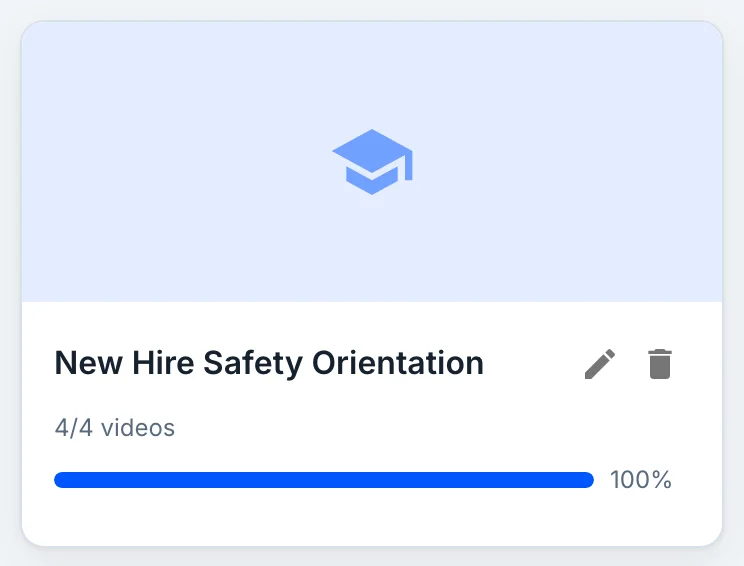
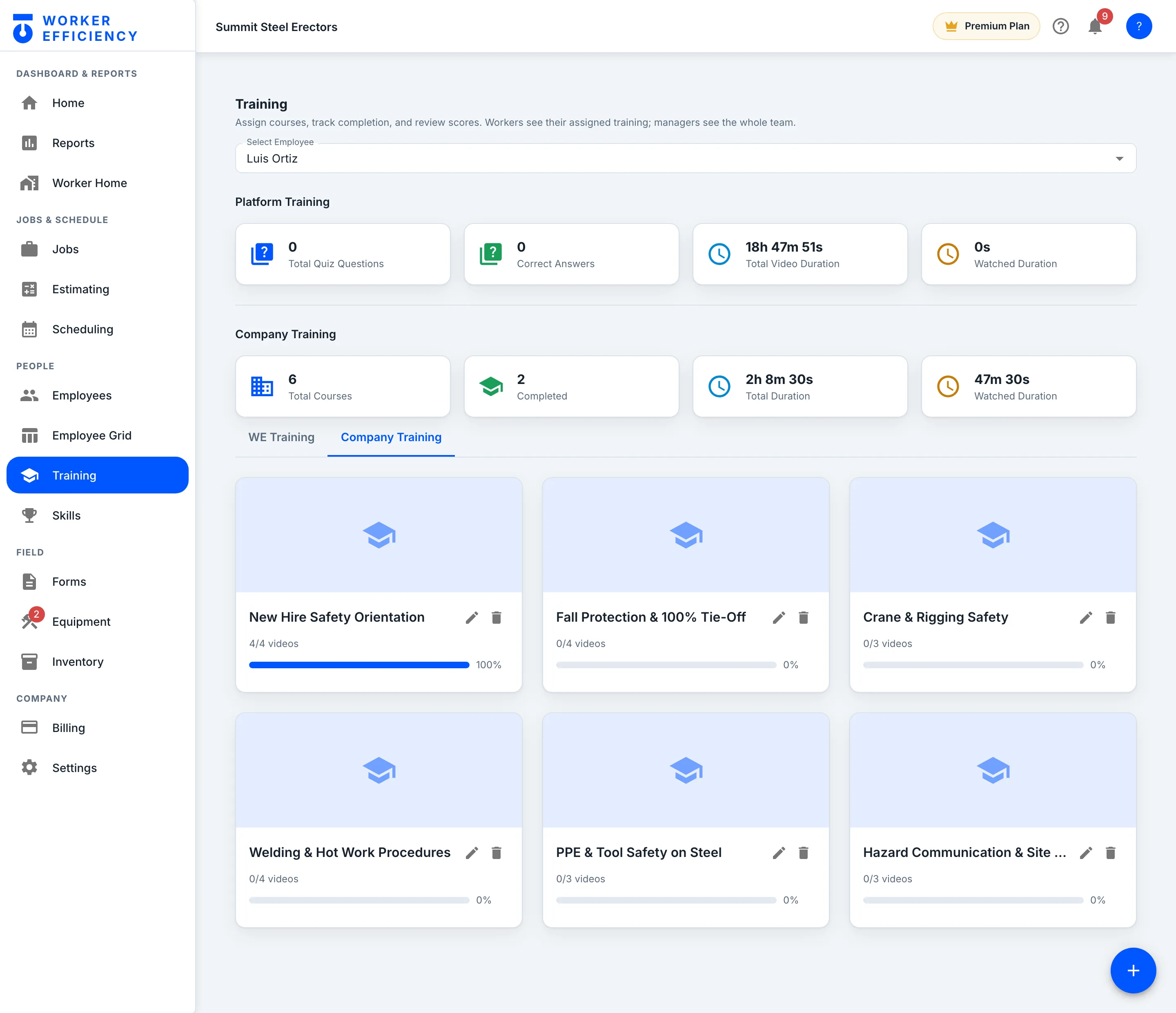
Upload the safety training your crew actually needs — new-hire orientation, fall protection, crane and rigging, welding and hot work — as video lessons, then pick an employee to see how far they’ve got through each one.
The catalog
Plus a built-in course library
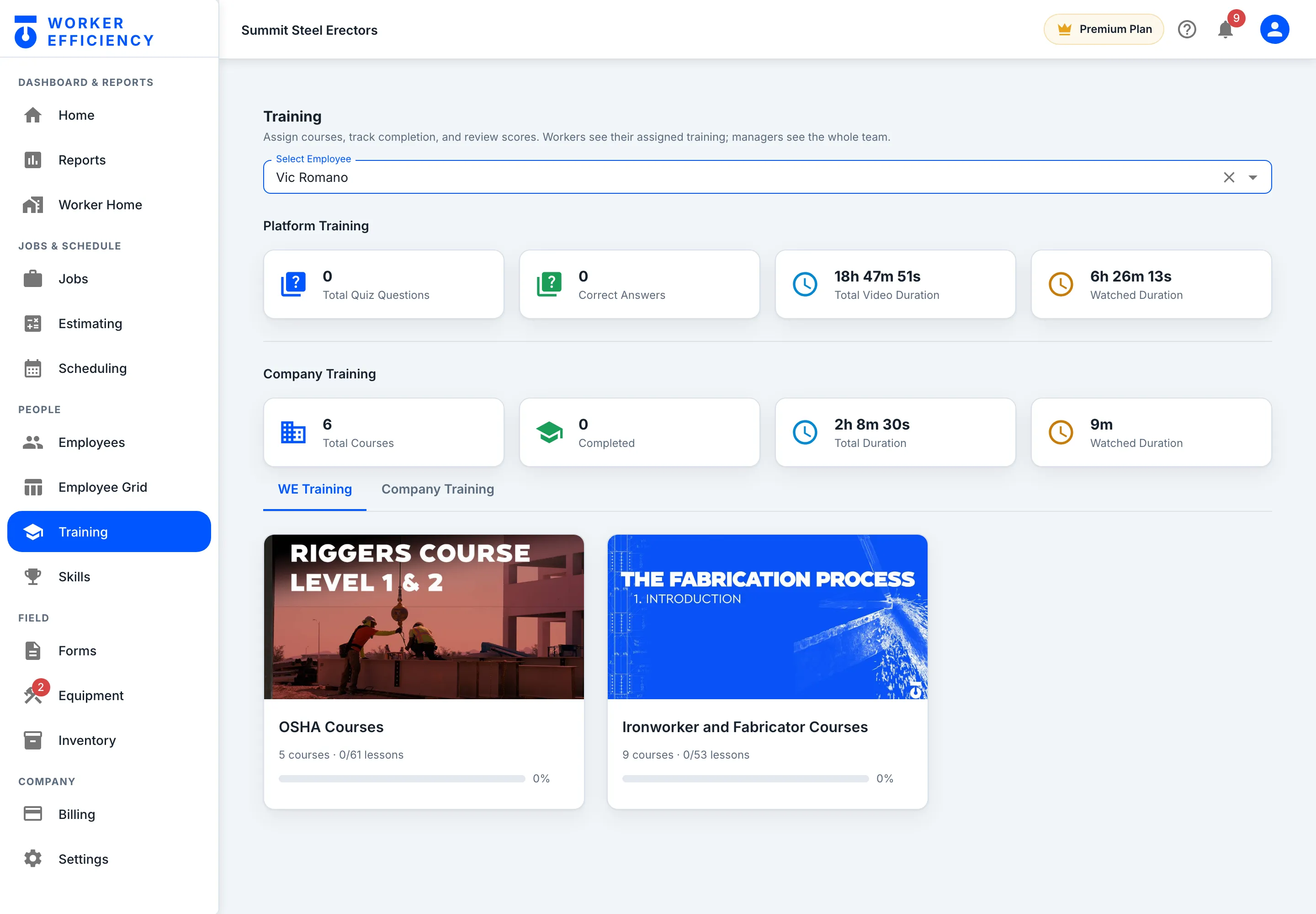
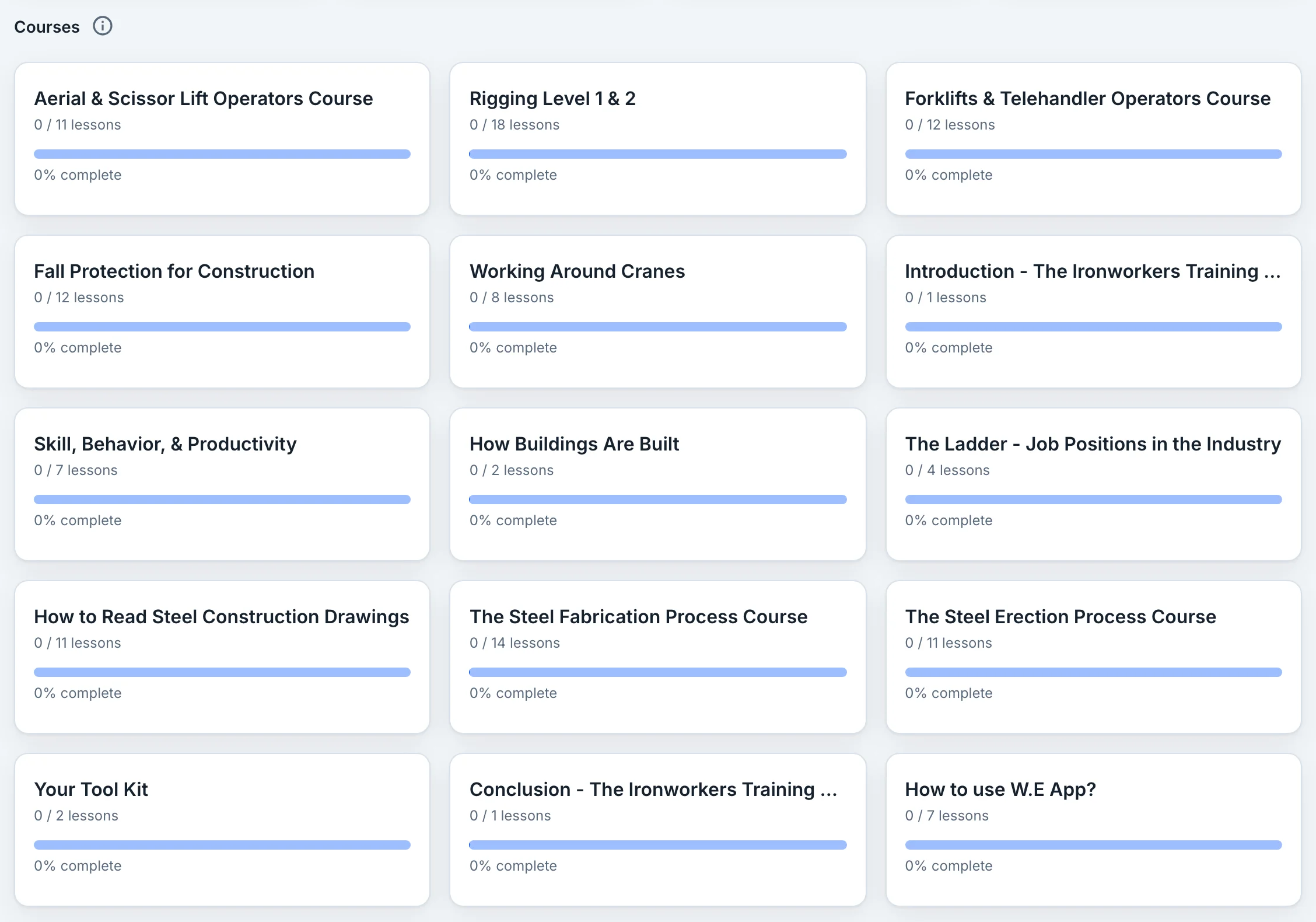
Worker Efficiency’s own courses sit on the WE Training tab — switch them on in Settings → Manage Courses. Summit runs the OSHA Courses (5 courses) and the Ironworker and Fabricator Courses (9 courses), and picking a worker shows their platform and company training together.
Progress
See who's actually done it
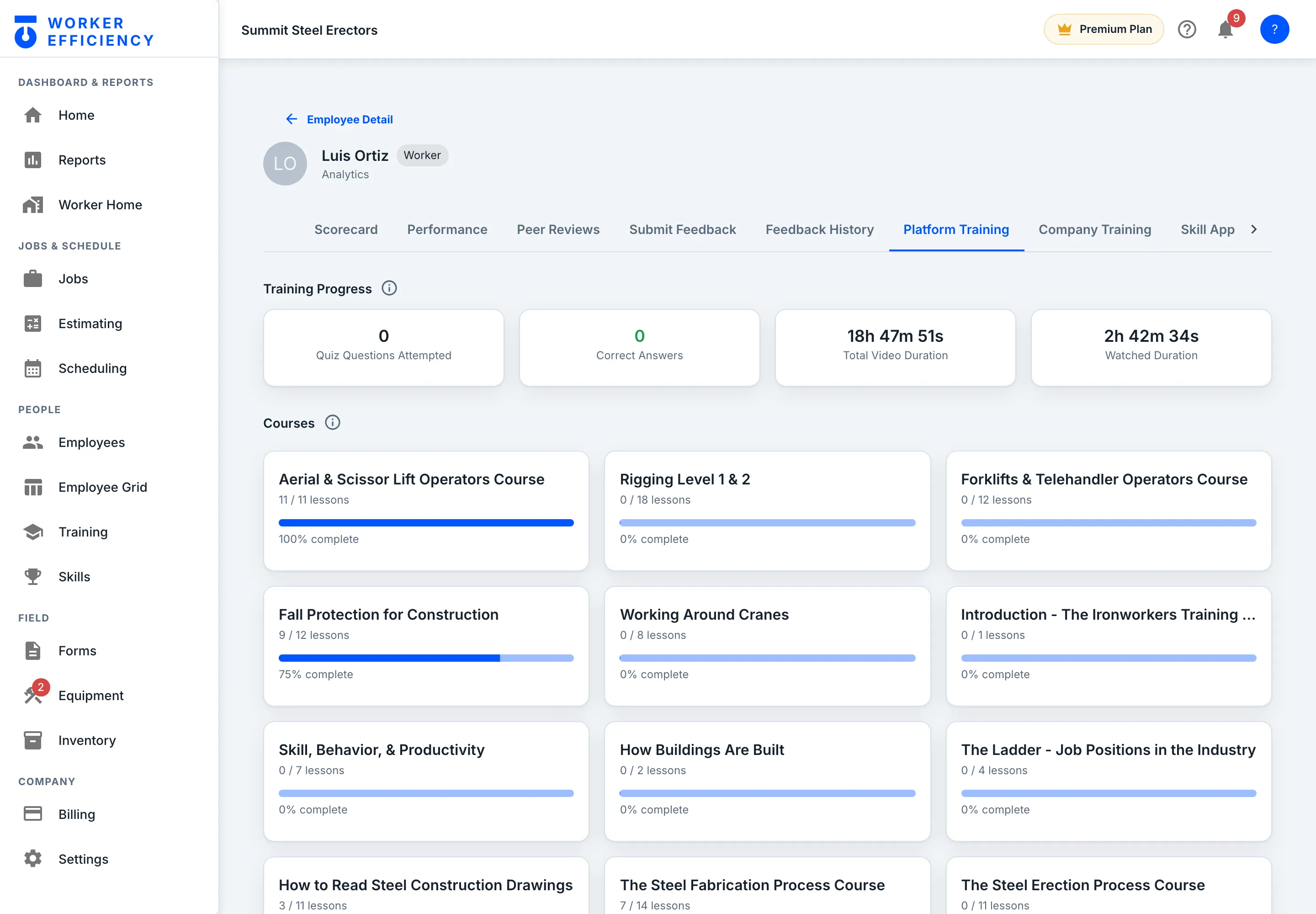
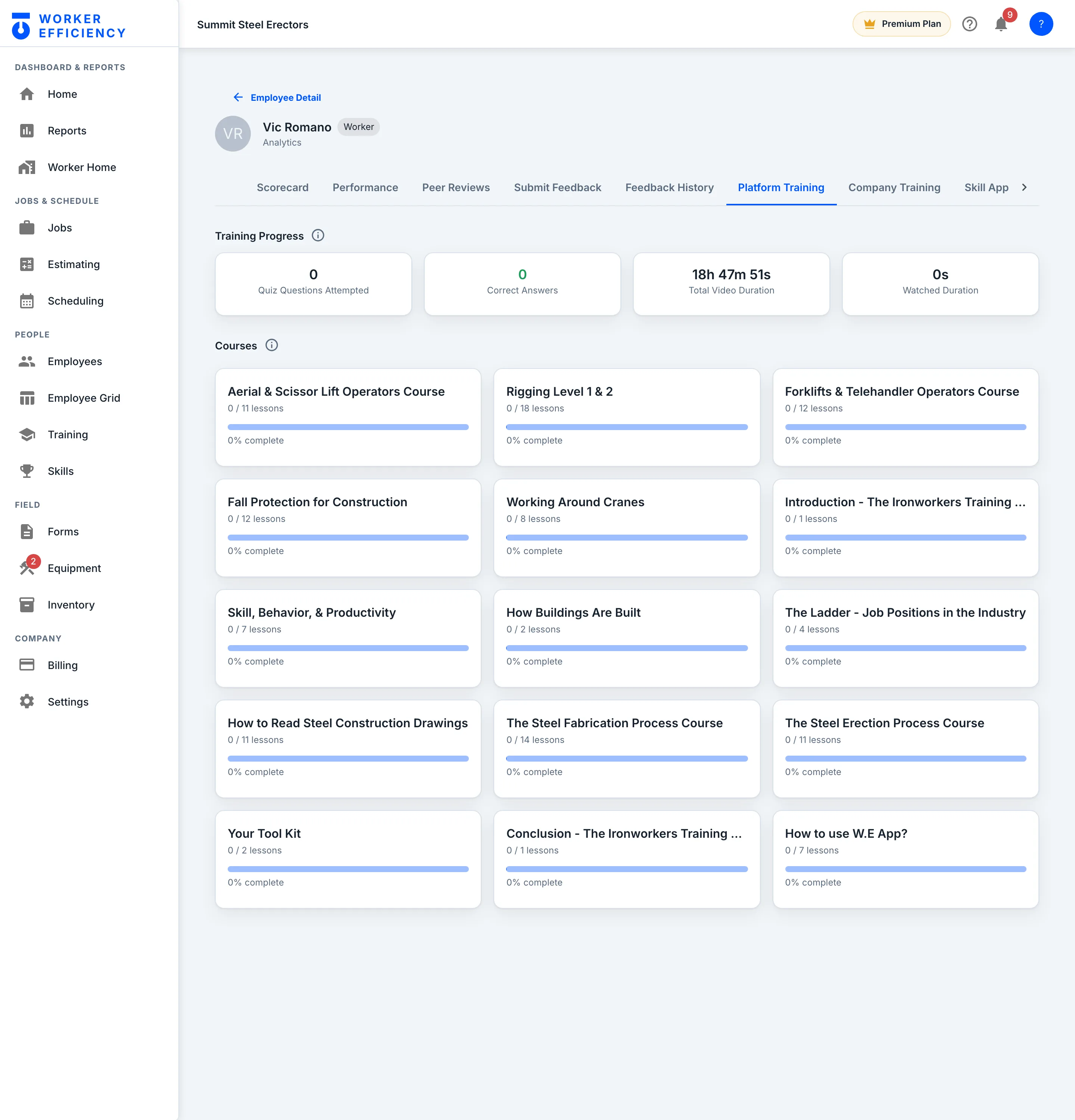
Open any worker and their Platform Training tab shows every course with lessons done and percent complete. Luis Ortiz has finished the Aerial & Scissor Lift Operators Course, 11 / 11 lessons, and is 75% through Fall Protection for Construction.
People
Certifications & skills
Proof, tracked. What each worker is qualified for, and when it expires.
Skills & certs
Who's qualified — and when it expires
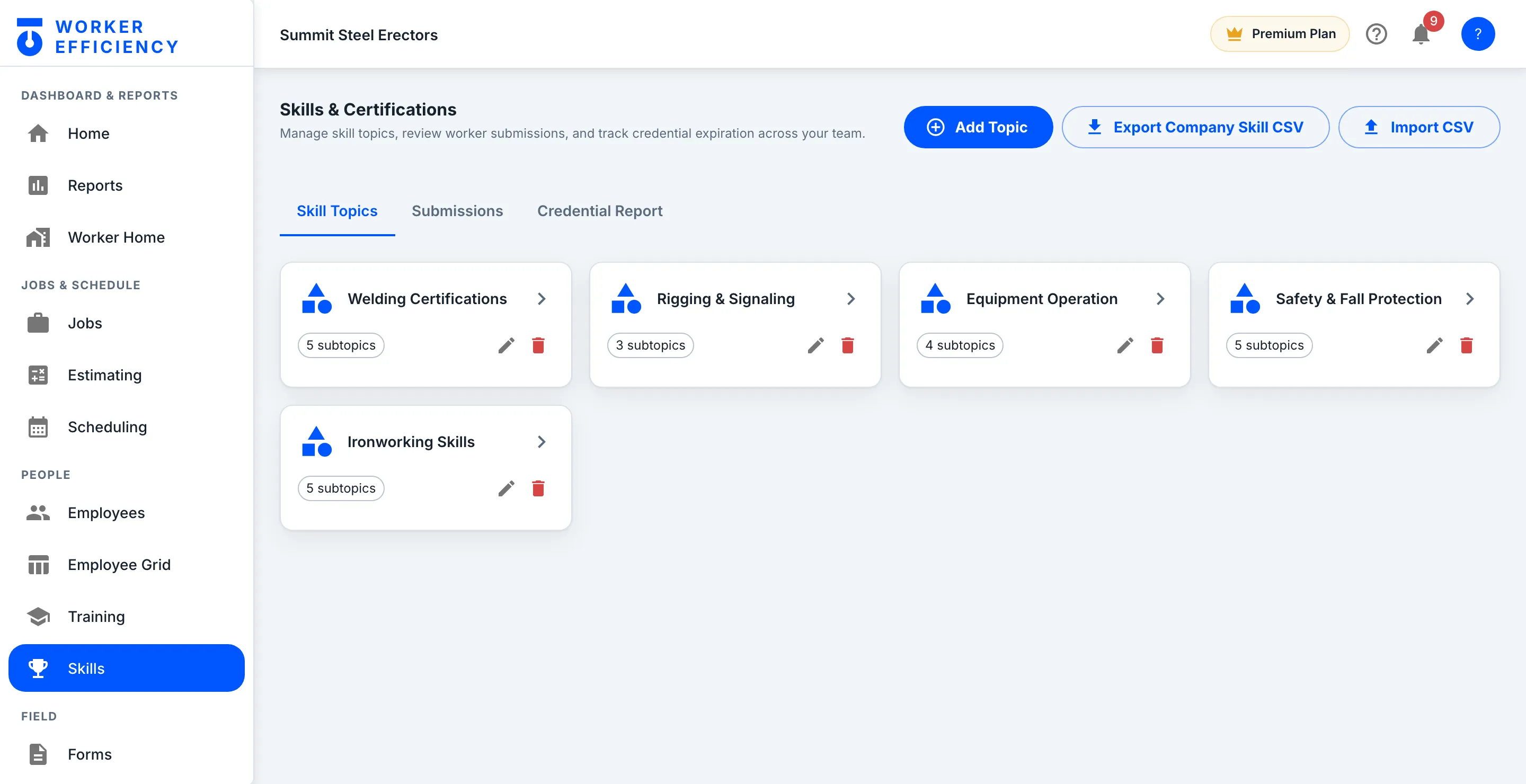
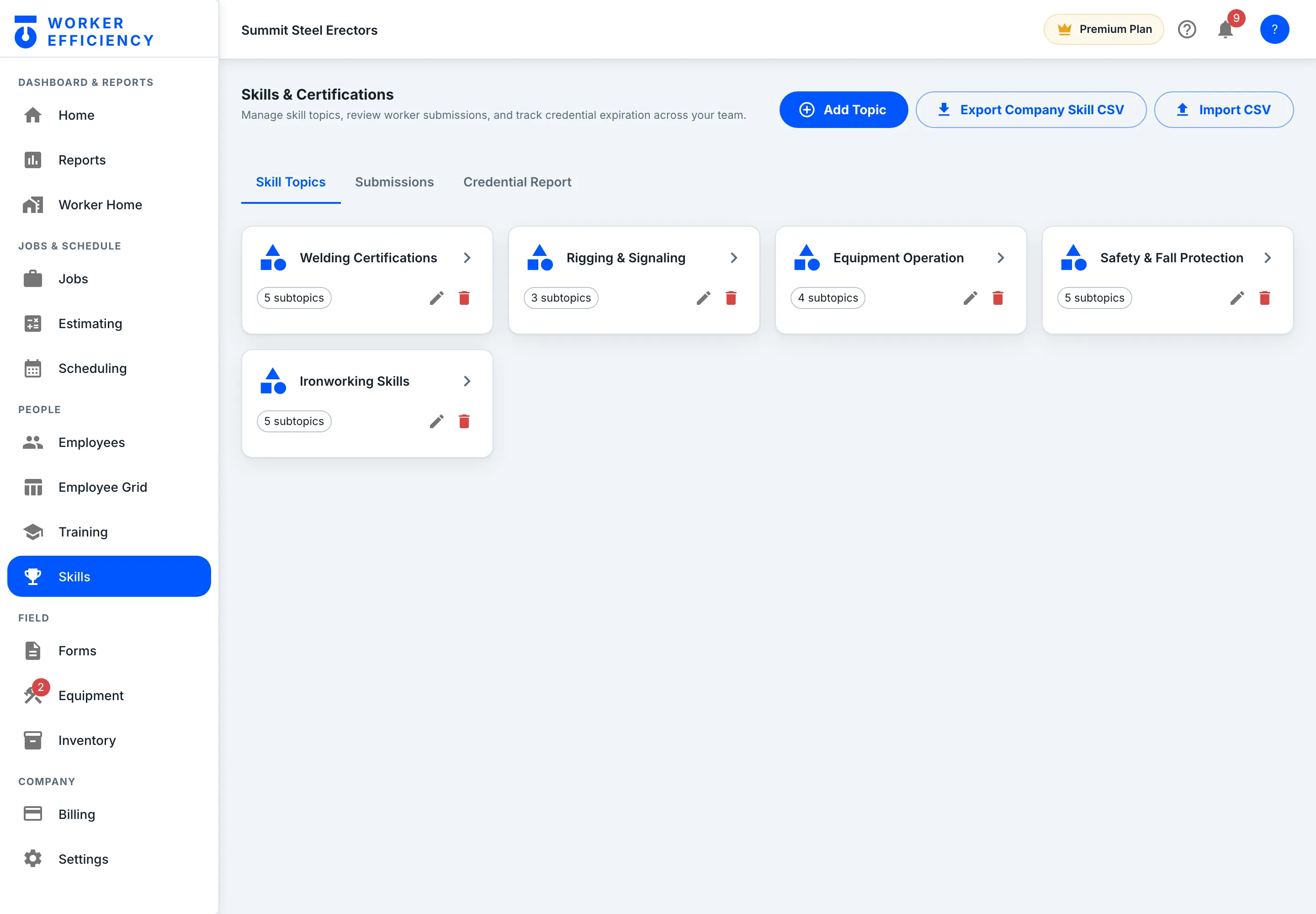
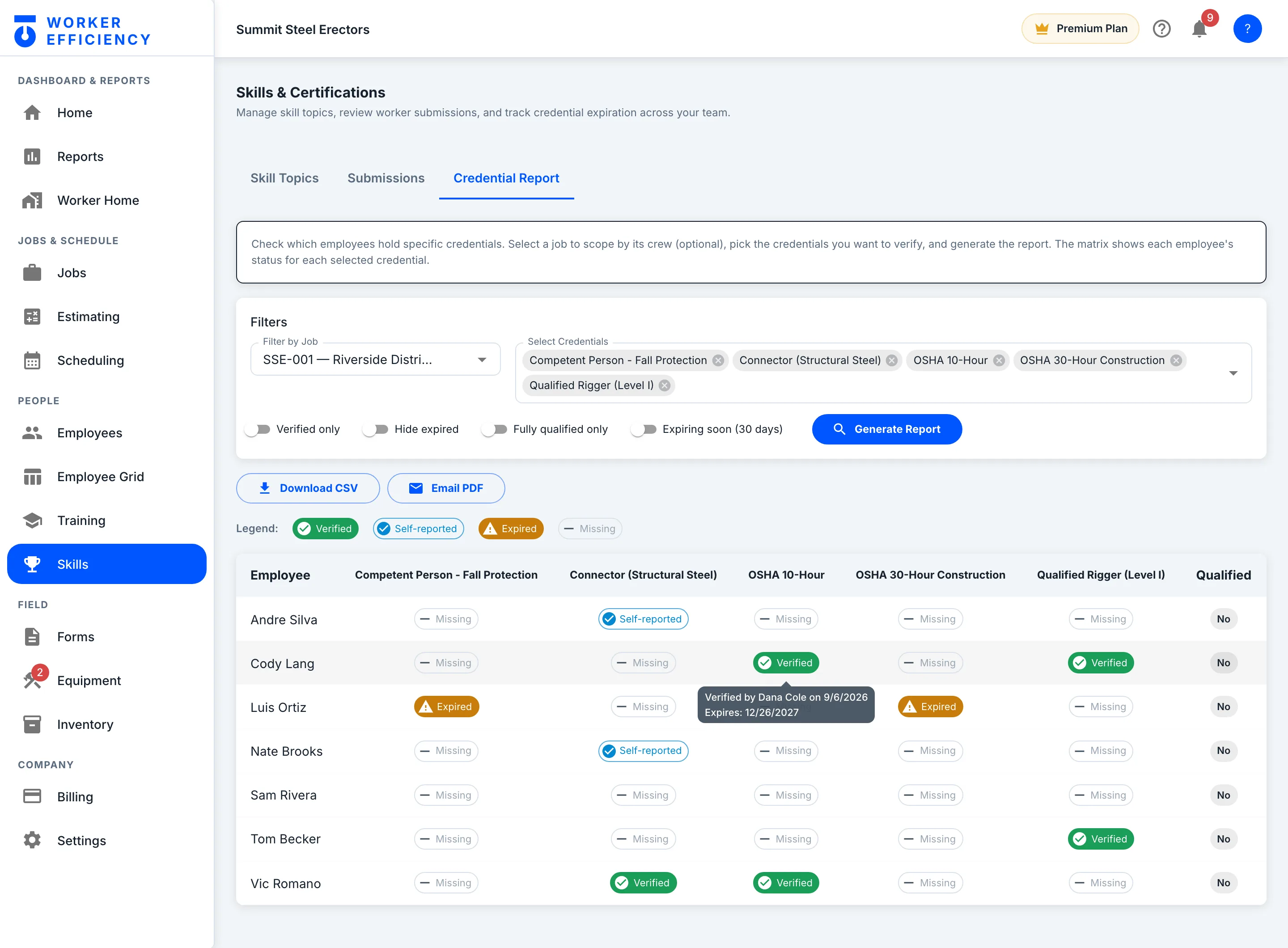
Set up the skills your work runs on — welding certifications, rigging and signaling, equipment operation, fall protection, ironworking — then review what each worker submits and track when every credential expires.
People
Peer reviews
360° feedback from the people who share the scaffold — skill, behavior and productivity, each scored out of 5 with an optional comment, collected on the phone after a shift.
360°
Feedback from the people on the scaffold
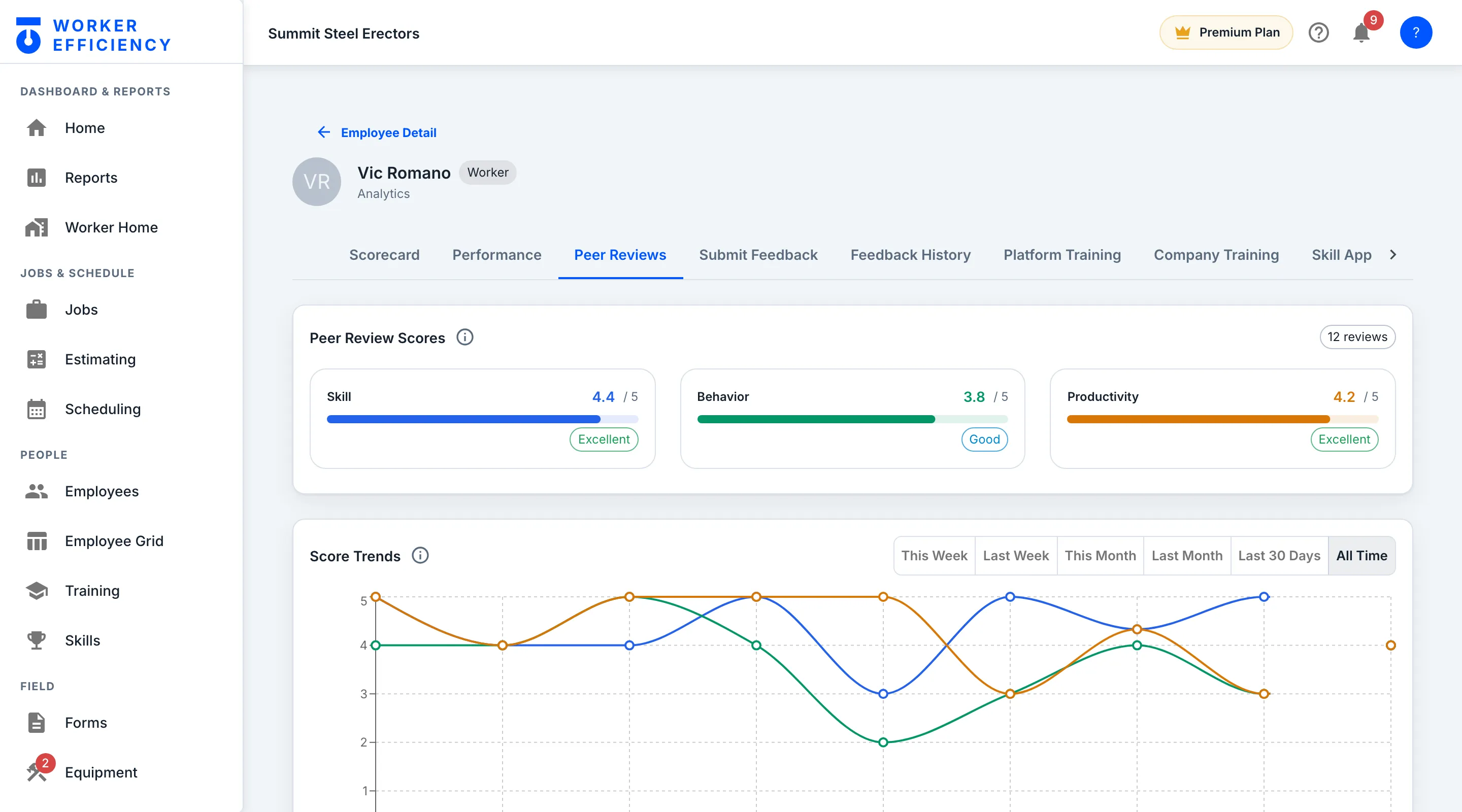
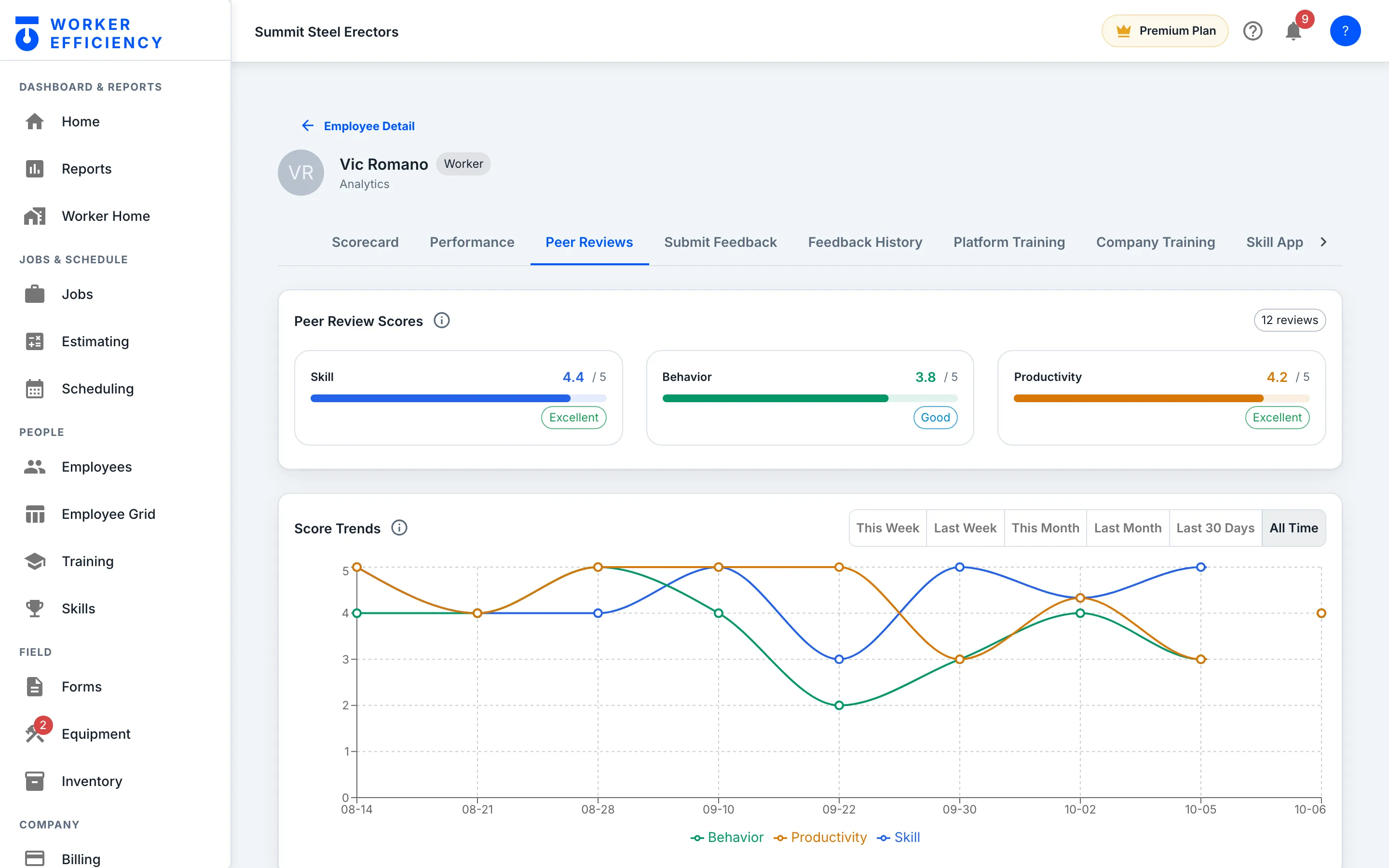
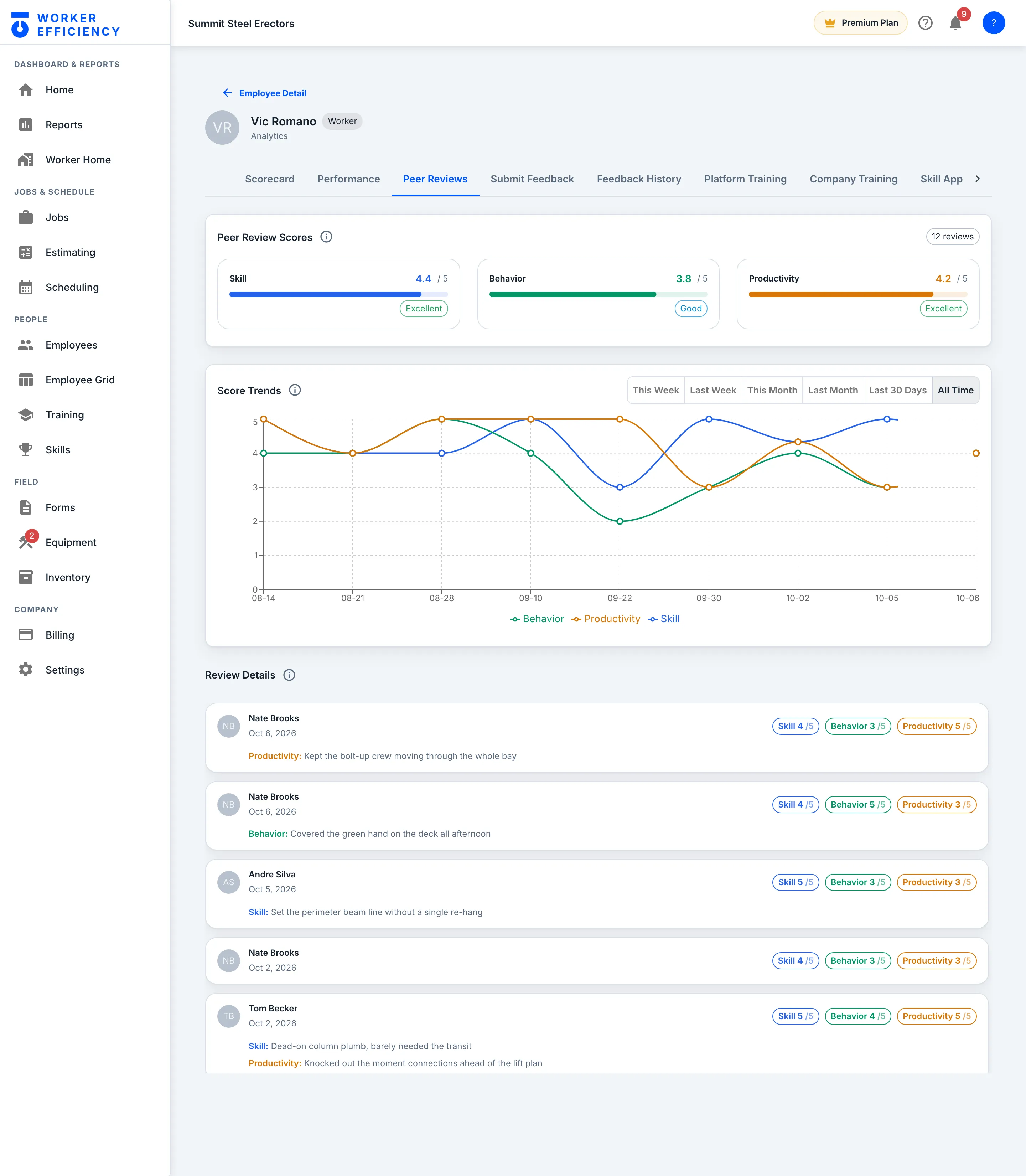
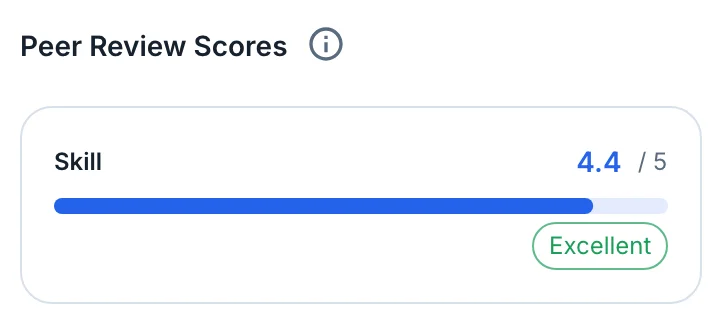
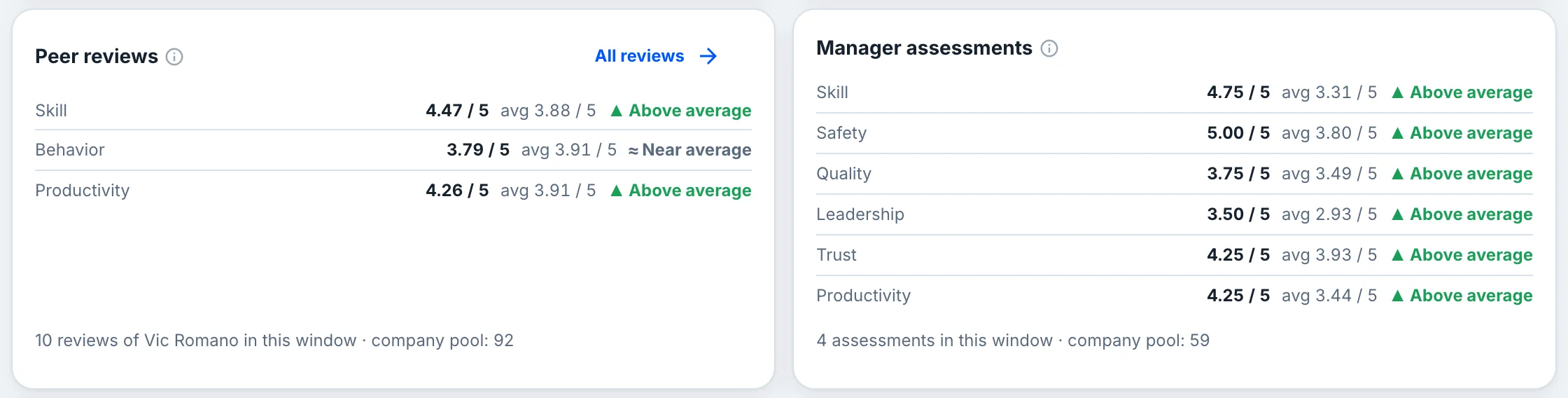
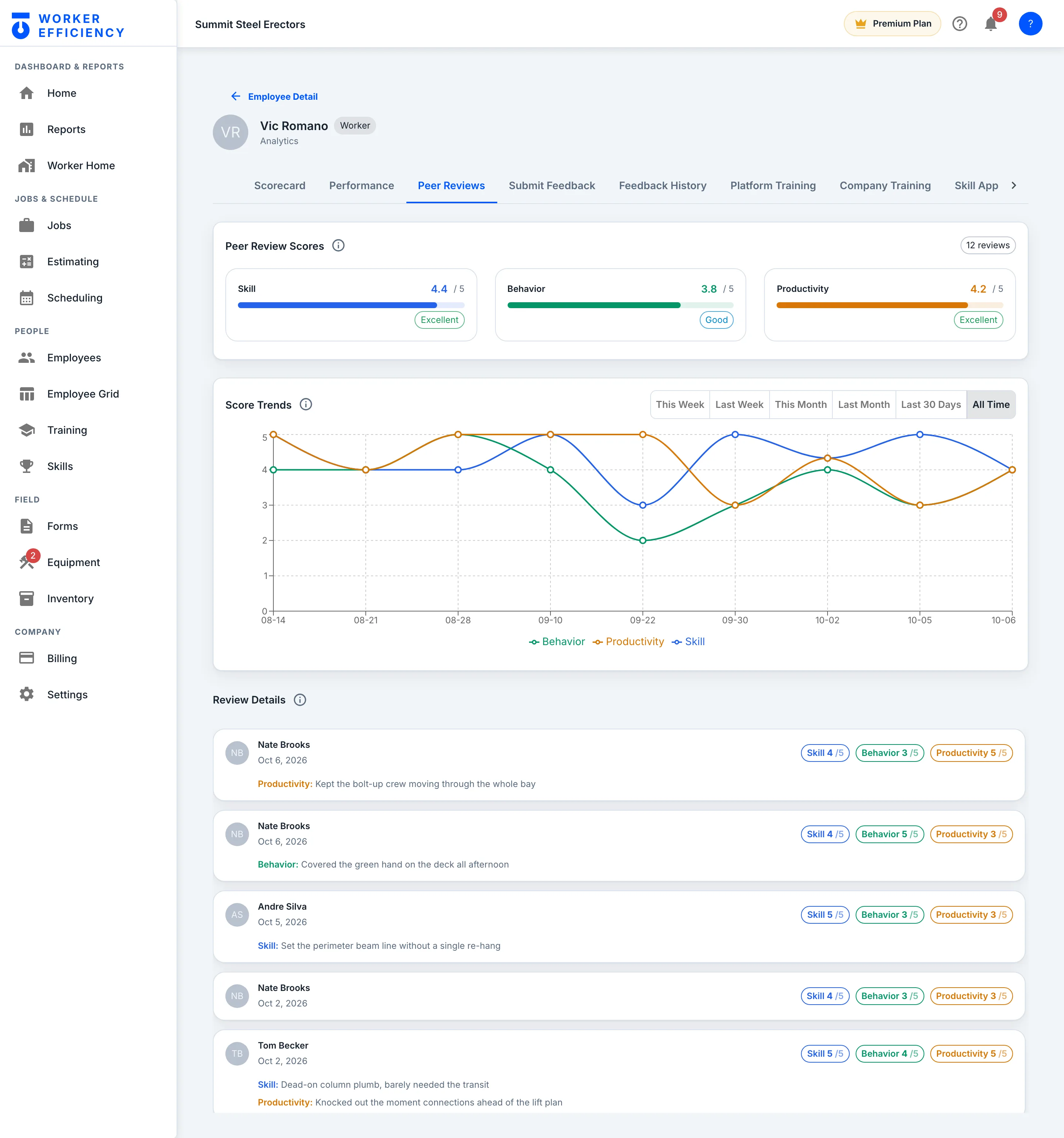
Skill, behavior and productivity, each scored out of 5 by the crew they work with. Vic Romano’s 12 reviews average 4.4 for skill, 3.8 for behavior and 4.2 for productivity.
The trend
A pattern, not a one-off
Scores trend per worker over time, so a real pattern shows and one bad day does not define anyone. Managers see every review, who left it and any comment; the worker never sees who reviewed them.
Costs
Forms & checklists
Build any form once. The crew fills it on the phone and it files itself against the job.
Build once
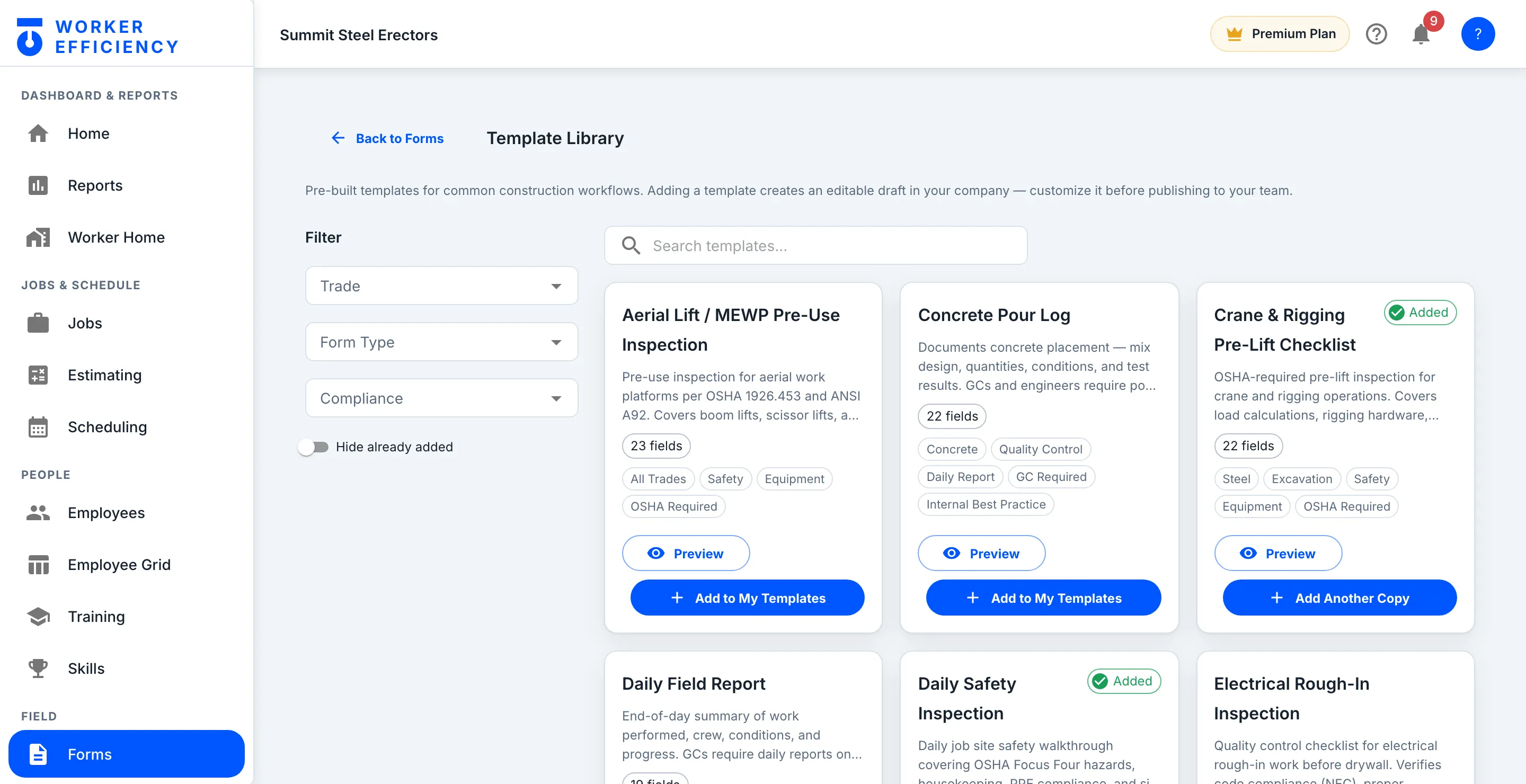
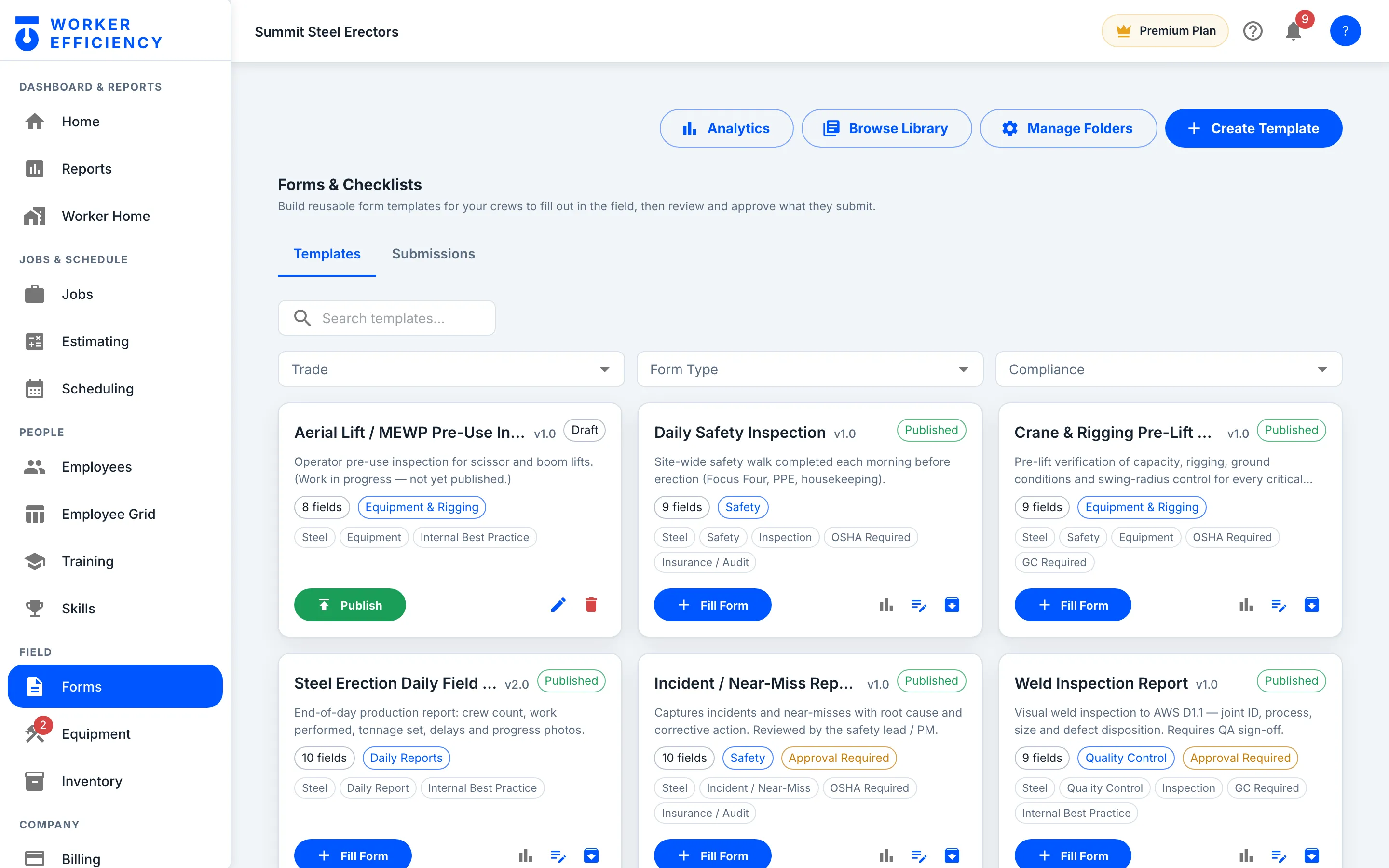
Build a form once, use it on every job
Daily safety inspections, crane pre-lift checks, weld inspections, incident reports — your own templates, versioned and tagged, built from scratch or from the template library. The crew fills them in the field, and the ones marked Approval Required wait for sign-off.
Costs
Timesheets
Hours become labor cost at each worker’s real rate. Nobody re-types anything.
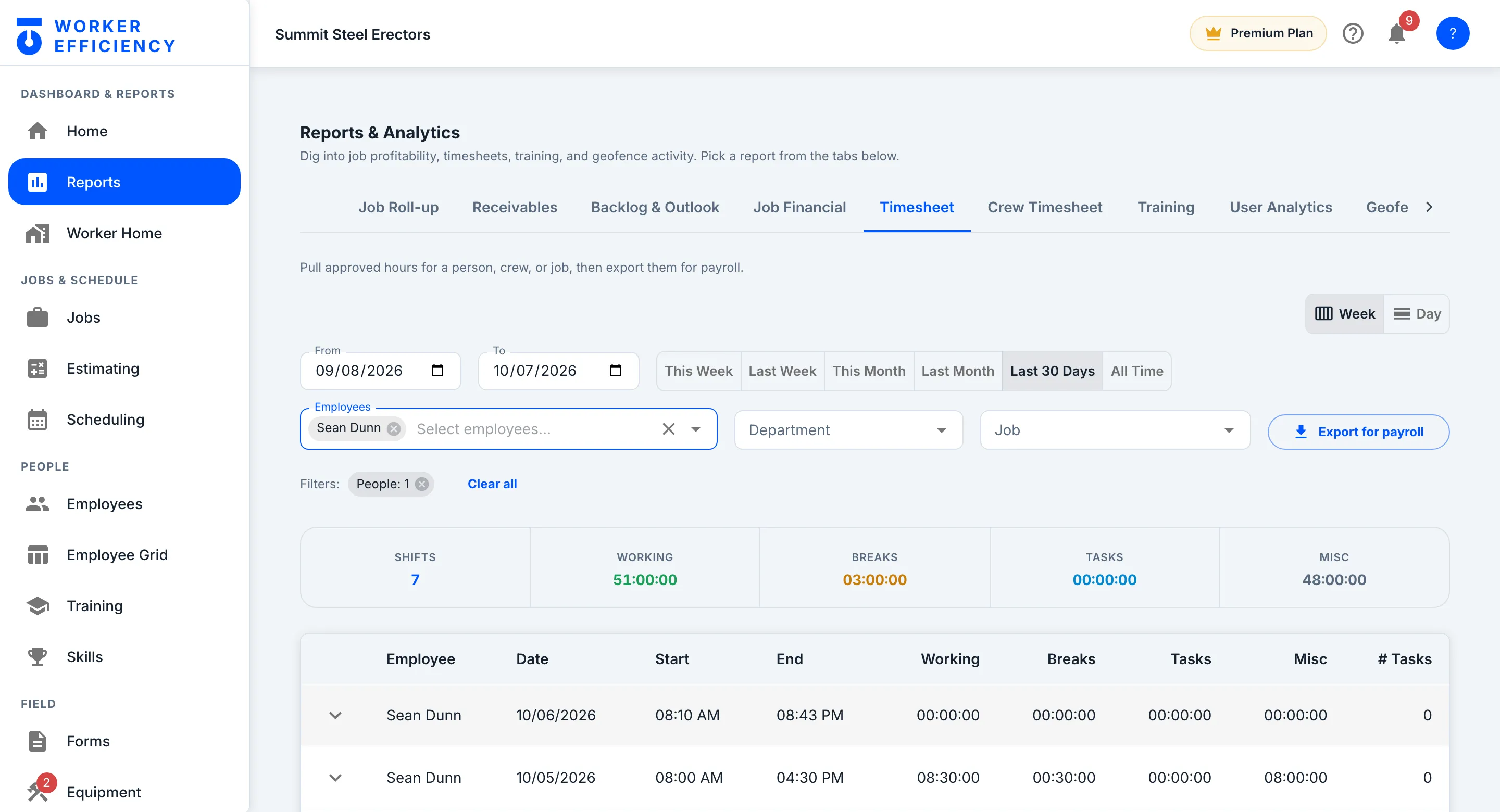
Hours → payroll
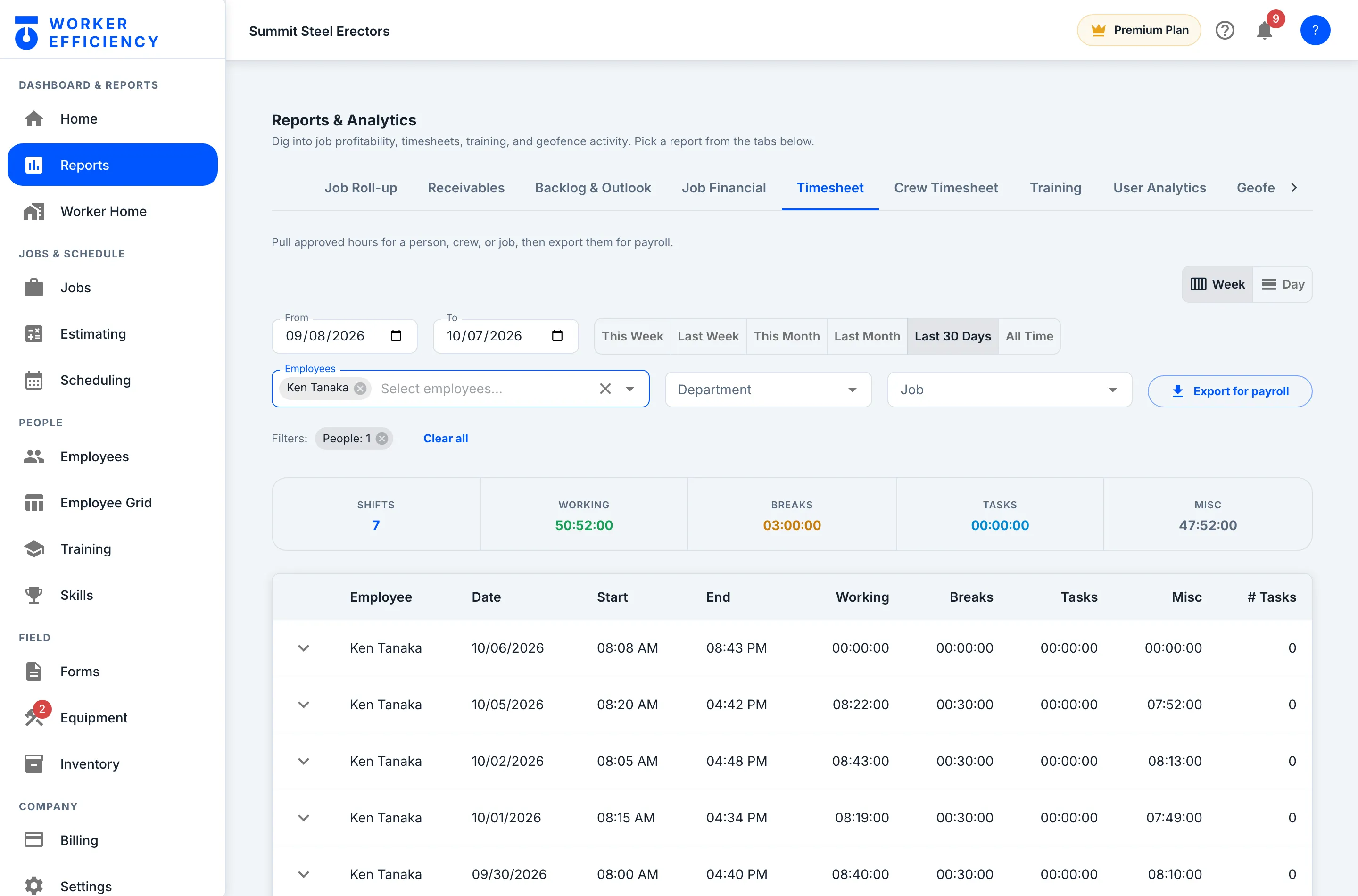
Approved hours, ready for payroll
Pick a person, a crew or a job and a date range, and the timesheet pulls their approved hours shift by shift, ready to export for payroll — Ken Tanaka's last 30 days come to 7 shifts and 50:52:00 working. The same hours, priced at each worker's rate, are the labor cost on the job — nobody re-types anything.
Costs
Materials & cost entries
Ordered vs received — so committed cost shows up when you order it, not when the invoice lands.
On the job
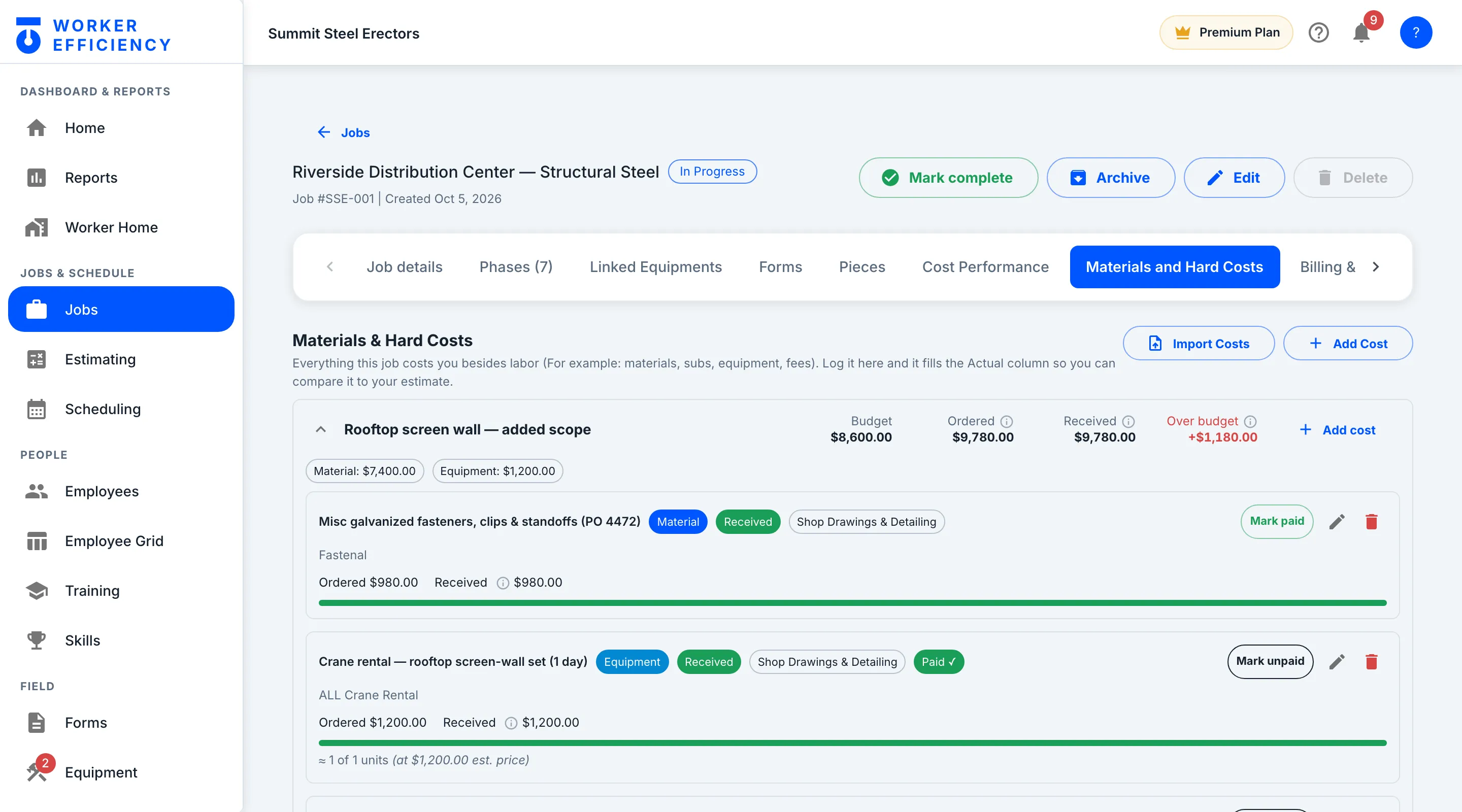
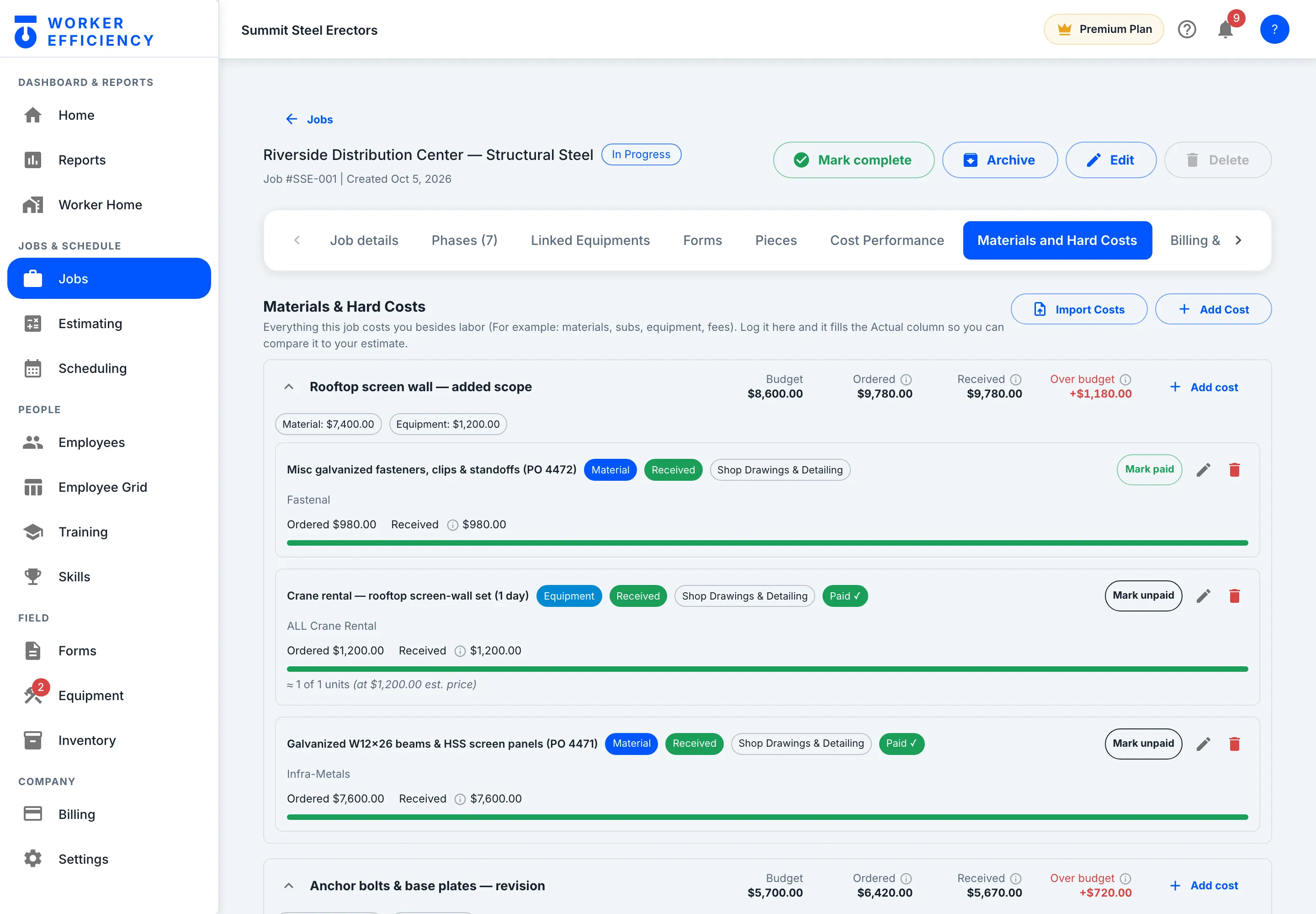
Ordered vs received, against the budget
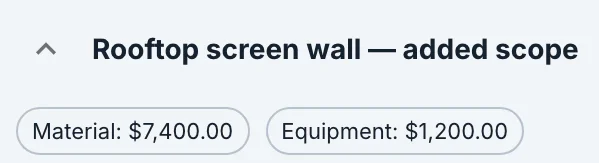
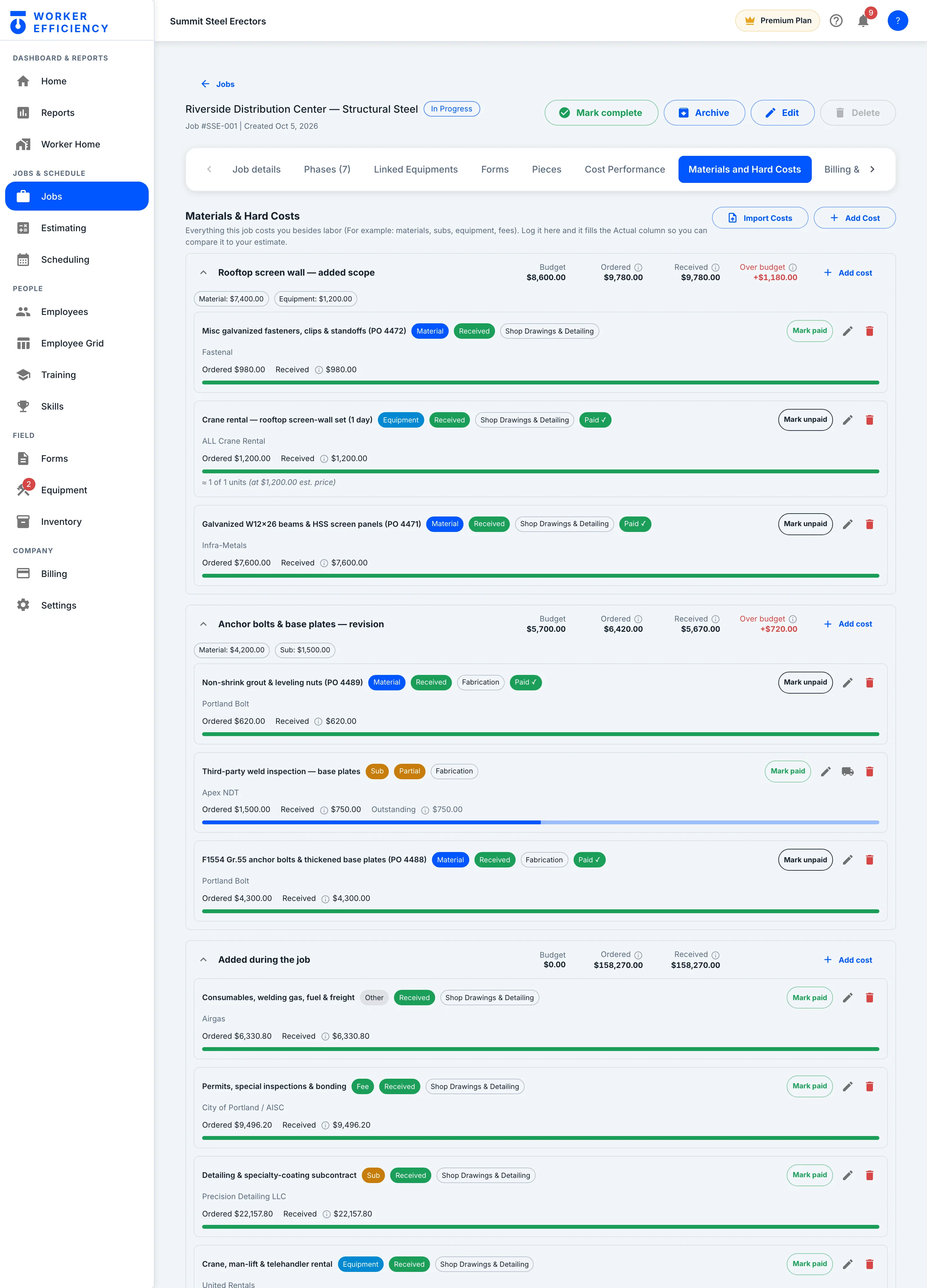
Committed cost shows the moment you order; actual fills in as it is received — both against the budget for that cost group, which flags itself when it runs over. Riverside’s rooftop screen wall: $8,600.00 budgeted, $9,780.00 ordered, +$1,180.00 over.
Inventory
Save your materials once
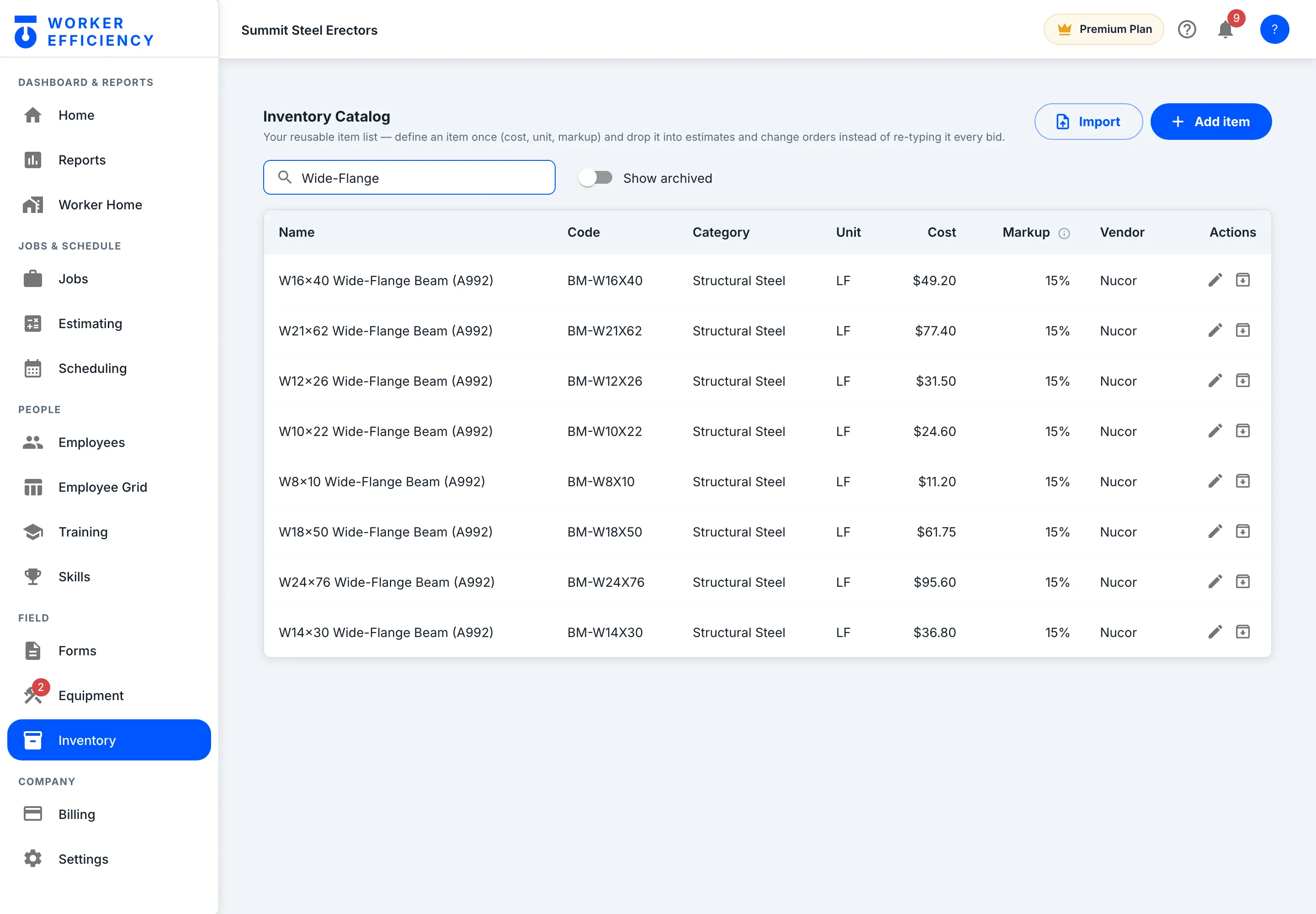
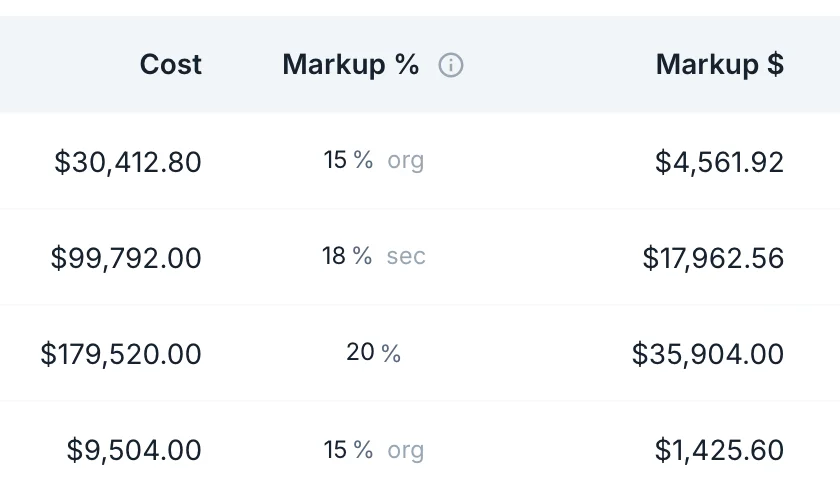
The reusable catalog: every item you buy, with its code, unit, cost, markup and vendor — define it once and drop it into estimates and change orders instead of re-typing it every bid. Search “Wide-Flange” and Summit’s W-beams come up, each at a 15% markup from Nucor.
Inventory
Add an item in one form
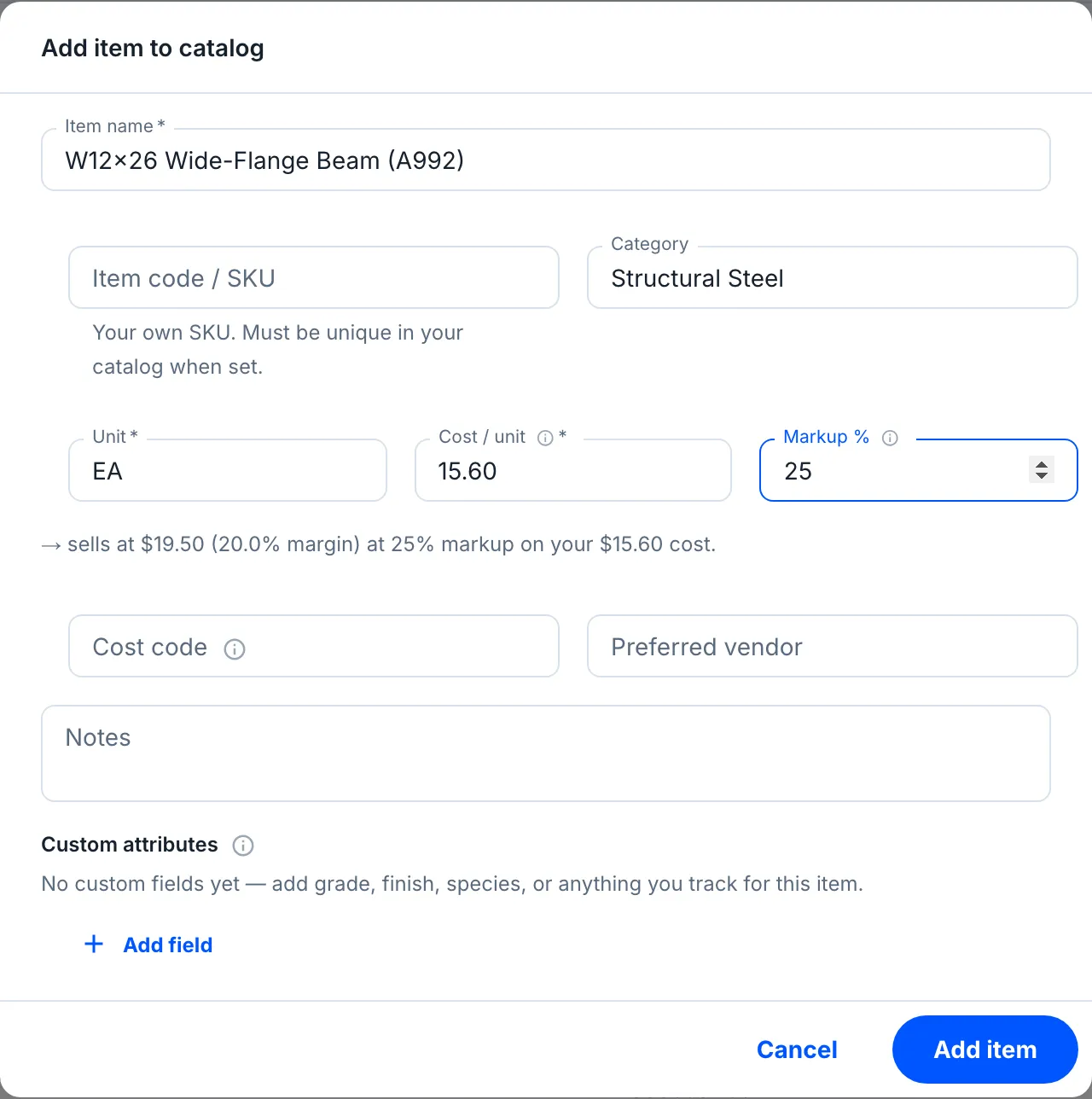
Name, category, unit, cost and markup — and before you save, the form shows what the item sells at and the margin that leaves. Add a cost code, a preferred vendor, or your own fields such as grade or finish.
Costs
Equipment
Assign it, use it, maintain it — and with cost tracking on, rentals and crew trucks bill their daily rate to the job every night.
Every machine
Every machine, owned or rented
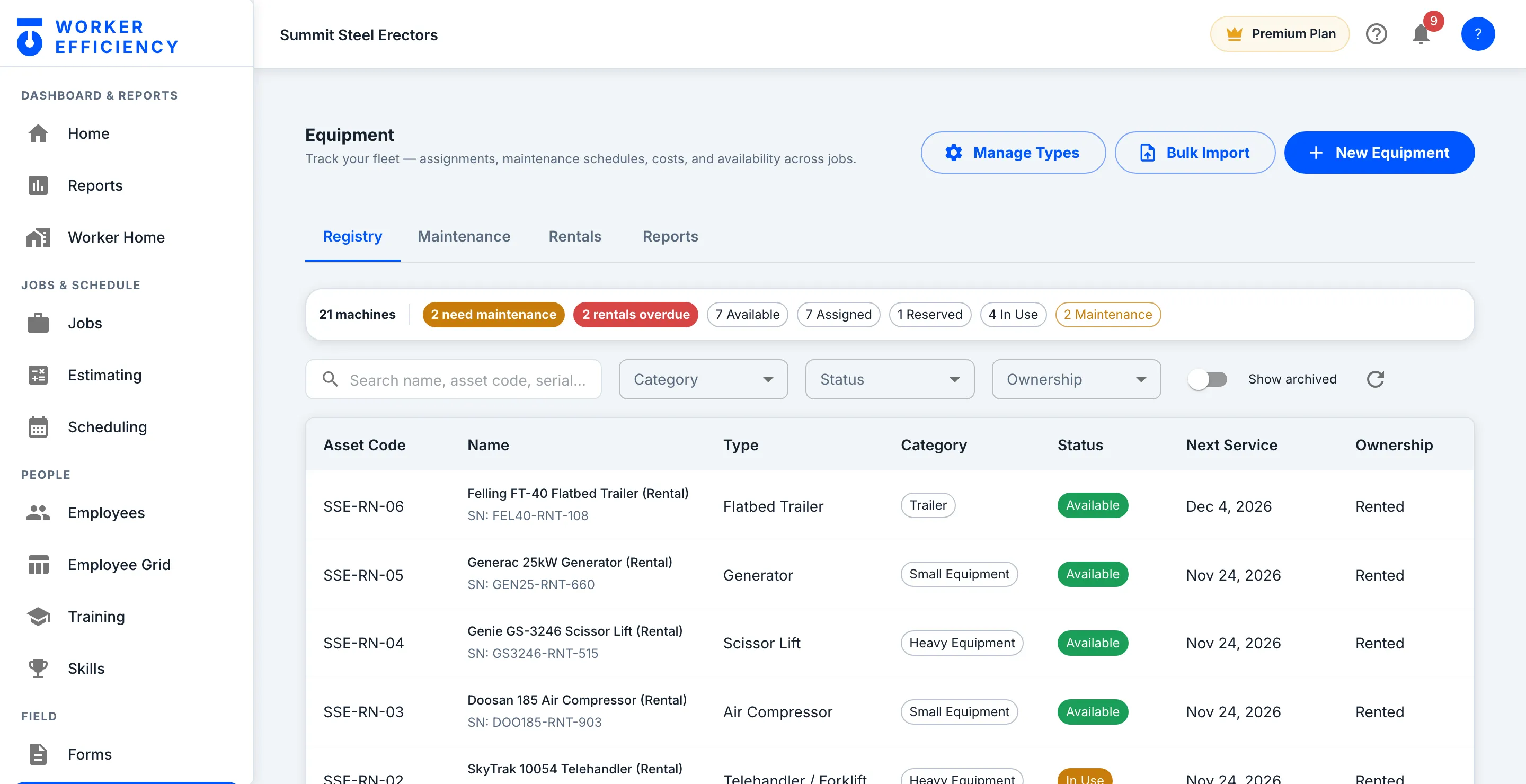
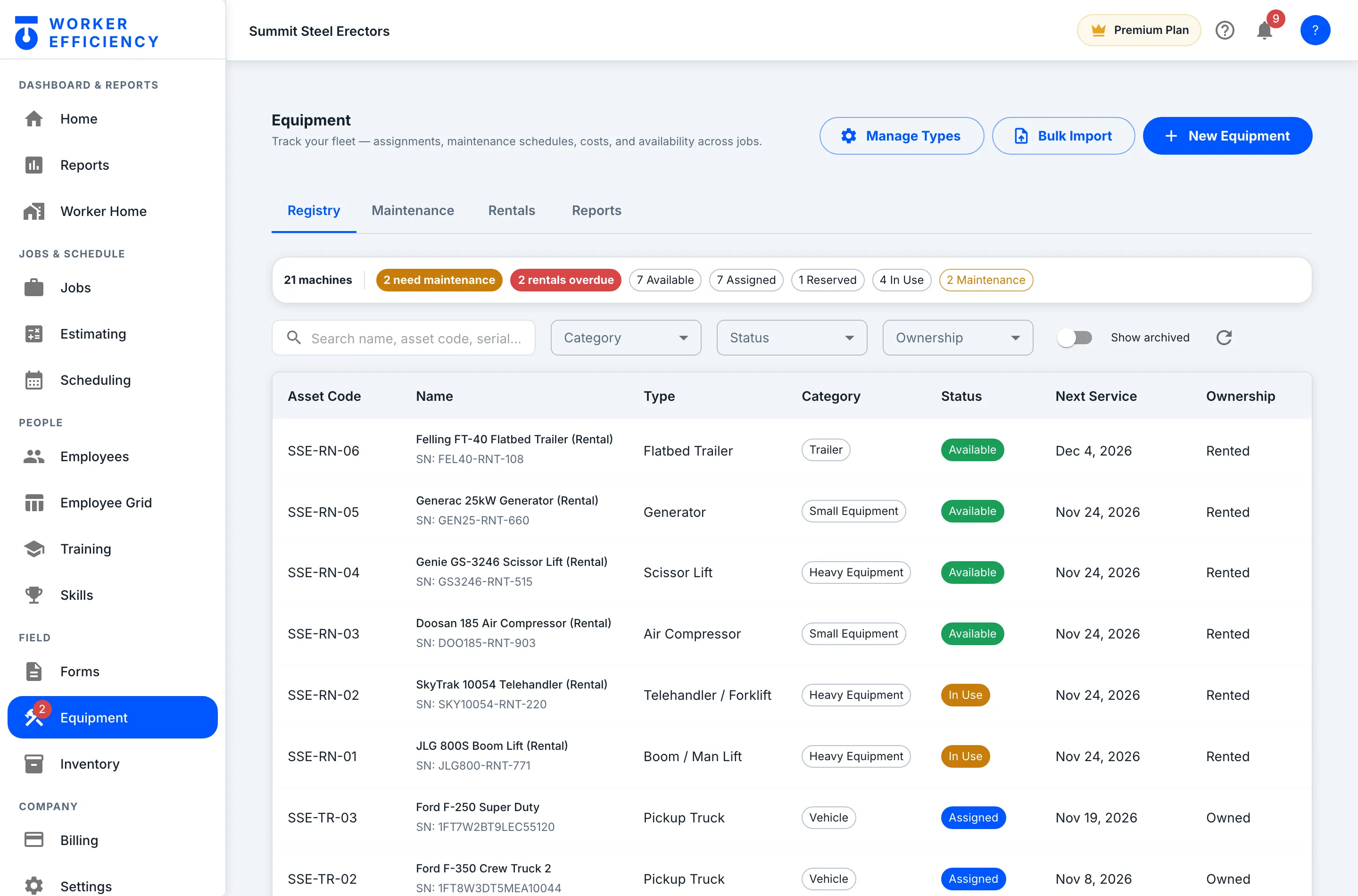
Status, next service date and ownership for every machine, with the problems counted up top — of Summit’s 21 machines, 2 need maintenance and 2 rentals are overdue. With cost tracking on, rentals and crew trucks bill their daily rate to the job every night.
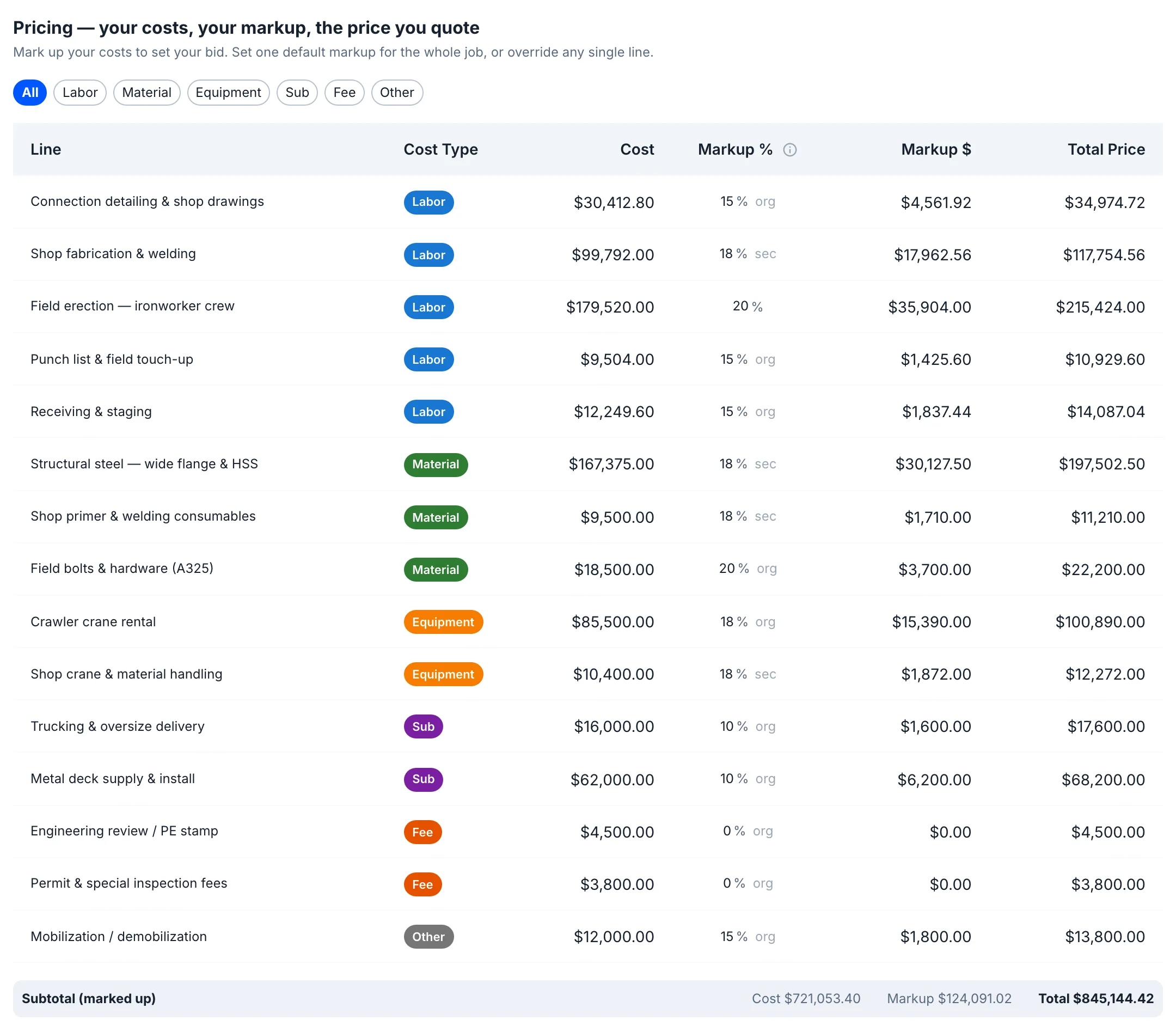
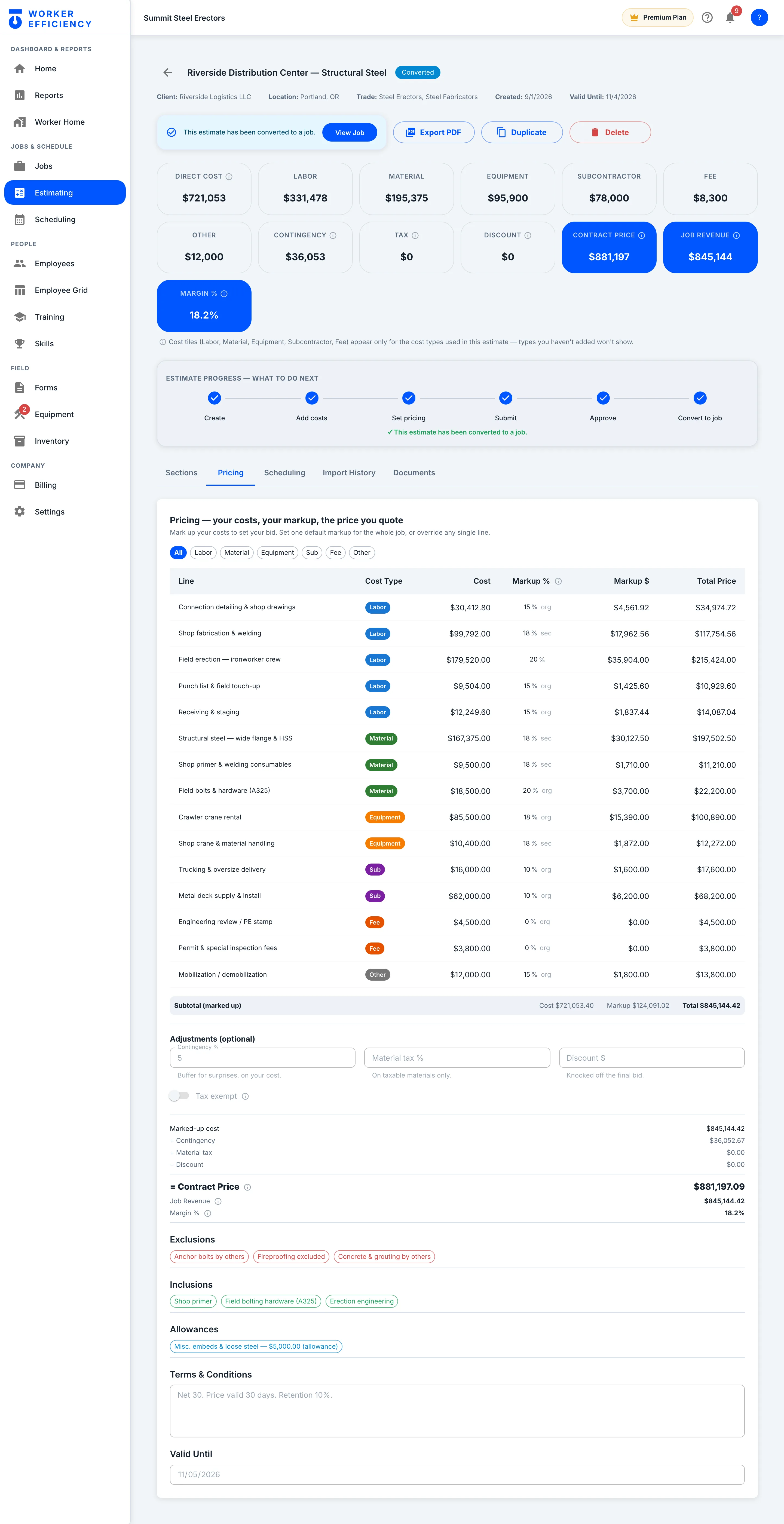
Sections and line items stack up — labor, material, equipment, subs — each with its cost, markup and margin. Pricing marks Riverside’s $721,053.40 of cost up by $124,091.02, to $845,144.42 before contingency.
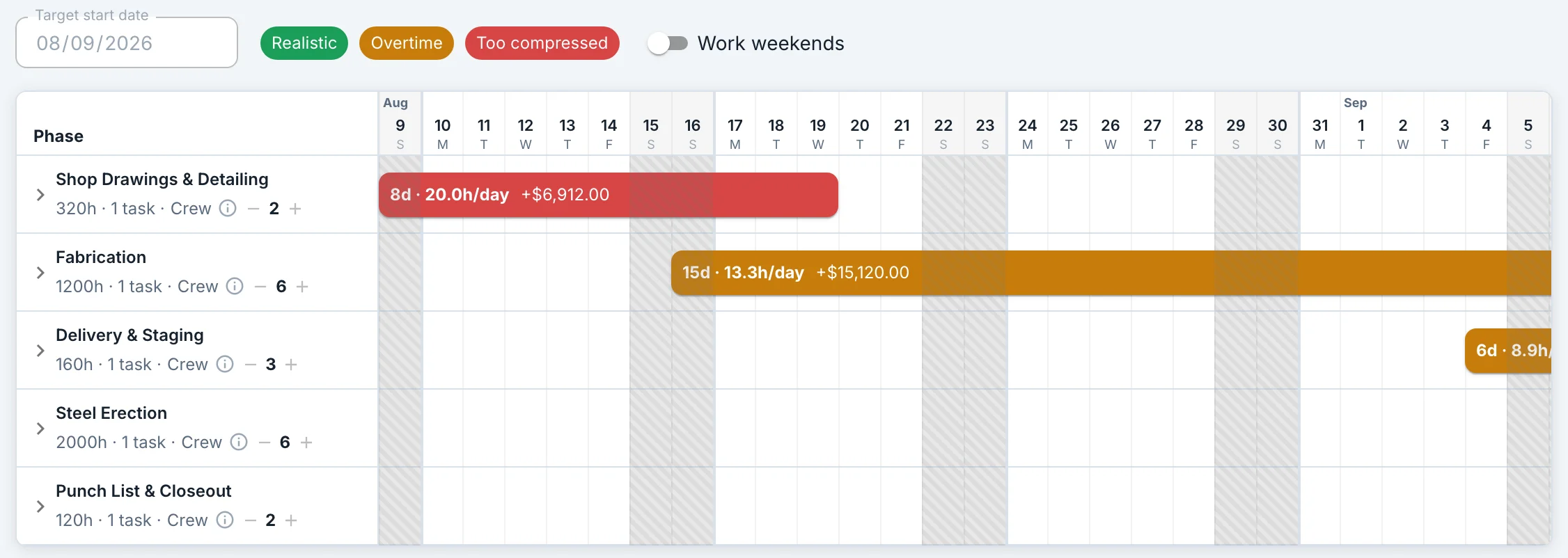
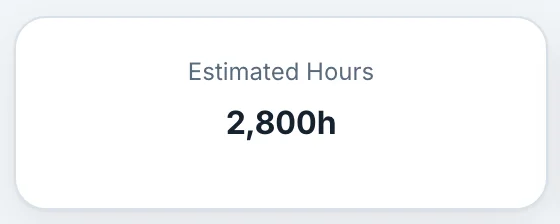
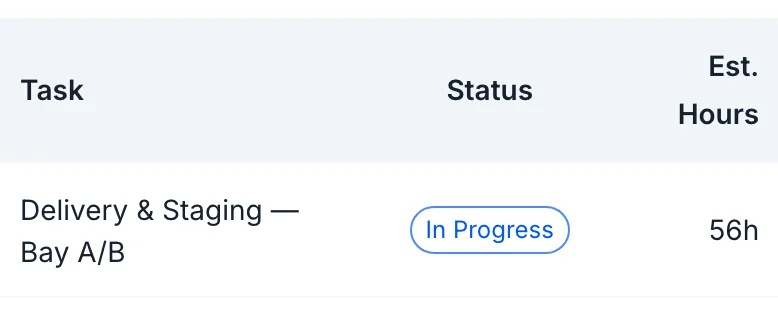
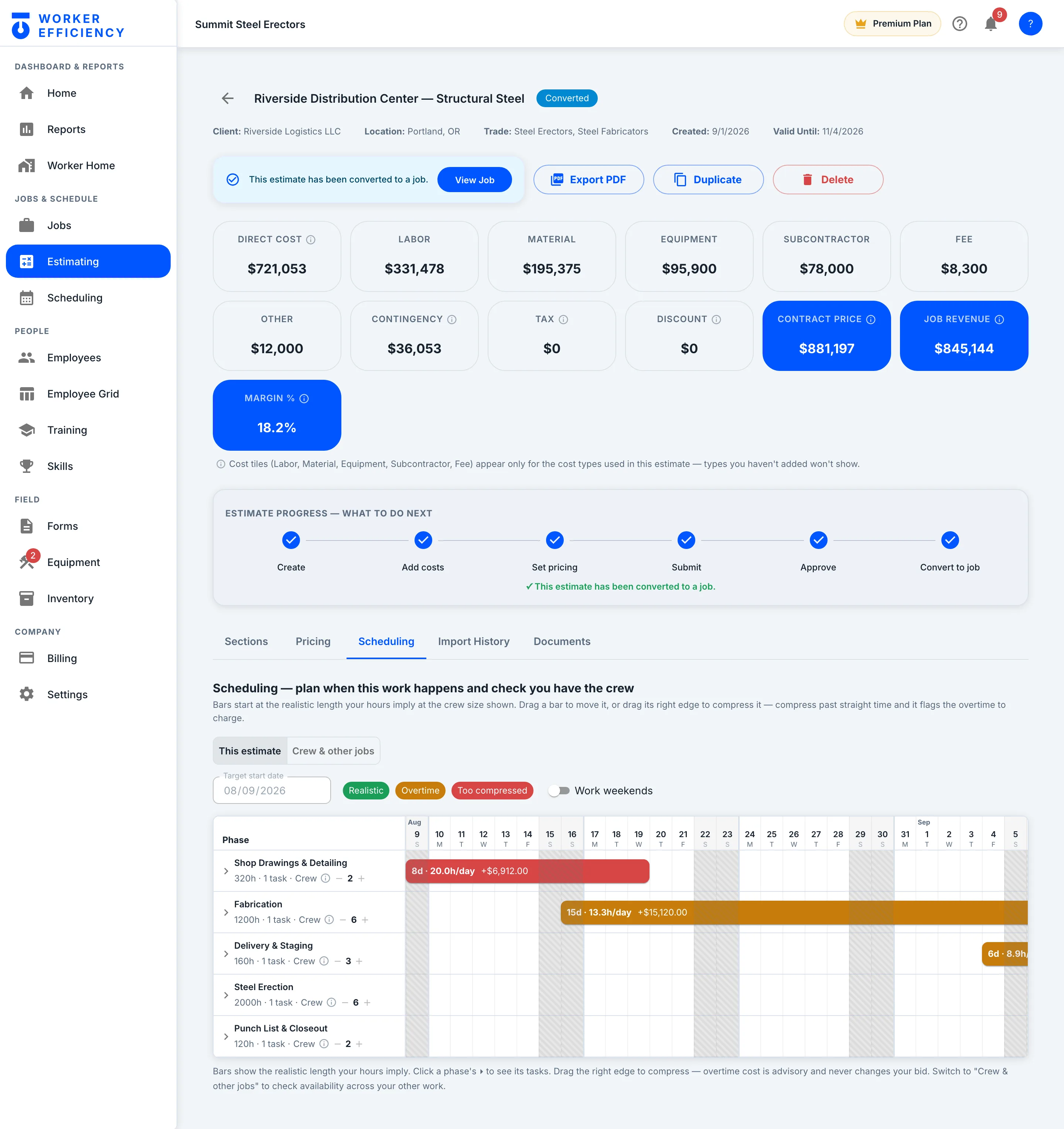
The Scheduling tab lays each phase on a calendar from its hours and crew size, and flags overtime before you commit. Once the estimate is approved, Convert to job turns it into a live job.
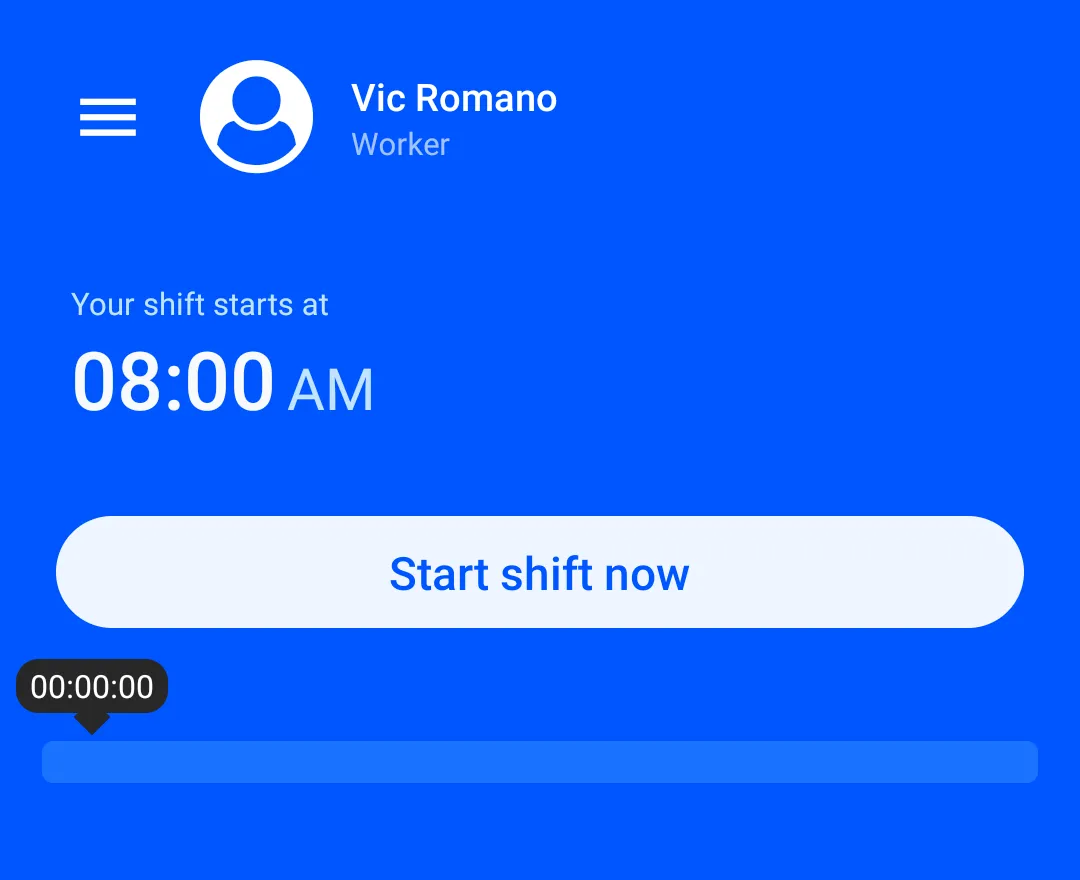
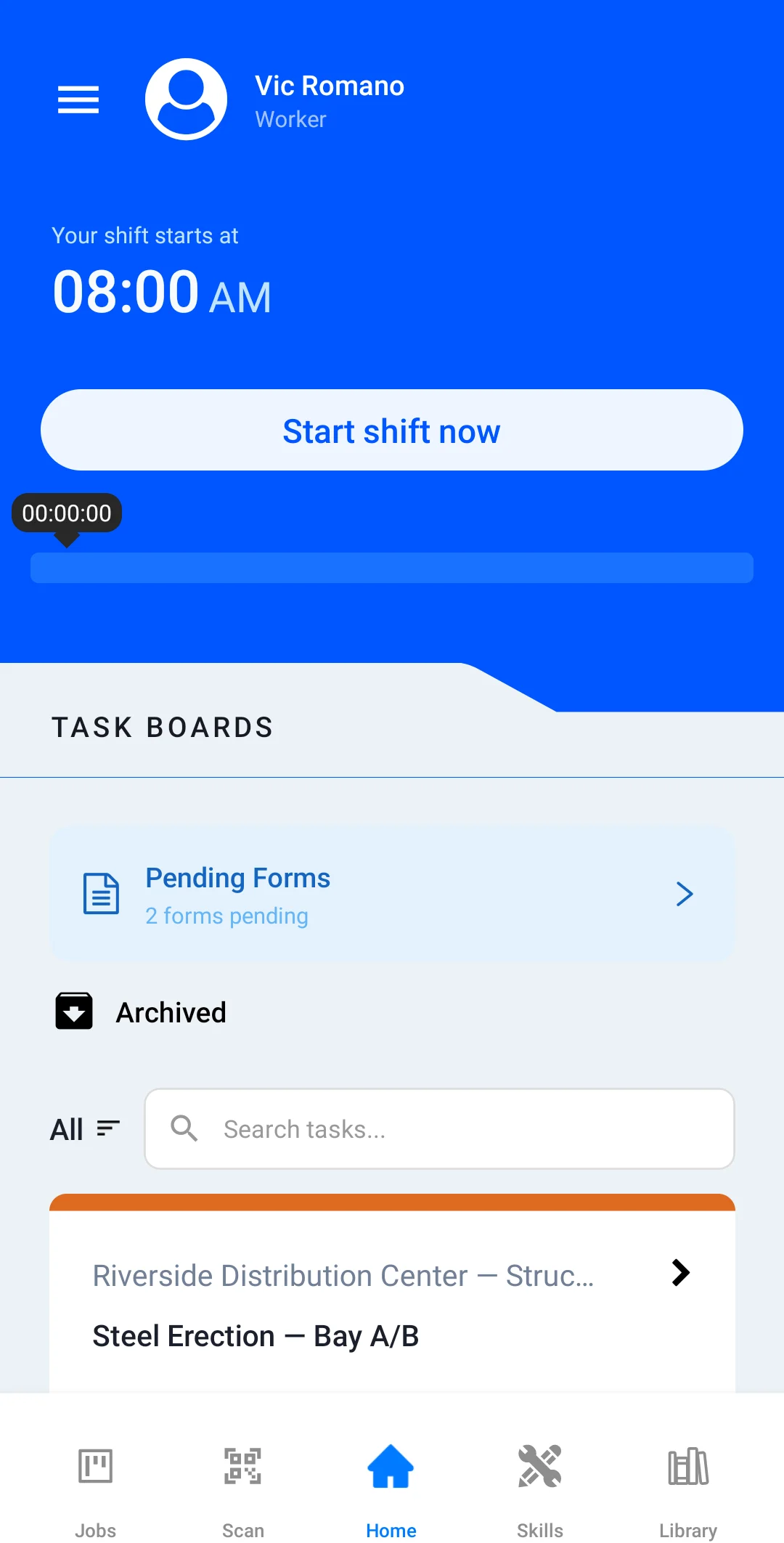
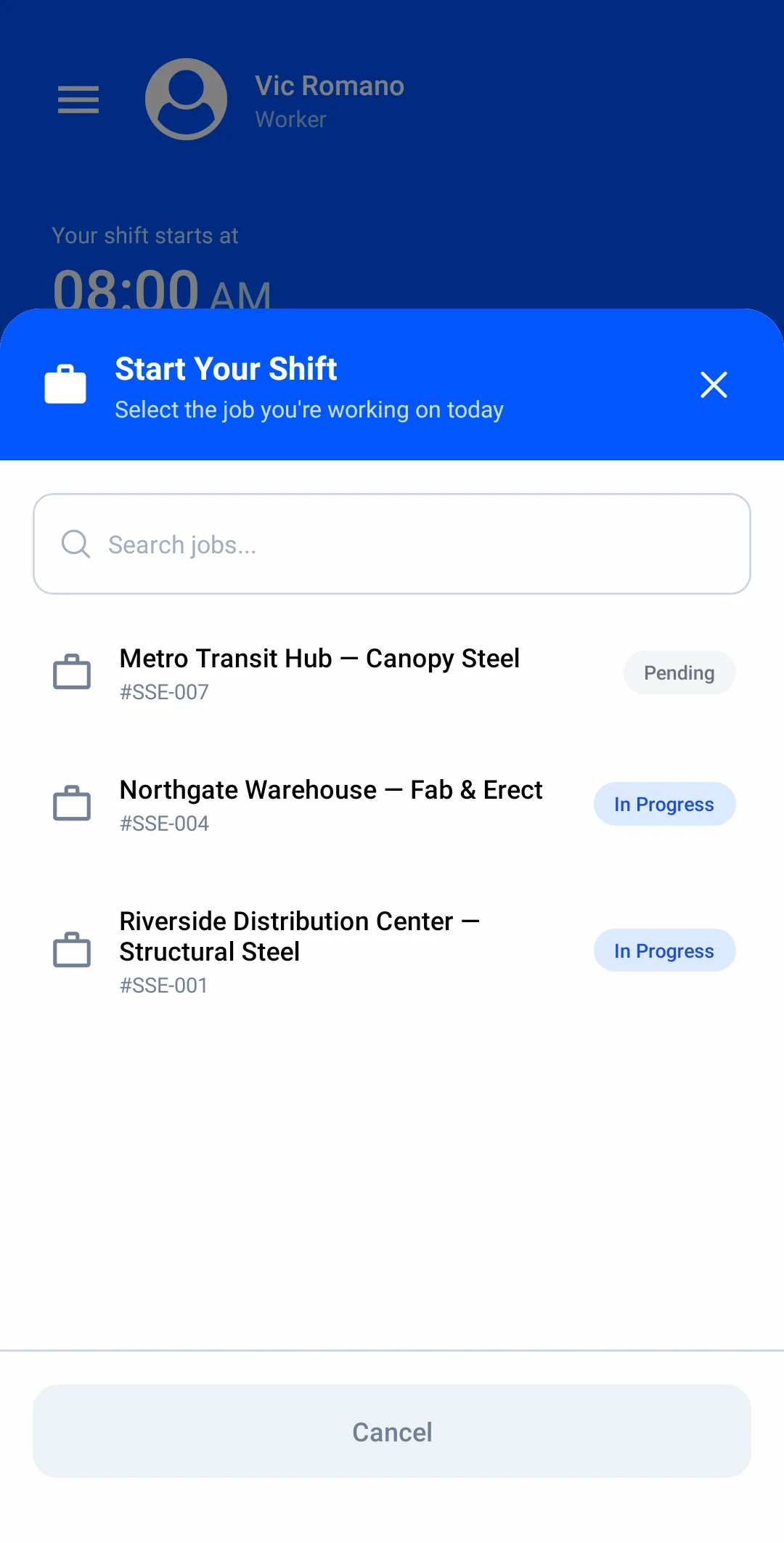
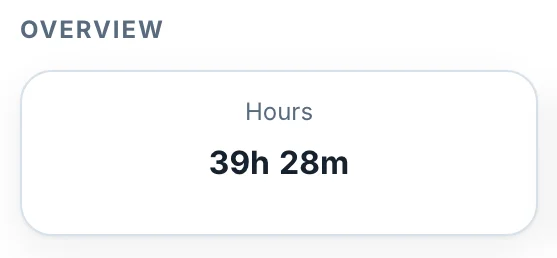
Vic taps Start shift now on his phone and picks Riverside. Every clock-in posts hours to the job as they’re worked — 1,316.3 logged on Riverside so far.
The owner asked for a rooftop equipment screen. Price the change order line by line — labor, material and equipment, at cost and at price — and approve it right on the job.
Materials and hard costs, tracked against the job.
Purchase orders and receipts post against the budget they belong to. The rooftop screen wall was budgeted at $8,600.00 — it’s $1,180.00 over, and you see it while the job is still running.
Cash, receivables, margin at completion against your target, and the jobs at risk. Midtown is flagged for a projected loss of $31,140.62 while there’s still time to act.
When Vic clocks out, the app picks him to rate a coworker from today’s shift. Workers never see who rated them; managers do — this is his manager’s view. It adds up: his crew rates Vic’s skill 4.4 / 5.
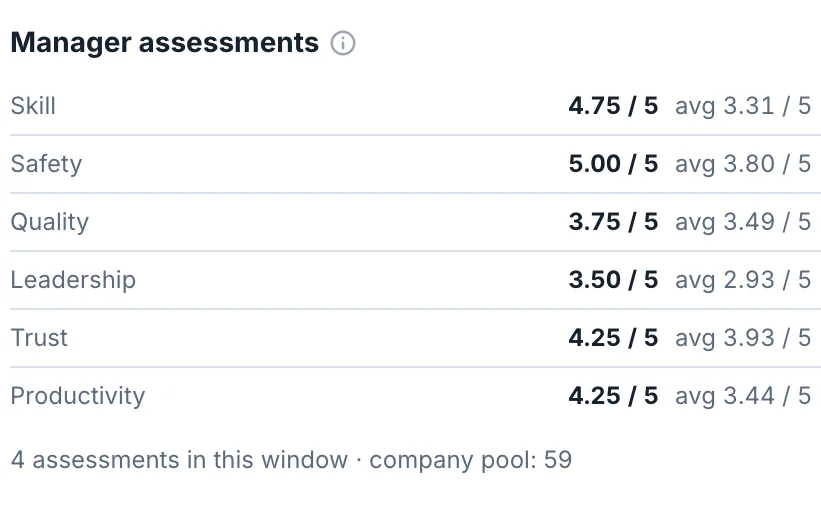
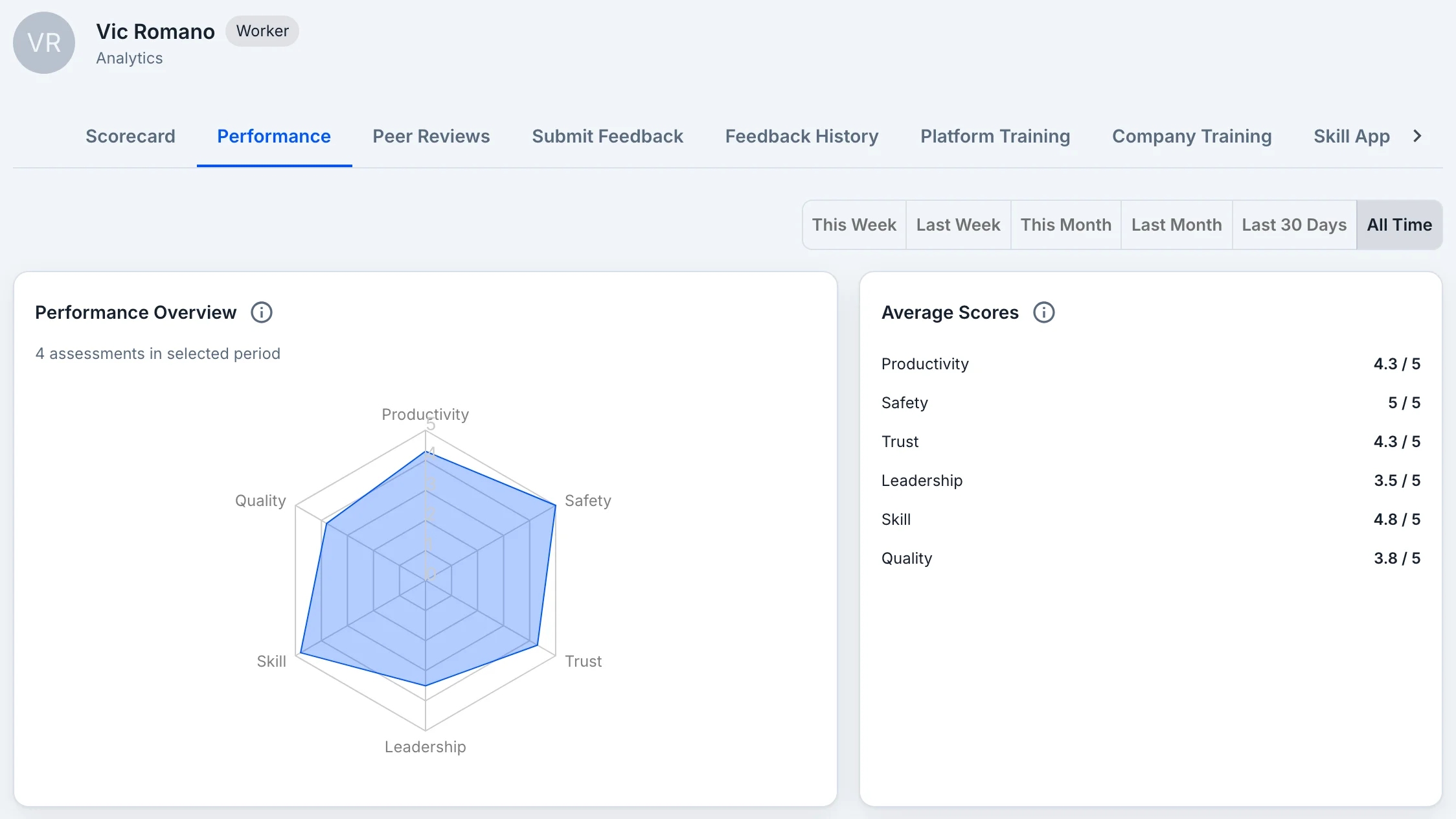
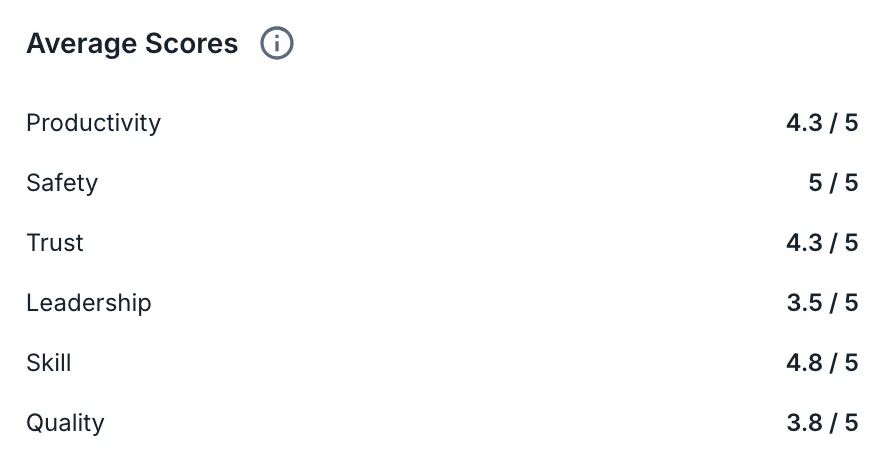
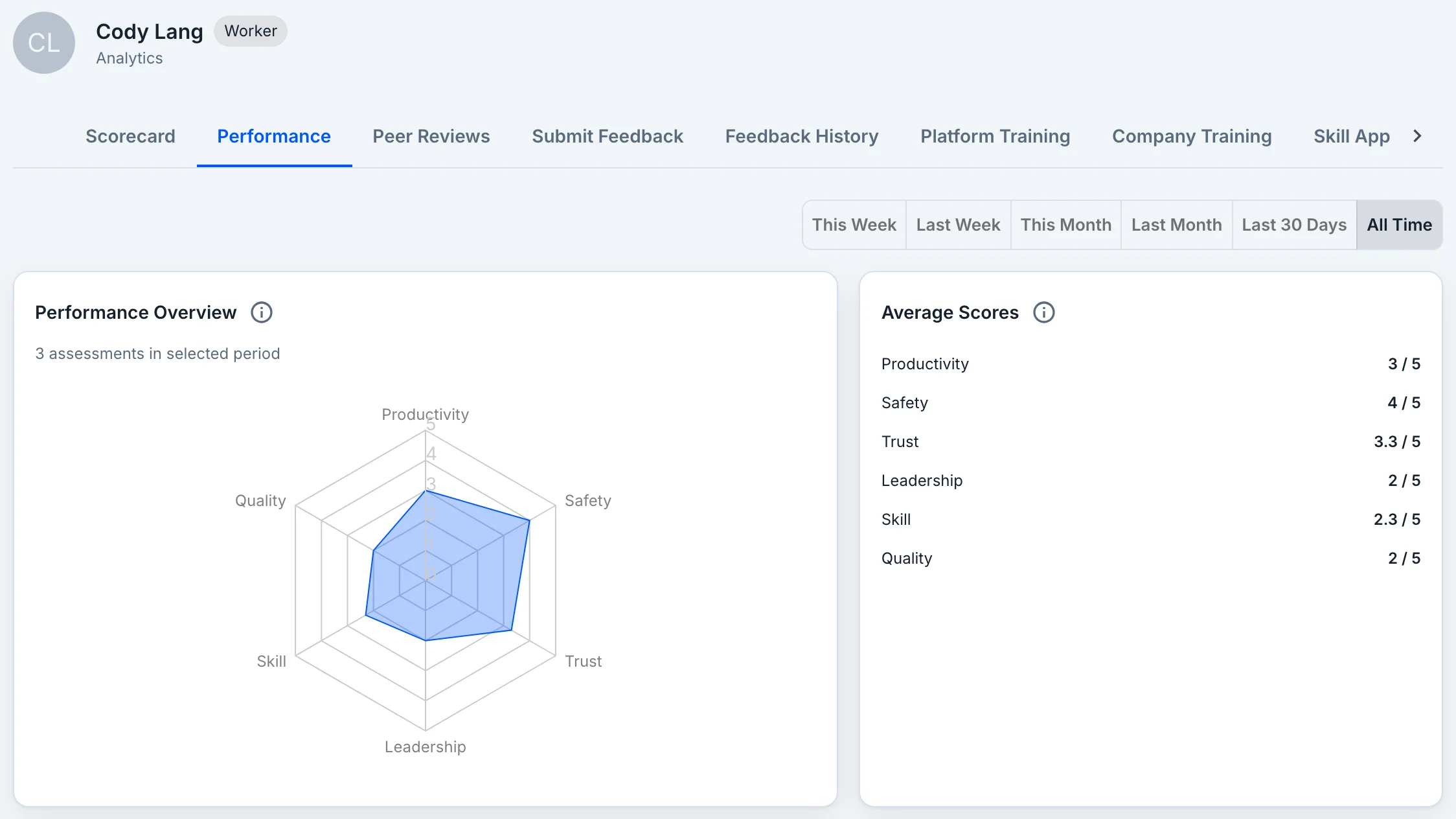
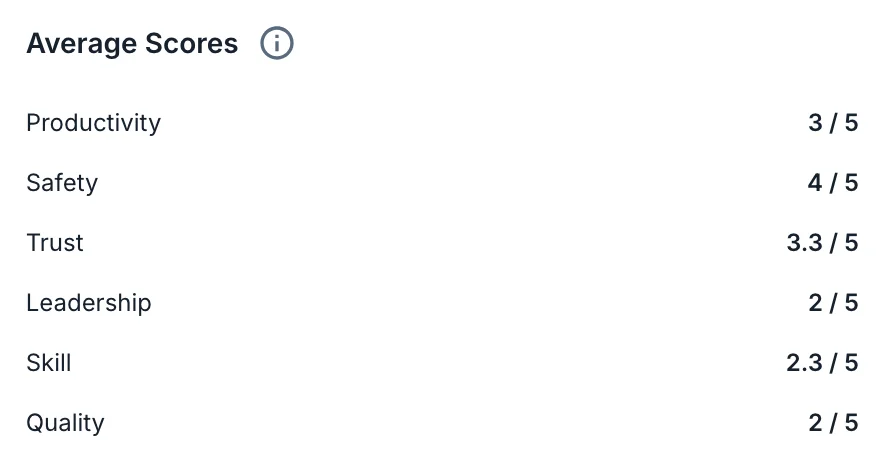
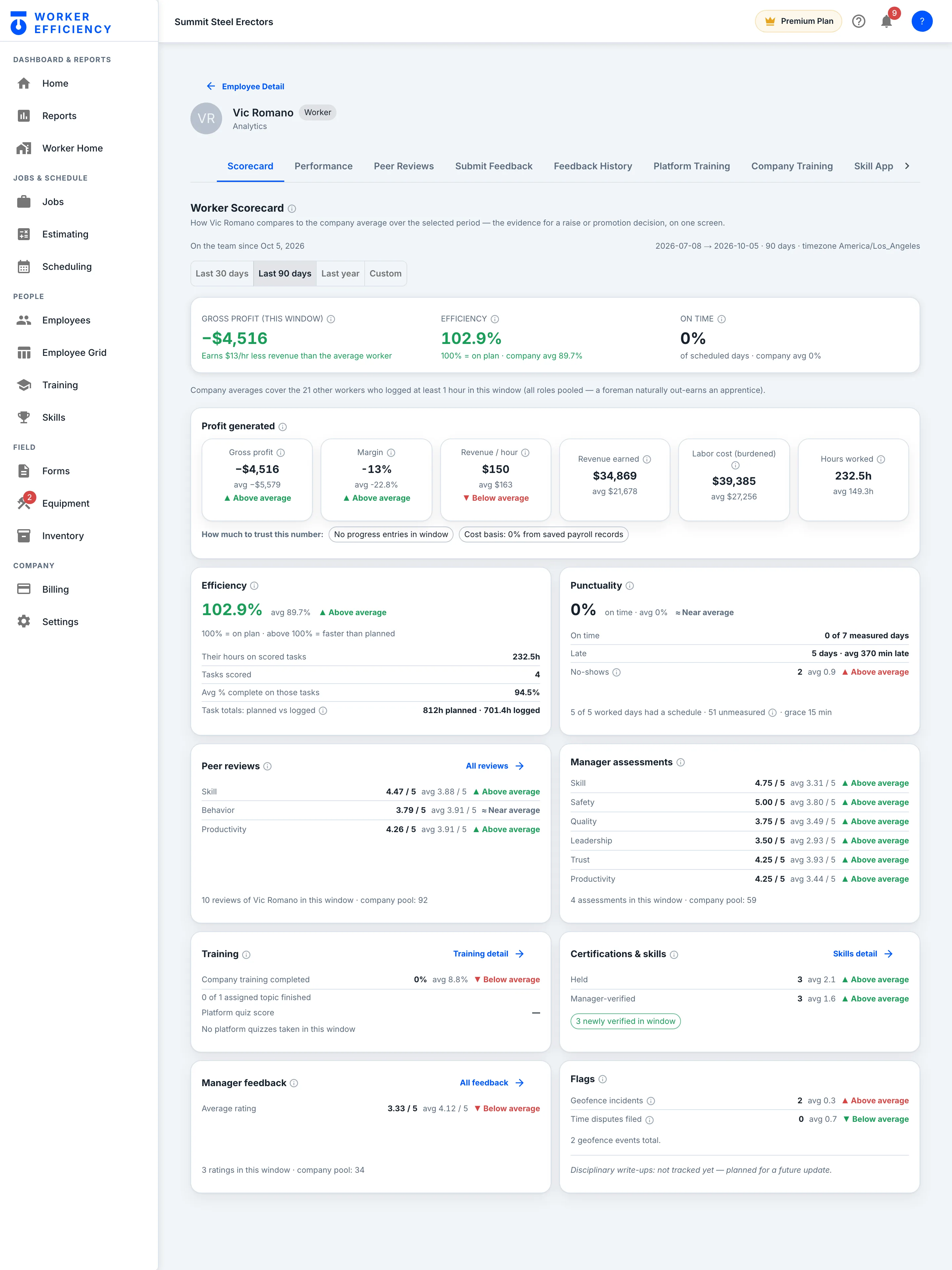
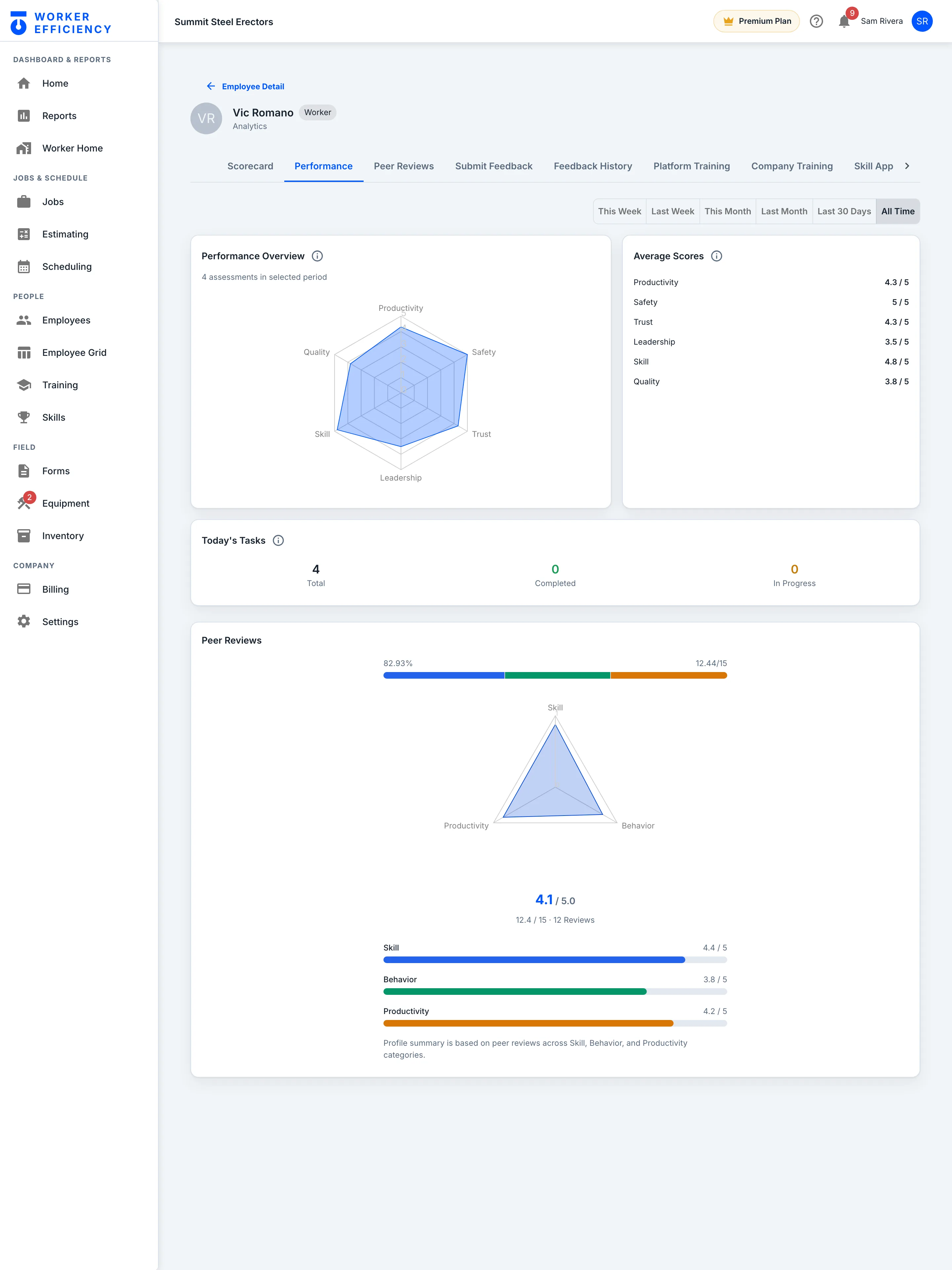
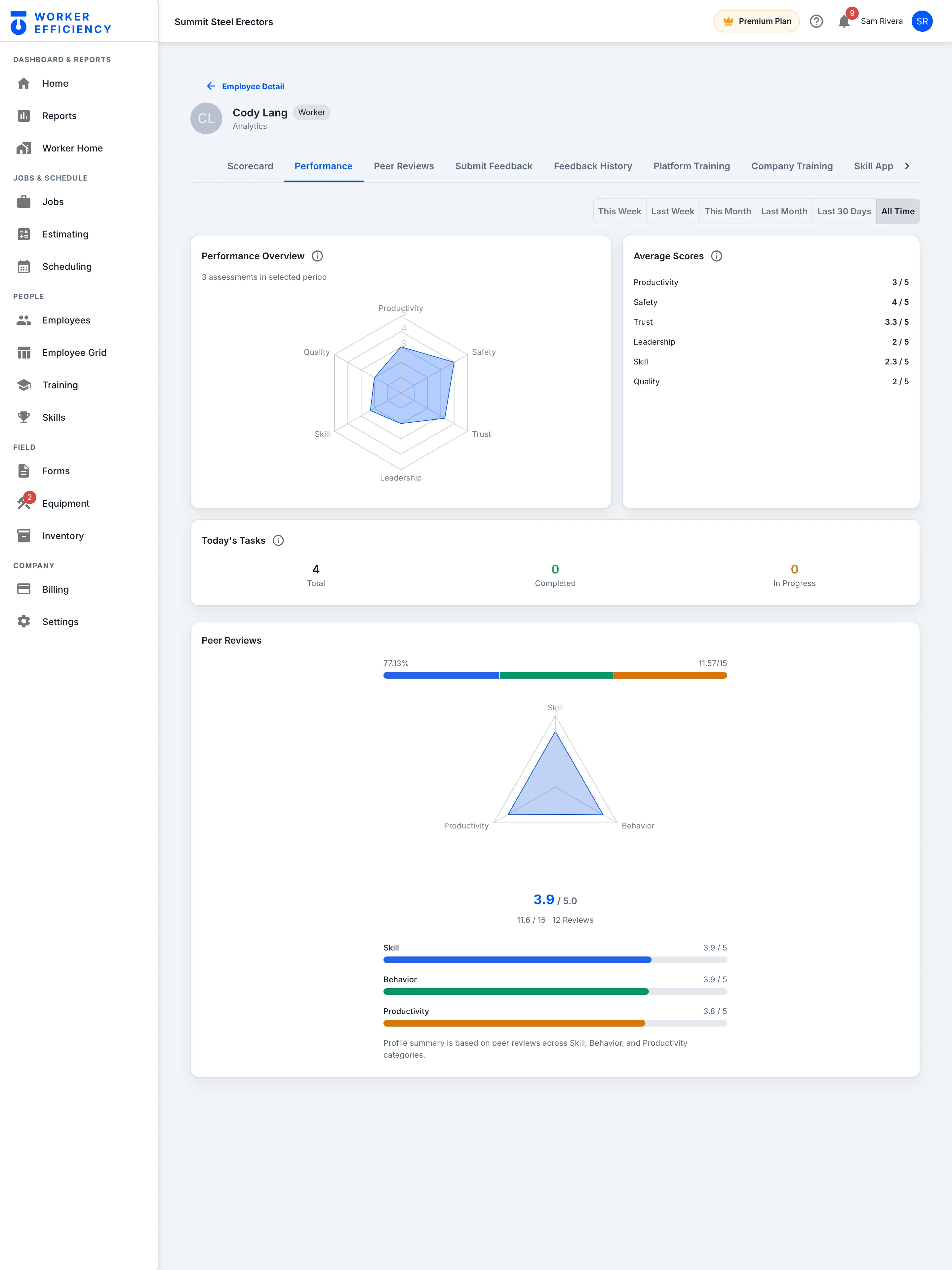
Every worker gets a scorecard against the company average, and managers score them too. Vic: 5 / 5 safety. Cody: 2 / 5 leadership — someone to coach now, not someone you find out about at closeout.
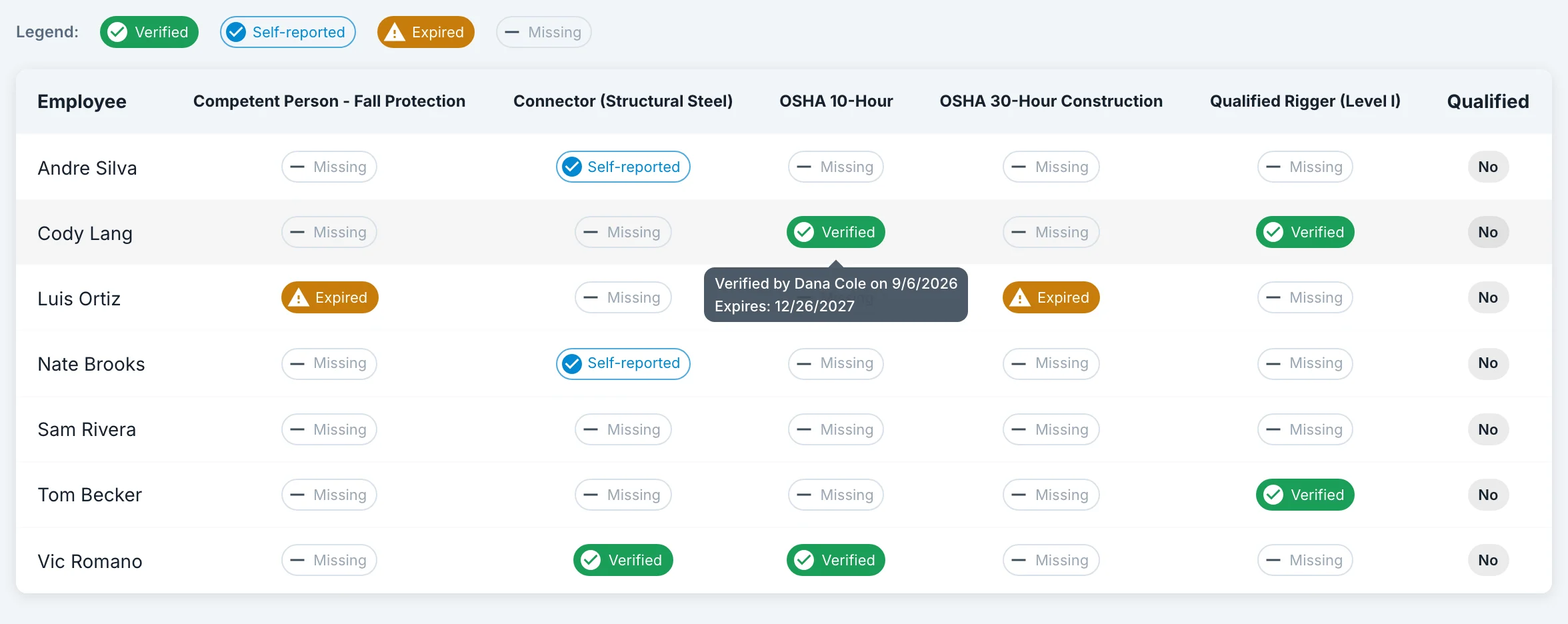
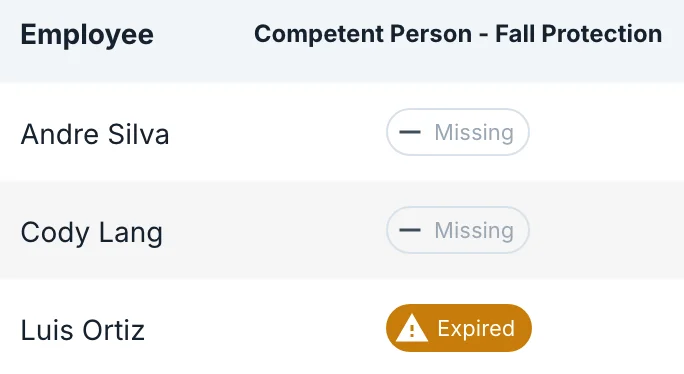
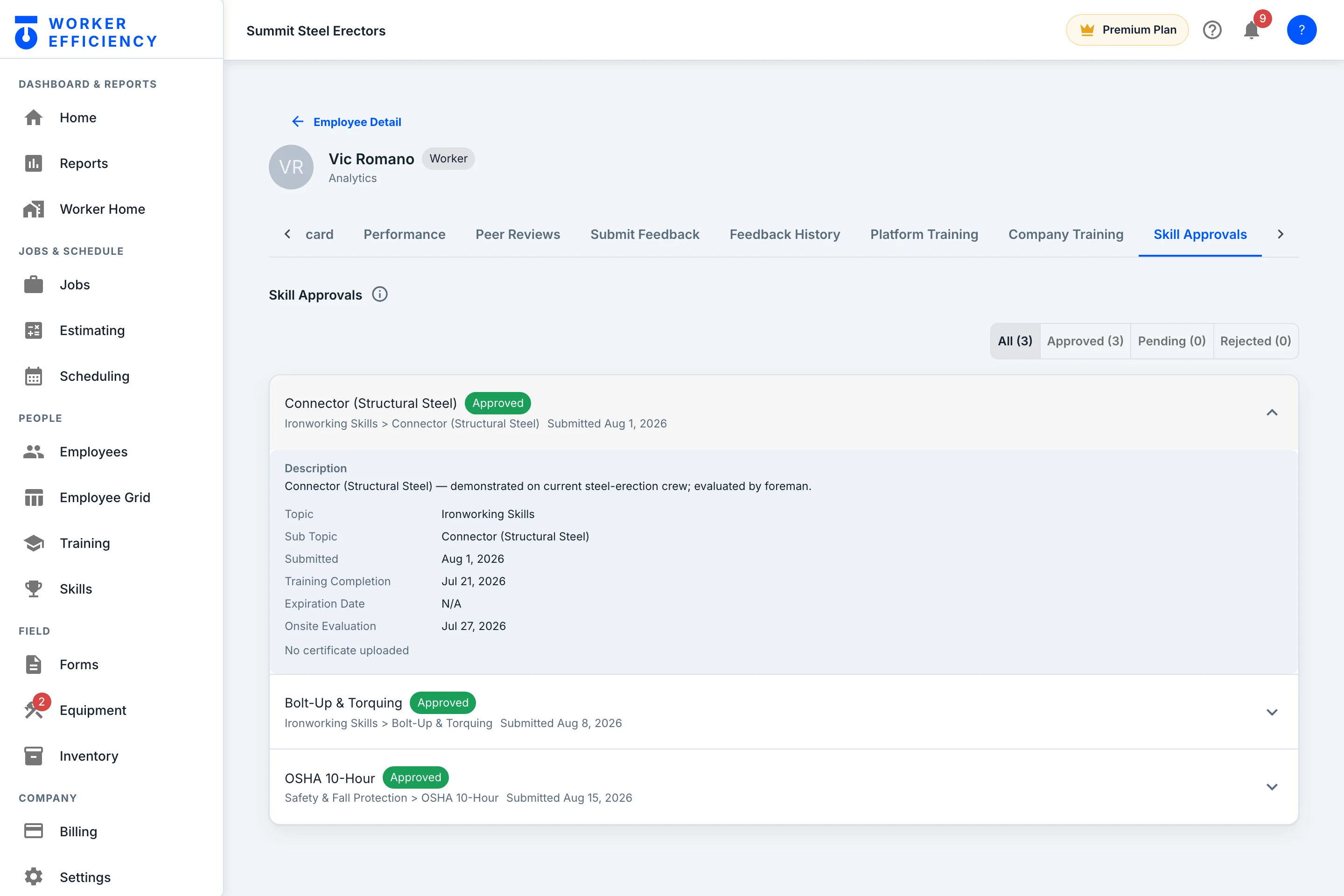
Skills are submitted and approved worker by worker, and the credential report checks a job’s crew against the certifications you pick — verified, self-reported, expired or missing. On Riverside it shows Luis Ortiz’s fall-protection card has expired.
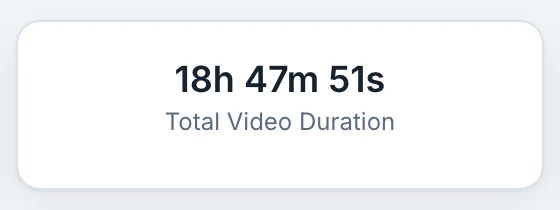
A video library — 18h 47m 51s of courses on rigging, cranes, fall protection and steel erection — plus your own company courses, with each worker’s progress tracked.
Every screen on this page is the real Worker Efficiency app — the web dashboard and the Android app on a real
phone — captured from Summit Steel Erectors, our demo company, filled with sample jobs, crews and costs. The totals, margins and warnings are the app’s own math on that
data. Your jobs run on the same math from the first clock-in.
Worker Efficiency is built for work like this — on the deck, in the shop and under the hook.
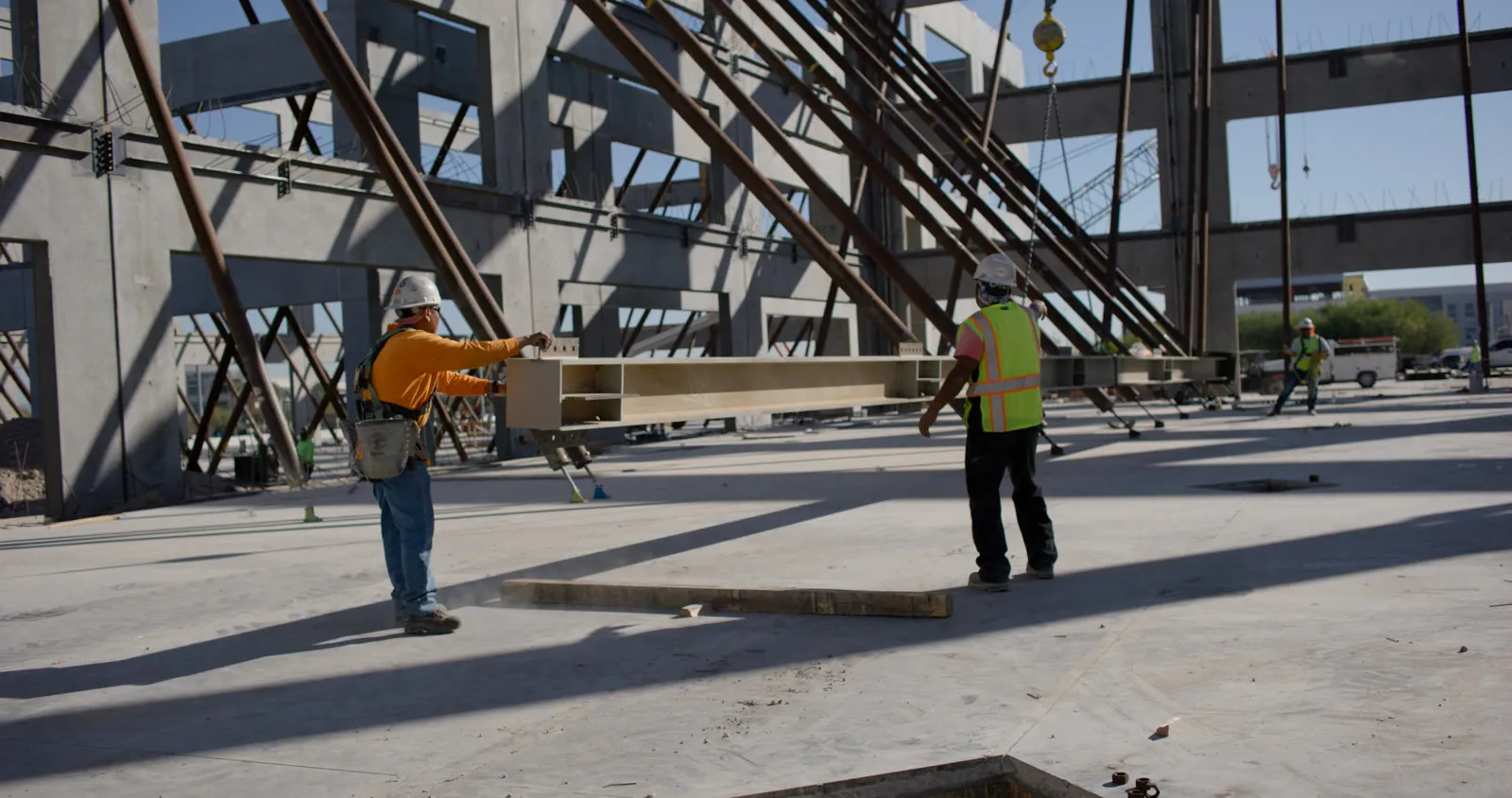
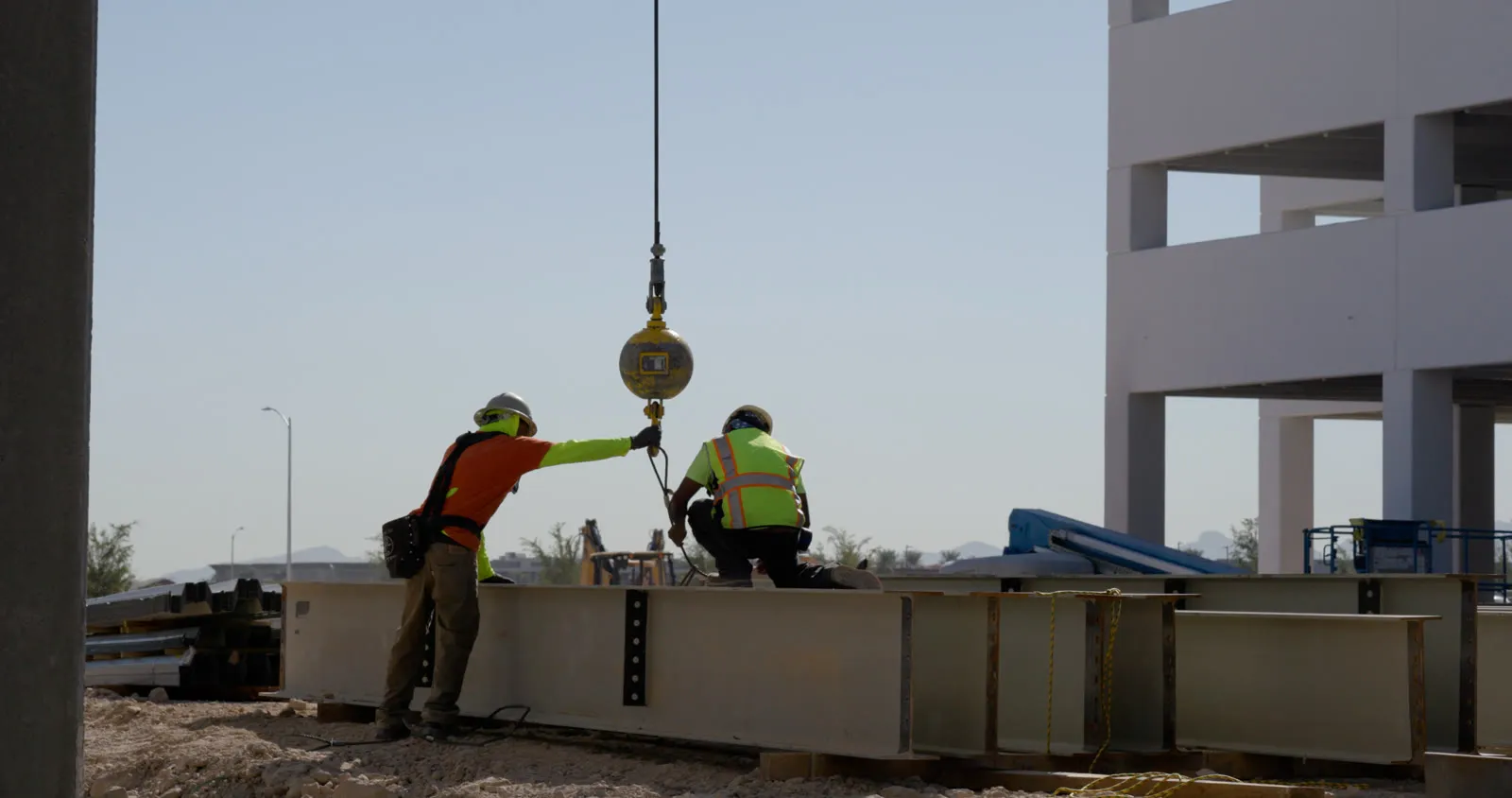
Silent video: a crew in hard hats and harnesses working a new metal deck, a steel beam flying on a crane line against a sunrise sky, and an ironworker rigging stacked steel.
What steel companies say
“Worker Efficiency’s training raised the bar for our team. We operate with stronger teams, tighter safety, and better results.”
Allie Manager, Master Steel
“If a guy asks for a raise, I say, ‘let’s look at the receipts.’ Worker Efficiency keeps the receipts for manager reviews down to skills that they have gained. It’s leveling up our teams.”
Inside the app, the Worker Efficiency training library (Premium) puts ironworker, fabricator and OSHA courses on
your crew's phones — with quizzes, and progress your managers can see. See training & certifications →
Questions owners actually ask
Will my guys actually use it?
They clock in and out on their phone — that is the whole job. No forms to remember, no timesheet to fill in Friday night. The foreman sees the crew board, you see the money. Crews that hate software use it because it replaces paperwork instead of adding it.
I already have a time clock. Why switch?
A punch clock tells you hours happened. Worker Efficiency connects those hours to the job they were spent on, prices them against your estimate, and shows you the margin moving while the job is still open. Time tracking is the input — job profit is the answer.
What does it actually cost?
Standard is $2 per user per month; Premium is $5. A 10-person crew on Premium is $50 a month. The pricing page has a slider so you can see your exact number — no sales call required.
How long does setup take?
Create the company, invite your crew by email, and create your first job. Your first margin number shows up as soon as the first shift is clocked against it.
Is this for a 12-person shop or a 200-person GC?
Both. There is no company-size tier: every seat is $2 or $5 a month (seats come in packs, up to 200) with unlimited jobs on either plan, so a 12-person shop and a 200-person GC pay the same rate and run the same app. Roles scale with you — workers, managers, general managers and admins, with crews grouped under their managers.
Know every job’s margin. Build the crew behind it.
Set up your first job this afternoon. Your crew clocks in tomorrow. You read the ledger by end of week.